
Network Change Management: A Practical Guide for Small Businesses
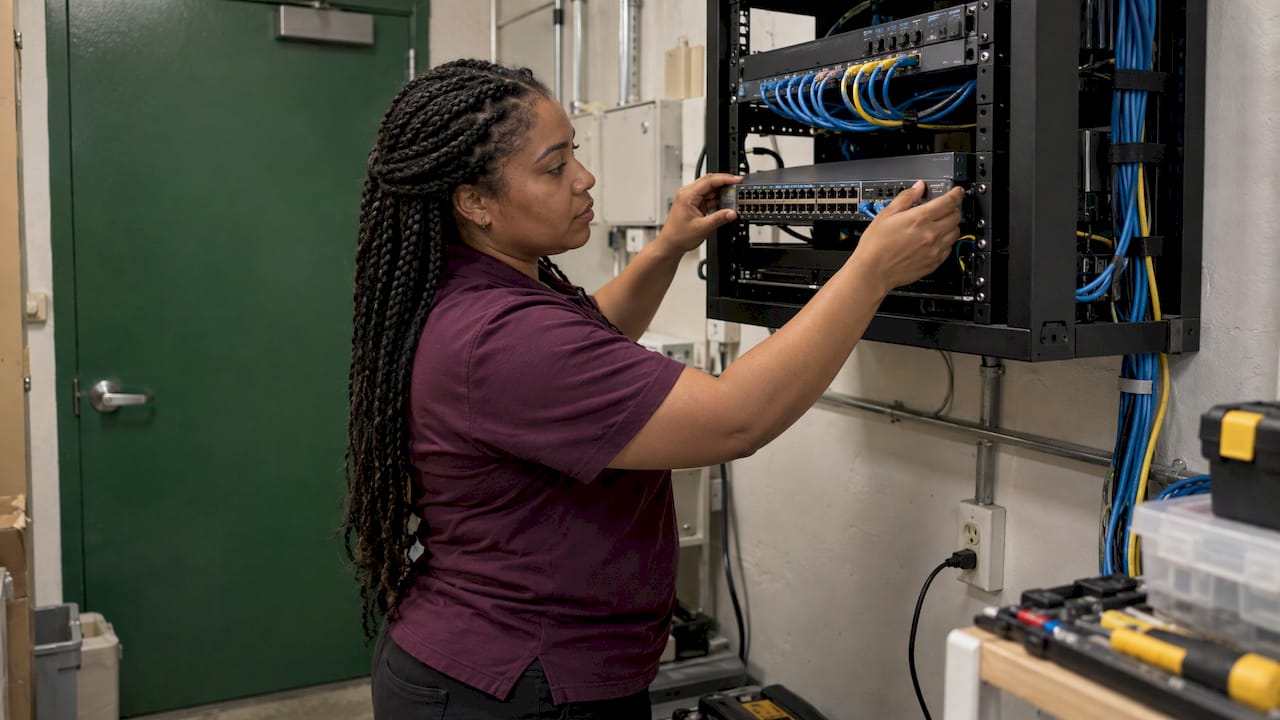
Network change management is the written routine that decides how every change to your network is requested, reviewed, tested, made and recorded. For a small business, that covers a new firewall rule, a Wi-Fi replacement, a switch swap or a router update. Done well, a change is planned, has a way back, and is verified afterward. Done badly, a Friday afternoon tweak becomes a Monday morning outage. Great Plains Networking runs this routine for small businesses in Norman, Moore and Oklahoma City, backed by 24/7 monitoring, so changes are watched while they happen and after.
Key Takeaways
- Change management is the framework for deciding what changes and when. Change control is the hands-on execution of a change that has already been approved.
- Every change needs five things: a scoped risk check, a second set of eyes, a test, a verified rollout and updated documentation.
- A back-out plan written before the change turns a failed change into a short delay instead of an outage.
- Proactive monitoring is how you confirm a change did what it should and catch problems before staff notice.
- A small office does not need enterprise tooling. It needs a short, consistent routine and someone who follows it every time.
Table of Contents
- What network change management means
- Why it matters for a small business
- The five steps of a controlled change
- Build the back-out plan before the change
- Proactive monitoring: how you know the change worked
- Proactive maintenance keeps changes small
- A starter change record for a small office
- What it looks like in different practices
- How Great Plains Networking handles this for you
- FAQ
- Sources
What network change management means
A network change is any modification to the equipment or settings that connect your people, files and applications: routers, switches, firewalls, wireless access points, VPN settings, user access rules and the software that runs on them. Network change management is the process that governs the whole life of such a modification. Someone requests it, someone reviews and approves it, someone carries it out, and someone verifies the result and records it.
You will also see the phrase network change control. The two are related but not identical. Change management is the policy-level framework: who may ask, who approves, what gets documented. Change control is the operational part, the actual carrying out of an approved change in a controlled way. Think of management as the rulebook and control as playing by it on the night of the change.
In a larger organization those roles belong to separate teams. For a ten-person office, the same pattern shrinks to a short checklist and one named approver.
What counts as a change
Owners often think only of big projects. In practice the small changes cause trouble because nobody treats them as changes:
- Opening a port or adding a firewall rule so a vendor can reach a system
- Adding a guest Wi-Fi network or a new VLAN (a way of separating traffic into virtual segments)
- Updating the firmware on a router, switch or firewall
- Giving a new employee, contractor or outside party access to shared files
- Moving a printer, server or internet line to a new location
If it can break something or open a door, it goes through the routine.
Why it matters for a small business
Large companies have network teams and test labs. A dental practice, a law firm or a machine shop usually has one person who "handles the computers," or an outside provider. That makes unmanaged change riskier, not less risky. There is rarely a spare device to test on, and one mistake can stop the front desk, the phones and the billing system at once.
Three problems show up again and again:
- Downtime. A change that conflicts with an existing setting can take part of the network offline. If nobody wrote down what changed, finding the cause takes far longer than the change itself.
- Security gaps. A rule opened "temporarily" and never closed is a standing invitation. Access granted to a vendor and never removed does the same. CISA's guidance for small and mid-sized businesses recommends restricting provider accounts to least privilege and disabling them when not in use, along with multi-factor authentication wherever possible.
- Compliance trouble. Practices handling patient data under HIPAA, firms holding client files, and shops working toward CMMC all need to show who changed what and when. A change record is the evidence. Our related guide on audit-ready network documentation explains which documents auditors expect.
None of this needs expensive software. It needs a habit applied to every change, including the ones that feel too small to bother with.
The five steps of a controlled change
TechTarget's Terry Slattery lays out five principles of change management in networking. Here they are translated for a small office, with the places each one usually goes wrong.
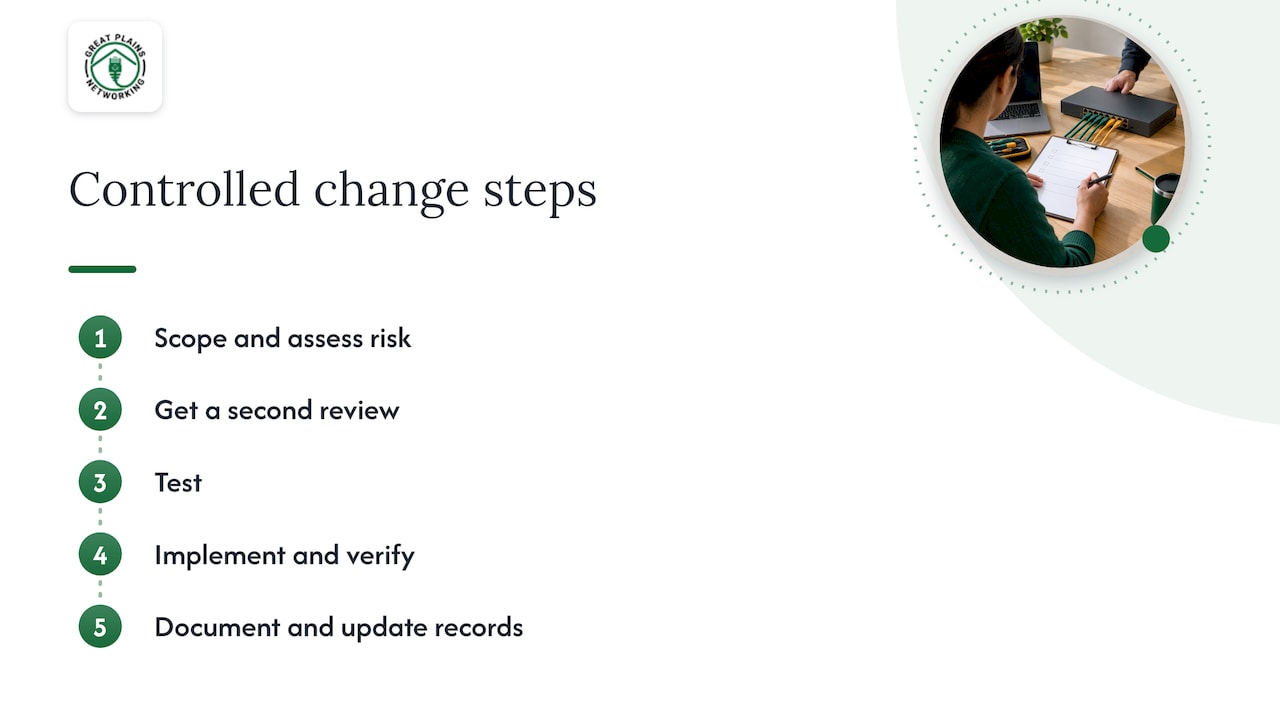
Step 1: Scope the change and assess the risk
Write down what is changing, which devices, users and services it touches, and what happens if it fails. A new rule on the firewall that protects your practice management system has a very different blast radius than a new printer on the guest network.
Where it goes wrong: people describe the change but not its dependencies. The phone system rides on the same switch, or the door-badge reader needs the VLAN you are about to retire. Listing what depends on the device takes ten minutes and prevents most surprises.
Step 2: Get a second review
A second person checks the plan: the configuration itself, whether it is compatible with what is already there, the rollback procedure, the reason for the change and its security and compliance effect. Slattery argues that the risk level should set the depth of review. A routine change such as a small access list or VLAN edit can get a lighter review, while an unusual change deserves someone who knows the specific equipment well.
Where it goes wrong: the reviewer is the same person who wrote the change, or the review is a quick "looks fine." In a small business the reviewer can be the owner or office manager for the business side (is the timing right, who will be affected) paired with the technician for the technical side.
Step 3: Test before you deploy
Where possible, try the change in a test setting first, and test the back-out as well. A rollback nobody has tried is a hope, not a plan. Small offices rarely have a lab, so testing often means staging a replacement device on the bench, applying the settings there, and confirming the saved configuration restores cleanly.
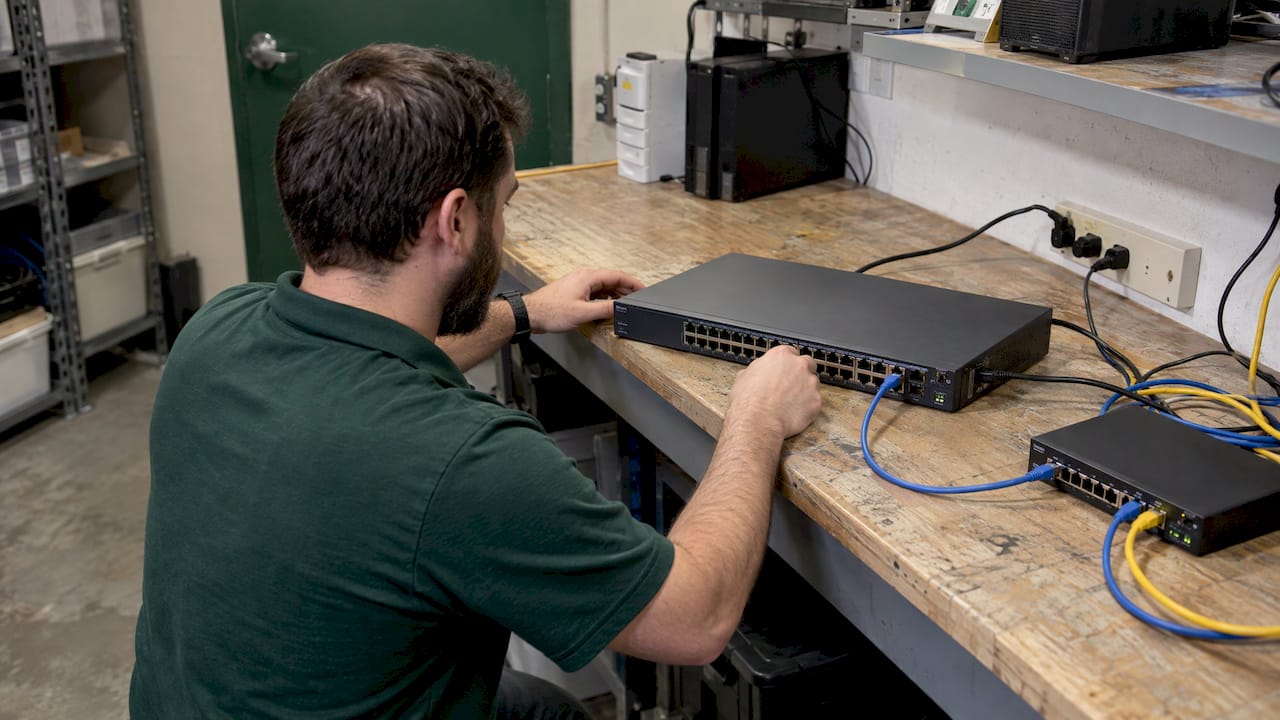
Where it goes wrong: skipping the test because the change looks trivial, or testing the change but not the way back.
Step 4: Implement in a maintenance window and verify
Make the change at a time that fits the business: after hours for a dental office with morning patients, outside filing deadlines for an accounting firm, between shifts for a manufacturer. Then test that the services you listed in step 1 actually work. If problems appear, back out and confirm service is restored.
Where it goes wrong: declaring success because the internet loads. Verification means checking the specific things that depend on the change: the line-of-business application, the phones, the remote access, the backups.
Step 5: Document and update your records
Record the reason, the scope, the rollback procedure, who approved it and the result. Update your network diagram, device list and saved configurations. This is what makes the next change safer, and it is what an auditor or insurer will ask to see.
Where it goes wrong: documentation is left for later. A one-line entry made the same day beats a detailed one that never gets written.
Build the back-out plan before the change
The most useful single habit is deciding in advance how you will undo a change. The State of Delaware's published change management procedure offers a good model. It says a back-out plan should state the conditions for executing it, the timeframe, step-by-step reversal procedures and how negative impacts will be mitigated. It also sets go/no-go checkpoints: for example, if implementation has used more than half the time allotted, or if backing out would itself take more than a third of the implementation time, that is the moment to decide whether to continue or reverse.
You do not need a government-sized procedure. A small business can adopt the idea in three lines on the change record:
- Trigger: what result means we undo this (for example, the billing system is unreachable after 20 minutes)
- Method: the exact steps or saved configuration file used to restore the previous state
- Deadline: the time by which we decide, so the office is working again before opening
This ties directly to backups. Before touching any device, save its current configuration somewhere other than the device itself. NIST's small business guidance (SP 1300) tells small organizations to regularly back up and test their backups, and that applies to device settings as much as to files. Our Backup & Recovery service covers the data side of that equation.
Proactive monitoring: how you know the change worked
Change management ends with verification, and verification is much easier when something is already watching the network. Proactive network monitoring means tracking the health of devices and traffic continuously, so a problem is flagged before users start calling.
NIST's guidance on continuous monitoring (SP 800-137) defines it as maintaining ongoing awareness of security, vulnerabilities and threats, and says a monitoring strategy must ensure knowledge and control of changes to systems and their environment. The same document notes that automated tools can recognize patterns people miss, such as confirming that technical settings on network endpoints match policy.
For a small business, that translates into a few practical jobs:
- Set a baseline. CISA recommends creating a baseline of normal system and network behavior so later anomalies stand out. After a change, you compare against it.
- Watch for the signs. NIST SP 1300 lists an unusually sluggish network and unusual deviations from typical traffic flows among common indicators that something is wrong.
- Have someone responsible when you are not looking. The same NIST guide advises organizations without internal resources to engage a service provider to monitor computers and networks for suspicious activity.
Monitoring also catches changes nobody approved. A new device appearing on the network, a setting that drifted from its saved version, or a firewall rule that was not on any change record are all signals worth investigating.
Proactive maintenance keeps changes small
Many emergency changes are really deferred maintenance: a router that never got its updates, a default password nobody changed, a backup nobody tested. Proactive IT maintenance moves that work onto a schedule, so changes are planned and small instead of urgent and large.
NIST's small business guide tells organizations to prioritize:
- Regularly updating and patching software and operating systems, with automatic updates turned on
- Regularly backing up and testing backups
- Changing default manufacturer passwords
- Requiring multi-factor authentication on every account that offers it
For the small-office network itself, the CIS Controls guide to small office network security advises setting a unique Wi-Fi password, carefully limiting who knows it, and enabling automatic updates on routers and modems.
A simple calendar works: monthly patch and firmware review, quarterly review of firewall rules and user access, and an annual look at equipment nearing the end of its supported life so replacements can be budgeted. Reviewing who has access is a change-management task too. Our guide to least privilege access shows how to keep permissions limited to what each role needs.
A starter change record for a small office
You can run the whole routine from one page. Each change gets a record with these fields:
| Field | What to write |
|---|---|
| Request | What is changing and why, and who asked |
| Scope and risk | Devices, users and services affected; what failure looks like |
| Reviewer and approver | Two named people, not the same one |
| Window | Date and time, chosen around the business |
| Back-out plan | Trigger, method and decision deadline |
| Verification | The specific services to test afterward |
| Result and notes | What happened, with the date, and updated diagrams |
Keep the records in one shared place. After a year you have a history that speeds up troubleshooting, supports audits and shows new staff or a new provider exactly how the network got to where it is.
What it looks like in different practices
- Dental and medical practices: schedule changes outside patient hours, and verify imaging, practice management and backup jobs after every change. Records support HIPAA expectations.
- Law firms: access changes are the most frequent change. Matter-based permissions and clean removal of departed staff matter. See our guides on managing user access in a law firm network and multi-site law office network management.
- Manufacturers: production equipment often depends on network segments. Change windows should match shift schedules, and compliance such as CMMC makes the paper trail essential.
- Nonprofits: staff turnover and volunteers make access control the main change risk, and a short change record keeps funders and auditors comfortable.
How Great Plains Networking handles this for you
A routine only works if someone follows it every time, including on busy weeks. Our Network Management service is built for small businesses in Norman, Moore and Oklahoma City, and it sits inside our Managed IT Support, which includes 24/7 monitoring so problems are identified and resolved before they disrupt operations. We explain what we are doing in plain language, respond the same day, and do not require long-term contracts.

If you want to see where your network stands before changing anything, start with our free network assessment or the 10-minute readiness audit. Both are free, and both give you a clear picture of your devices, access and backups, which is the starting point for any change plan. Our overview of a network health assessment explains what one covers.
FAQ
What is the difference between change management and change control?
Change management is the overall framework: who can request a change, who approves it and how it is recorded. Change control is the operational side, carrying out an approved change in a controlled way with testing, a back-out plan and verification. Small offices need both, but they can live on the same one-page form.
Does a small business really need a formal process?
Yes, though it can be short. Even a ten-person office relies on its network for email, files, phones and billing, so one untracked change can stop work. A one-page change record, a second reviewer and a saved copy of each device's settings cover most of the risk.
How is proactive network monitoring different from fixing things when they break?
Reactive support starts when someone reports a problem. Proactive monitoring watches devices and traffic continuously against a baseline of normal behavior, so unusual activity or a failing device is flagged before staff notice. After a change, it also confirms the network behaves as expected.
How often should we review network changes and access?
A practical rhythm is monthly for patches and firmware, quarterly for firewall rules and user access, and annually for equipment approaching end of life. Review again after any staff departure, vendor change or office move.
When should we bring in outside help?
Bring in help when no one in the office owns the network, when a change touches regulated data such as patient or client records, or when you cannot watch the network after hours. Great Plains Networking offers both a free assessment and ongoing managed support for Oklahoma City area businesses.
Sources
- TechTarget: 5 principles of change management in networking
- State of Delaware: Change Management Procedure
- NIST SP 800-137: Information Security Continuous Monitoring
- NIST SP 1300: Cybersecurity Framework 2.0 Small Business Quick-Start Guide
- CISA Insights: Mitigations and Hardening Guidance for MSPs and Small and Mid-sized Businesses
- CIS Controls: Telework and Small Office Network Security Guide
Recommended
Want help putting this into practice?
We'll audit your security, speed, and hardware in under an hour — no commitment, no sales pitch. Just a clear roadmap of what to fix and why.