
Network Health Assessment: What SMBs Need to Know
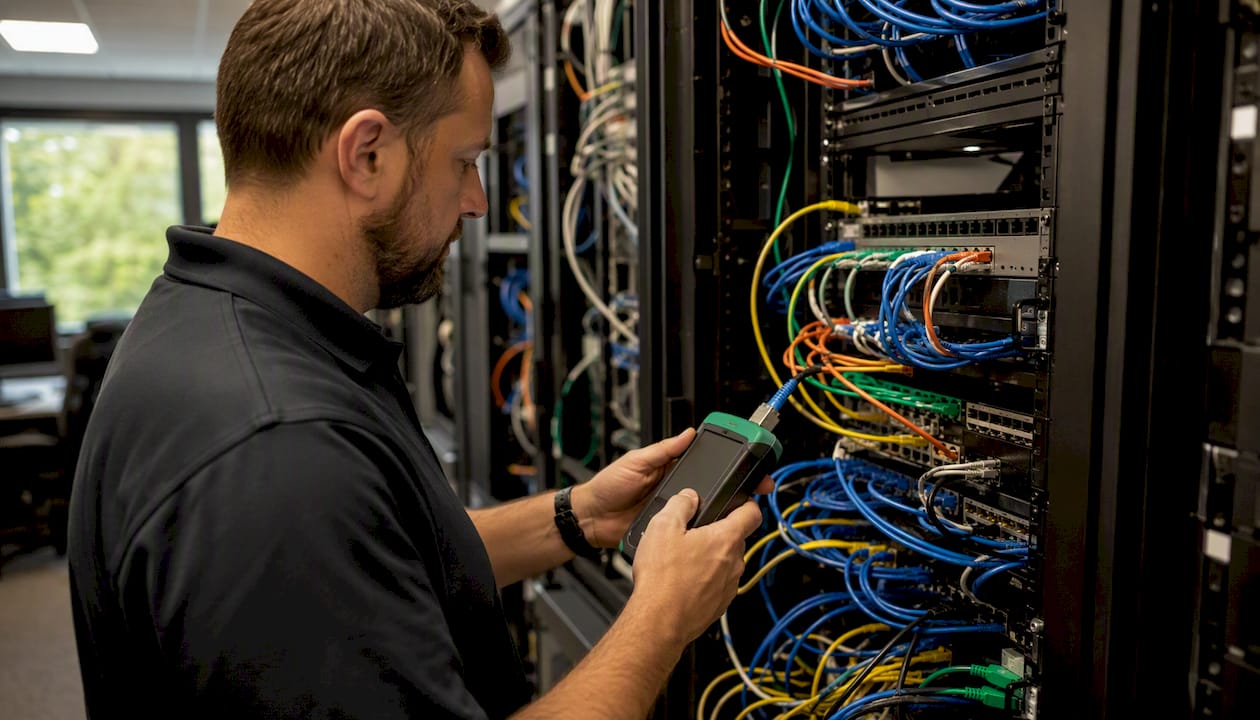
A network health assessment is a structured check-up of your network hardware, software, configuration, and security that produces three concrete deliverables: a prioritized remediation plan, a verified device inventory, and a documented performance baseline. According to DataEndure, a quality assessment covers performance, security posture, device inventory, and compliance readiness in a single coordinated evaluation. For small businesses in Norman, Moore, or Oklahoma City, that means knowing exactly which firewall rules are misconfigured, whether your backups are actually running, and where latency is costing you productivity — before those issues become outages or breaches.
Key Takeaways
A network health assessment delivers a prioritized remediation plan, a verified device inventory, and a documented performance baseline that small businesses can act on immediately.
| Point | Details |
|---|---|
| Annual deep-dive is the baseline | Run a full assessment at minimum annually, supplemented by regular vulnerability scans and periodic firewall reviews. |
| Deliverables define quality | Require a prioritized remediation plan with risk scores, cost estimates, timelines, and named action owners. |
| Scope limits are real | Devices outside the assessment window and application-layer risks won't appear in findings — agree on scope in writing. |
| Post-assessment follow-through matters | Assign owners and complete quick wins within 30 days; validate fixes with a follow-up scan. |
| Greatplainsnetworking serves OKC-area SMBs | Local assessments bundled with managed IT support, no long-term contracts, and plain-language reporting. |
Table of Contents
- What does a network health assessment actually check?
- How a network health assessment works, step by step
- Why businesses run network health assessments
- When should you run a network health assessment?
- How to prepare your business for a network health assessment
- What deliverables should you receive from a quality assessment?
- Estimated timeline and cost factors for SMB assessments
- How Greatplainsnetworking runs a network health assessment
- Common challenges and limitations of network health assessments
- Post-assessment best practices: turning findings into results
- Why routine assessments matter more than most SMBs realize
- Greatplainsnetworking can run your next assessment
- Sources
What does a network health assessment actually check?
A thorough network health evaluation covers every layer of your infrastructure. Use this checklist to validate any vendor proposal against what a complete assessment should include.
Device inventory and physical layer
- Routers, switches, and firewalls (make, model, firmware version)
- Workstations and endpoints (OS version, patch status, antivirus)
- Servers (roles, OS, patch level, resource utilization)
- Wireless access points (placement, encryption standard, rogue AP detection)
- Power/UPS units and cabling (physical condition, redundancy)
Configuration and policy review
- Firewall rules and ACLs (unused rules, overly permissive policies)
- VLAN segmentation and NAT configuration
- Remote-access and VPN configurations
- Access control, authentication policies, and MFA enforcement
Performance and telemetry
- Latency, packet loss, jitter, and bandwidth utilization compared against historical baselines
- Interface error rates and device CPU/memory utilization
- Uptime records and mean time to repair (MTTR) history
Security checks
- Vulnerability scans for known CVEs and exposed management interfaces
- Default or weak credentials on network devices
- Patch and firmware currency across all managed assets
Backup and continuity
- Backup job status, retention policy, and last verified restore
- Cloud link health and redundancy
SolarWinds' network assessment guidance notes that topology mapping and SNMP-based discovery are standard methods for surfacing undocumented assets and misconfiguration risks that manual audits routinely miss.
How a network health assessment works, step by step
Understanding the process helps you evaluate whether a provider is being thorough or just running a quick scan and calling it done.
-
Scoping and objectives. Define what success looks like before any tool touches the network. Craigscottcapital recommends setting measurable goals — reduce MTTR by a specific percentage, eliminate critical vulnerabilities, confirm bandwidth headroom for priority applications.
-
Discovery and inventory. Active scans (using tools like SNMP polling and NetFlow collection) identify every device on the network. Agent-based discovery adds depth on endpoints where agentless methods can't reach.
-
Configuration collection. Running configs are pulled from routers, switches, and firewalls. This step surfaces undocumented rule sets, stale ACLs, and VPN configurations that haven't been reviewed since installation.
-
Vulnerability scanning. Authenticated scans check for known CVEs, default credentials, and unpatched firmware. Unauthenticated scans simulate what an external attacker would see.
-
Performance testing. Synthetic tests inject traffic to measure latency, jitter, and packet loss under load. Passive telemetry captures real-world utilization patterns without disrupting production traffic.
-
Stakeholder interviews. Brief conversations with the IT lead, office manager, and department heads surface pain points that tools don't detect — slow file transfers on Tuesday mornings, VPN drops during video calls, or a server room that runs hot.
-
Analysis and risk scoring. Findings are weighted by likelihood and business impact. A misconfigured firewall rule that exposes RDP to the internet scores higher than an outdated switch firmware on an isolated VLAN.
-
Remediation planning and prioritization. Quick wins (patching a critical CVE, disabling a default admin account) are separated from longer architecture fixes (redesigning VLAN segmentation). Each item gets an owner, estimated hours, and a risk score.
-
Executive briefing and technical appendix. Leadership gets a plain-language summary with cost and timeline estimates. The IT team gets the full technical appendix with raw scan data, configuration exports, and a monitoring baseline.
Pro Tip: Run discovery scans during a scheduled maintenance window and use read-only credentials. This eliminates the risk of a scan triggering a device restart and keeps the assessment non-disruptive.
Why businesses run network health assessments
The return on a network health evaluation shows up in three places: fewer unplanned outages, faster incident response, and cleaner compliance documentation.
- Identify vulnerabilities before attackers do. Assessments surface exposed management interfaces, weak credentials, and unpatched firmware that materially affect security posture when left unaddressed. Read more about identifying IT vulnerabilities before they become incidents.
- Remove performance bottlenecks. Pinpointing a saturated WAN link or a misconfigured QoS policy can restore productivity without any new hardware spend.
- Establish a monitoring baseline. Without a documented baseline, you can't tell whether a spike in latency is normal growth or an early sign of failure.
- Compliance readiness. For businesses subject to HIPAA, PCI DSS, or IRS Publication 4557, an assessment provides the documented evidence auditors expect.
- Improved backup reliability. Backup job verification during an assessment catches silent failures — jobs that appear to run but produce unrestorable archives.
- Prioritized budgeting. A risk-scored remediation plan lets you allocate IT budget where it reduces the most risk, not just where the loudest complaint originated.
A practical example: a dental practice running a flat network (no VLAN segmentation) discovered during an assessment that its patient-facing Wi-Fi shared the same broadcast domain as its billing server. Correcting that segmentation gap took less than a day and directly addressed a HIPAA technical safeguard requirement.
Paessler recommends a full network assessment at least once a year, with lighter ongoing checks between deep dives, specifically because infrastructure drift accumulates faster than most SMBs expect.
When should you run a network health assessment?
Recommended cadence for SMBs
- Annual deep-dive: A full assessment covering all components, configurations, and security checks. Schedule it before your fiscal year budget cycle so findings can inform spending decisions.
- Quarterly firewall reviews: Spot-check rule sets, review remote-access logs, and confirm patch status on perimeter devices.
- Monthly vulnerability scans: Automated scans against known CVEs keep you current between full assessments without significant time investment.
Trigger-based assessments are equally important. Run a full evaluation after any of these events:
- A major IT change (new server, cloud migration, office relocation)
- A merger, acquisition, or new managed-service provider onboarding
- A suspected breach or ransomware incident
- Before a compliance audit (HIPAA, PCI DSS, CMMC)
- When signs of infrastructure strain appear — repeated outages, slow performance, or staff complaints about connectivity
Ongoing IT monitoring between assessments catches day-to-day drift, but it doesn't replace the depth of a structured evaluation.
How to prepare your business for a network health assessment
Preparation directly affects the quality of findings. A provider walking into an unprepared environment spends billable time on discovery that you could have accelerated.
- Compile an existing inventory (even a rough spreadsheet of devices, IP ranges, and locations helps).
- Prepare admin or read-only credentials for network devices, servers, and cloud platforms. Read-only access is sufficient for most discovery tasks.
- Identify a maintenance window when scans can run without disrupting critical operations — typically evenings or weekends.
- List critical applications and their SLAs so the provider knows which systems carry the highest business impact.
- Gather compliance requirements — any HIPAA Business Associate Agreements, PCI scope documentation, or CMMC self-assessments you already have.
- Identify key stakeholders: IT lead, operations manager, and a CFO or budget owner for remediation cost conversations.
Pro Tip: Snapshot your device configurations and confirm that backups completed successfully before scans begin. If a scan triggers an unexpected device restart, you want a clean restore point ready.
What deliverables should you receive from a quality assessment?
A well-executed network performance assessment produces more than a PDF of scan results. Hold any provider to this standard output:
- Executive summary: Plain-language findings for leadership, including top risks and recommended next steps with cost estimates.
- Full device inventory: Every discovered asset with make, model, OS version, patch status, and network role.
- Technical appendix: Raw scan data, configuration exports, and performance telemetry for the IT team.
- Prioritized remediation plan: Items ranked by risk score and business impact, with estimated effort, cost, and an assigned action owner for each item.
- Timeline: A phased schedule separating quick wins (days to weeks) from longer architecture projects (weeks to months).
- Monitoring and baseline recommendation: Documented performance baselines and suggested thresholds for ongoing alerting.
Signs of a strong remediation plan:
- Each item has a named action owner and estimated hours
- Risk scores are explicit, not just "high/medium/low" labels without criteria
- Cost estimates are present, even if ranges
- Required approvals and dependencies are noted
- Quick wins are clearly separated from longer-term projects
Craigscottcapital's assessment blueprint specifically recommends balancing urgency, business impact, and estimated effort so stakeholders can budget and approve fixes without needing a technical background.
Estimated timeline and cost factors for SMB assessments
Typical timelines
A single-site SMB deep-dive generally requires 1–3 business days of on-site or remote work, followed by 3–7 business days of analysis and report preparation. Multi-site or hybrid-cloud environments take proportionally longer depending on the number of locations and cloud service complexity.
Cost drivers
- Number of managed devices and endpoints
- Wireless coverage area and number of access points
- Cloud platform complexity (Azure, Microsoft 365, AWS integrations)
- Required compliance checks (HIPAA, PCI DSS, CMMC add scope)
- Depth of vulnerability testing (authenticated vs. unauthenticated scans)
- Whether remediation implementation is bundled or quoted separately
Recommended cadence and time estimates
| Assessment Type | Frequency | Estimated Duration |
|---|---|---|
| Full deep-dive assessment | Annually | 4–7 business days total |
| Firewall and perimeter review | Quarterly | 2–4 hours |
| Automated vulnerability scan | Monthly | Automated; review takes 1–2 hours |
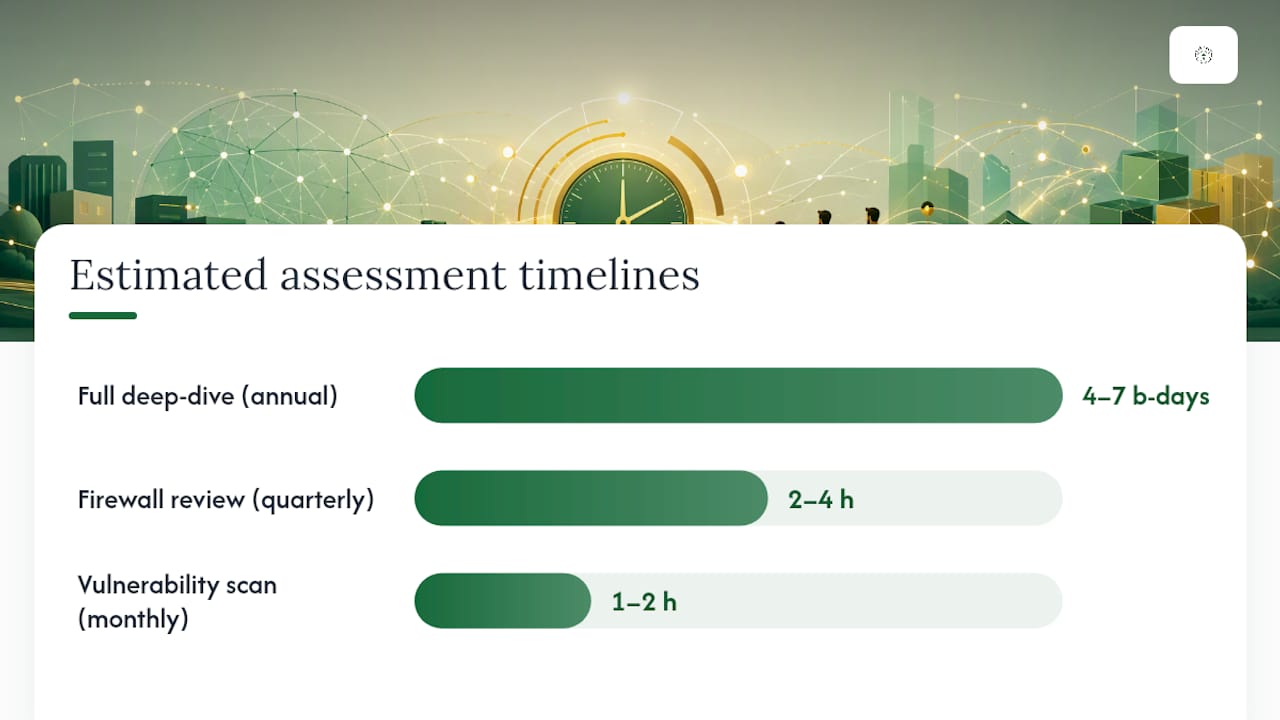
Note: These are ballpark estimates. Actual timelines and pricing vary based on environment size, complexity, and provider. Request a formal scoping call and written quote before committing to any engagement.
How Greatplainsnetworking runs a network health assessment
For a small business in Norman, Moore, or Oklahoma City, working with a local MSP like Greatplainsnetworking means the assessment is grounded in direct knowledge of the region's business environment and the compliance requirements that affect local law firms, dental practices, and accounting firms.
A typical Greatplainsnetworking assessment workflow covers:
- Discovery and inventory: Active network scans to identify every device, map topology, and flag undocumented assets
- Configuration review: Firewall rules, VPN configurations, VLAN segmentation, and access control policies
- Backup verification: Confirming backup jobs completed, testing restore integrity, and reviewing retention policies against backup and recovery best practices
- Security checks: Vulnerability scans, patch and firmware review, and cybersecurity posture evaluation for threats like ransomware and phishing
- Performance baseline: Latency, bandwidth utilization, and device health metrics documented for ongoing monitoring
- 24/7 monitoring integration: Assessment findings feed directly into continuous monitoring so new drift is caught before it becomes an outage
Greatplainsnetworking delivers a prioritized, itemized remediation plan with timeline and cost estimates — separating quick wins from longer architecture projects — so small business owners can make informed decisions without needing a technical background.
After the assessment, Greatplainsnetworking sequences quick wins first (patching critical vulnerabilities, correcting firewall misconfigurations) and offers implementation as a follow-on project or as part of an ongoing managed IT support engagement. No long-term contracts are required.
Common challenges and limitations of network health assessments
An assessment is only as complete as its scope. Several limitations are worth understanding before you engage a provider.
Scope gaps. If a device isn't reachable during the assessment window (a remote employee's laptop, a cloud-connected IoT sensor, a branch office on a separate WAN), it won't appear in the inventory. Agree on scope boundaries in writing before the engagement starts.
Point-in-time snapshot. An assessment captures your network's state on a specific day. Infrastructure drift begins the moment the report is delivered. This is why monthly scans and ongoing monitoring are necessary complements, not optional extras.
Insider threats and social engineering. Vulnerability scans and configuration reviews don't detect a compromised user account being actively misused or a phishing campaign targeting staff. Assessments address technical controls; human-layer risks require separate security awareness training and email filtering.
Application-layer blind spots. A network assessment evaluates infrastructure. It doesn't audit application code, database permissions, or SaaS platform configurations unless those are explicitly included in scope.
Remediation is separate. The assessment identifies problems. Fixing them requires additional time, budget, and often a separate project engagement. Buyers sometimes conflate the two and are surprised when the remediation work isn't included in the assessment fee.
Post-assessment best practices: turning findings into results
Receiving a remediation plan is the beginning, not the end. Most of the value from a network health check is lost when findings sit in a PDF without follow-through.
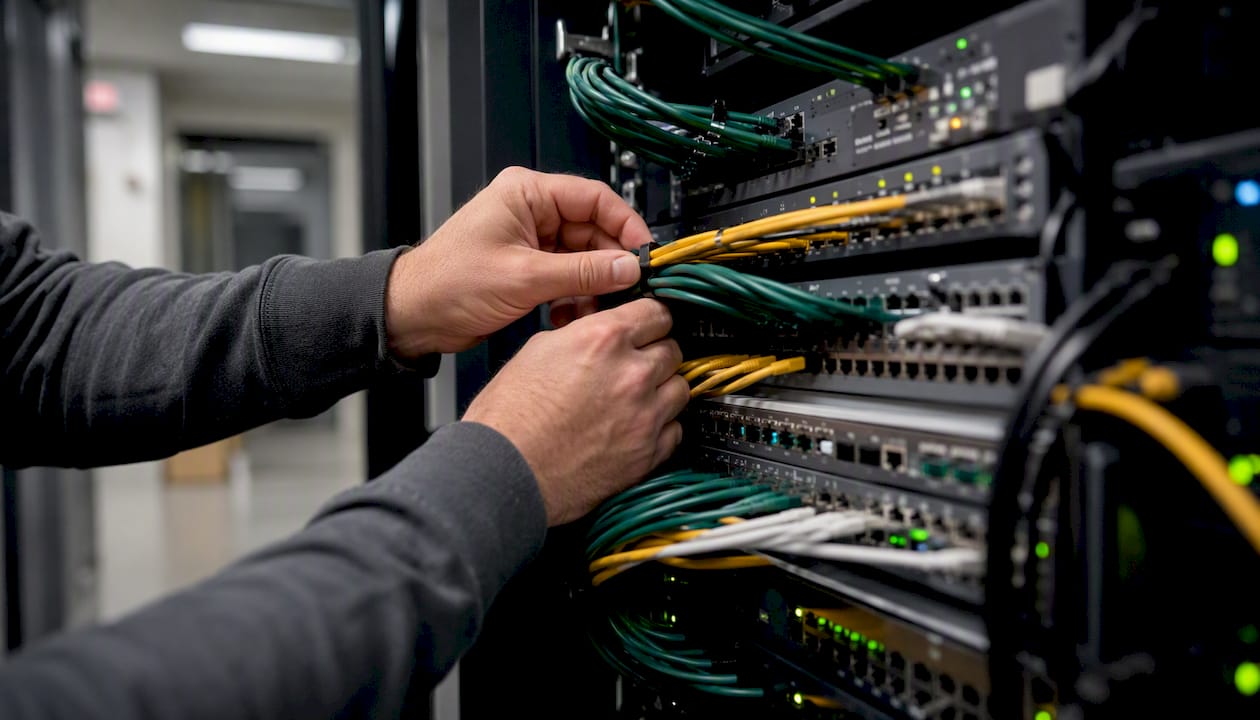
Assign owners and deadlines immediately. Every item on the remediation plan needs a named person responsible and a target completion date. Without ownership, critical patches wait indefinitely.
Tackle quick wins within 30 days. Items that take less than a few hours — disabling default credentials, enabling MFA on remote-access accounts, removing stale firewall rules — should be completed before the next business cycle. These carry disproportionate risk relative to their fix time.
Phase longer projects into your budget cycle. Architecture changes like VLAN redesigns or server replacements belong in a phased roadmap with budget approval. Use the assessment's cost estimates to build the business case.
Establish monitoring baselines. Load the performance metrics from the assessment into your monitoring platform (whether that's PRTG, Auvik, or a tool your MSP manages) as alert thresholds. Deviations from baseline become early warnings rather than surprises.
Schedule the next assessment. Mark the calendar for the next annual deep-dive before closing out the current one. Compliance frameworks like HIPAA and PCI DSS expect documented, recurring evaluations — a single assessment doesn't satisfy ongoing requirements.
Validate remediation with a follow-up scan. After completing the remediation plan's critical items, run a targeted vulnerability scan to confirm fixes held. A patch that was applied but didn't install correctly is a common failure mode that only a follow-up scan will catch.
Why routine assessments matter more than most SMBs realize
The conventional wisdom treats a network health assessment as a one-time project — something you do when a problem surfaces or a compliance audit looms. That framing misses the real value. Infrastructure drift is continuous: firmware goes unpatched, firewall rules accumulate, backup jobs fail silently, and new devices join the network without documentation. A single assessment taken in isolation produces a snapshot that's partially outdated by the time the report is delivered.
The businesses that get the most from assessments treat them as a recurring discipline, not a reactive measure. Annual deep-dives paired with monthly scans and quarterly firewall reviews create a feedback loop where problems are caught early, remediation is incremental, and budget surprises are rare. For an SMB without a dedicated IT team, that cadence is achievable through a managed-service relationship where the provider owns the schedule.
One limitation worth acknowledging: even a thorough assessment won't surface every risk. Application-layer vulnerabilities, insider threats, and social engineering fall outside the scope of a network infrastructure review. Knowing those boundaries helps you layer in complementary controls — security awareness training, email filtering, endpoint detection — rather than assuming a clean assessment report means you're fully protected.
Greatplainsnetworking can run your next assessment
For small businesses in Norman, Moore, and Oklahoma City, Greatplainsnetworking offers network health assessments as a standalone engagement or bundled with ongoing managed IT support. The difference from a generic IT vendor: you get a local team that knows the compliance requirements affecting Oklahoma law firms, dental practices, and accounting firms, delivers findings in plain language, and stays available after the report is delivered to implement what it recommends. No long-term contracts, same-day response, and a prioritized remediation plan with real cost estimates so you can act on findings without guessing at budget.

Contact Greatplainsnetworking to schedule a scoping call and find out what a network health assessment would cover for your specific environment.
Sources
- The Complete Network Assessment Guide: Build a Stronger IT Infrastructure
- 2026 Ultimate Network Assessment Guide
- Comprehensive Network & Infrastructure Assessment Blueprint - Craigscottcapital
- How to Perform a Network Health Check Using IP Tools
Recommended
Want help putting this into practice?
We'll audit your security, speed, and hardware in under an hour — no commitment, no sales pitch. Just a clear roadmap of what to fix and why.