
Network Security Basics Explained for Small Business Owners

Network security is defined as the set of practices and technologies that protect a business network from unauthorized access, data theft, and cyberattacks. For small business owners, understanding network security fundamentals is not optional. 81.9% of U.S. small businesses are non-employer firms with no dedicated IT staff, which makes them attractive targets for attackers who expect minimal defenses. This guide covers network security basics explained in plain language, from core components like firewalls and encryption to affordable implementation steps and ongoing maintenance. The NIST Cybersecurity Framework 2.0 (NIST CSF 2.0) provides the industry-standard structure most small businesses use to organize these efforts.
What are the core components of network security?
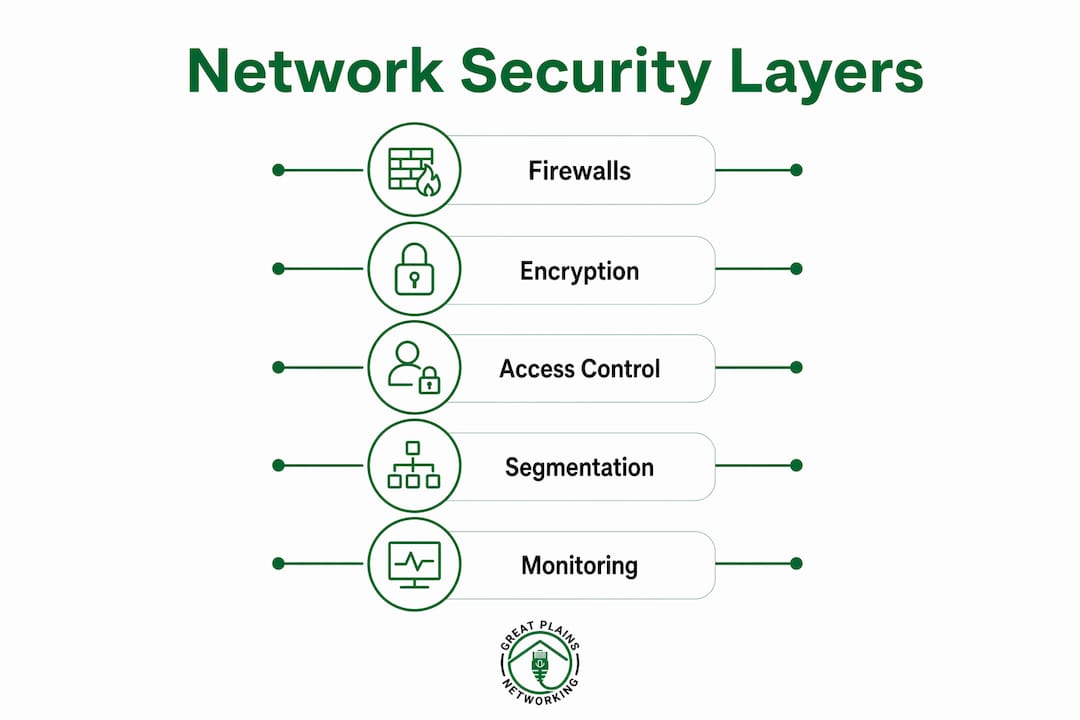
Network security fundamentals rest on five building blocks: firewalls, encryption, access control, network segmentation, and monitoring. Each one addresses a different attack surface. Together, they form a layered defense that makes it significantly harder for attackers to reach your data.
Firewalls
A firewall is the first barrier between your internal network and the internet. It inspects incoming and outgoing traffic and blocks connections that do not match approved rules. Hardware firewalls sit at the network edge and protect every device behind them. Software firewalls run on individual computers and add a second layer of protection. Both types require active management. A "set and forget" firewall loses its effectiveness over time as threats evolve and rules become outdated.
Encryption
Encryption converts readable data into a coded format that only authorized parties can decode. On a Wi-Fi network, WPA3 or WPA2-AES encryption prevents outsiders from reading traffic as it travels through the air. For stored files and backups, encryption protects data even if physical devices are stolen. Every small business should encrypt sensitive files, customer records, and any data transmitted over the internet.

Access control and multi-factor authentication
Access control determines who can reach which systems and data. Strong password policies are the baseline. Multi-factor authentication (MFA) adds a second verification step, such as a code sent to a phone, making stolen passwords far less useful. MFA and regular patching block the most common attack entry points with minimal cost. Limit each employee's access to only the systems they need for their specific role.
Network segmentation and monitoring
- Separate your main business network from guest and IoT devices using a dedicated guest Wi-Fi network.
- Network segmentation limits how far an infection can spread if one device is compromised.
- Review firewall logs at least monthly to spot unusual traffic patterns.
- Maintain an inventory of every device connected to your network.
- Update firewall rules whenever you add or remove services or employees.
Pro Tip: Never treat your firewall as a one-time installation. Schedule a monthly 15-minute review of your firewall logs and rules. Attackers rely on businesses forgetting to check.
How can small businesses implement network security affordably?
Effective network security does not require a large budget. The highest-impact improvements cost little and can be completed quickly. NIST CSF 2.0 practices can be implemented by small businesses in as little as 15–20 days, giving you a measurable security baseline fast.
Start with these steps in order of impact:
- Replace consumer-grade routers with business-grade firewalls. Consumer routers often ship with default credentials and outdated firmware that attackers exploit within hours of deployment. Business-grade hardware includes proper access controls, logging, and update support.
- Change all default credentials immediately. Default usernames and passwords are publicly listed. Change them on every router, switch, and access point before connecting anything else.
- Update firmware on all network hardware. Manufacturers release firmware patches to fix known vulnerabilities. Enable automatic updates where possible, and check manually every 30 days.
- Enable WPA3 or WPA2-AES on all Wi-Fi networks. Disable WPS (Wi-Fi Protected Setup), which has known security flaws that allow attackers to bypass your Wi-Fi password.
- Set up a separate guest Wi-Fi network. A guest network isolates visitors and IoT devices from your core business systems, even without advanced VLAN configuration.
- Follow CISA's four core practices. CISA recommends maintaining logs, performing regular data backups, encrypting sensitive data, and establishing an incident reporting process. These four steps address the most common failure points at minimal cost.
- Disable remote management on your router unless you have a specific, documented need for it. Remote management ports are a frequent target for automated scanning attacks.
Pro Tip: If you can only do two things this week, enable MFA on every business account and apply all pending software patches. Those two steps eliminate a large share of common attack vectors immediately.
What ongoing processes keep your network security strong?
Security is an operational process, not a one-time project. A network that was secure six months ago may be exposed today due to new vulnerabilities, added devices, or changed staff. Treating network security as a continuous process is the single most important mindset shift for small business owners.
Routine maintenance tasks include:
- Patching operating systems, applications, and firmware on a fixed schedule.
- Reviewing firewall logs monthly for unusual connection attempts.
- Auditing user accounts quarterly and removing access for former employees immediately.
- Keeping an updated inventory of every connected device, including printers, cameras, and smart devices.
- Testing your data backups by restoring a file at least once per quarter.
Employee behavior is one of the largest risk factors in any network. Phishing awareness training and routine password hygiene reduce the human-factor vulnerabilities that technical controls cannot fully address. Train every employee to recognize suspicious emails, verify unexpected requests, and report anything unusual to a designated contact.
"A firewall that has not been reviewed in six months is not a security control. It is a false sense of security. The threats your business faces today are not the same ones that existed when you first configured that device. Regular log reviews and rule updates are what keep a firewall effective."
Incident response does not require a formal plan from day one. Start with a simple written procedure: who to call, what to document, and how to isolate a compromised device. That document alone prevents the panic-driven decisions that turn a minor incident into a major breach.
How do you assess your network security risks?
A risk assessment identifies where your business is most exposed and helps you fix the right things first. Start by listing every device, account, and system connected to your network. That asset inventory is the foundation of any meaningful security review.
Once you have the inventory, evaluate each asset using a simple risk matrix. Score each threat by two factors: how likely it is to occur, and how much damage it would cause. High-likelihood, high-impact threats get fixed first. Low-likelihood, low-impact issues go to the bottom of the list.
The most common risks for small businesses fall into four categories. The table below maps each risk to its primary mitigation step.
| Vulnerability | Likelihood | Impact | Mitigation |
|---|---|---|---|
| Phishing emails | High | High | Employee training, email filtering |
| Weak or reused passwords | High | High | MFA, password manager |
| Unpatched software | High | High | Automated patching schedule |
| Excessive access permissions | Medium | High | Role-based access control |
| Consumer-grade network hardware | Medium | High | Upgrade to business-grade firewall |
| No data backups | Low | Critical | Automated offsite backups |
Revisit your risk assessment whenever your business changes. Adding a new employee, opening a second location, or adopting a new software platform each introduces new exposure. A quarterly review keeps your security posture aligned with your actual environment. For a deeper look at the threats targeting businesses like yours, the types of cybersecurity threats facing small businesses in 2026 covers the current threat landscape in detail.
Key Takeaways
Effective network security for small businesses requires layered technical controls, consistent maintenance, and employee awareness working together.
| Point | Details |
|---|---|
| Start with firewalls and MFA | These two controls block the most common attack vectors with minimal cost or complexity. |
| Segment your network | A separate guest Wi-Fi network isolates risky devices and limits how far an attack can spread. |
| Follow CISA's four practices | Logging, backups, encryption, and incident reporting address the most critical small business gaps. |
| Security requires ongoing work | Monthly log reviews, quarterly audits, and regular patching keep defenses current as threats change. |
| Assess risks before spending | A simple risk matrix helps you fix the highest-impact vulnerabilities first, regardless of budget. |
What I've learned from watching small businesses get security wrong
The most common mistake I see is not a technical failure. It is the belief that security is something you set up once and then stop thinking about. A business owner installs a firewall, feels protected, and never looks at it again. Two years later, that firewall is running outdated firmware, the default admin password was never changed, and the logs show weeks of failed login attempts that nobody noticed.
The businesses that handle security well share one trait: they treat it like bookkeeping. They schedule it. They assign responsibility. They check the work. They do not wait for a breach to find out something was wrong.
The good news is that the foundational steps, strong passwords, MFA, patching, and backups, deliver the greatest risk reduction per dollar spent. You do not need a sophisticated security operations center. You need consistent habits and someone accountable for maintaining them. For most small businesses, that means either building those habits internally or working with a managed IT provider who handles it for you. The benefits of network security for small businesses go well beyond avoiding breaches. They include faster recovery, lower insurance costs, and greater client trust.
Start with the basics. Do them consistently. Add complexity only when the basics are solid.
— Nicholas
How Greatplainsnetworking supports your network security
Greatplainsnetworking provides managed IT support built specifically for small businesses in Norman, Moore, and Oklahoma City. The team handles firewall configuration, 24/7 network monitoring, patch management, and incident response so you do not have to manage it alone.

For businesses that want professional cybersecurity services without the overhead of an in-house IT team, Greatplainsnetworking offers same-day response times, no long-term contracts, and plain-language communication. Whether you run a dental practice, a law firm, or a retail operation, the team configures and monitors your network to match your specific risk profile and budget.
FAQ
What is network security in simple terms?
Network security is the practice of protecting your business network and data from unauthorized access, attacks, and damage. It includes tools like firewalls and encryption, combined with policies like strong passwords and employee training.
How long does it take to implement basic network security?
NIST CSF 2.0 fundamentals can be implemented by small businesses in as little as 15–20 days. Starting with MFA, patching, and a business-grade firewall delivers measurable protection within the first week.
What is the biggest network security risk for small businesses?
Phishing emails and weak passwords are the most common entry points for attackers targeting small businesses. Employee awareness training combined with MFA addresses both risks directly.
Do I need a dedicated IT team to secure my network?
No. A managed IT provider can handle firewall management, monitoring, and patching on your behalf. Most small businesses achieve strong security posture through a combination of simple internal policies and professional support.
What does CISA recommend for small business cybersecurity?
CISA's four core practices are maintaining logs, performing regular backups, encrypting sensitive data, and establishing an incident reporting process. These steps are low-cost and address the most critical vulnerabilities small businesses face.
Recommended
Want help putting this into practice?
We'll audit your security, speed, and hardware in under an hour — no commitment, no sales pitch. Just a clear roadmap of what to fix and why.