
Proactive IT Management Explained for SMBs and IT Leaders

Proactive IT management is a continuous, preventative practice that monitors, maintains, and improves your IT environment before failures reach users, protecting uptime, budgets, and security posture. Rather than waiting for something to break, it applies monitoring, automated maintenance, and strategic planning to catch problems while they are still small.
Why it matters at a glance:
- Unplanned downtime is expensive by any measure, with industry analyses commonly citing significant costs per minute for enterprise environments.
- Industry analyses estimate that proactive strategies can reduce downtime by 35–50% and deliver roughly 25% annual cost savings compared to reactive-only models.
- Security incidents shrink when patch cadence is consistent and vulnerabilities are tracked before attackers find them.
- Spending becomes predictable, which makes budgeting conversations with leadership far less painful.
- Greatplainsnetworking publishes this guide to help small businesses in Norman, Moore, and Oklahoma City move from break-fix firefighting to a documented, measurable IT practice.
Table of Contents
- What proactive IT management actually means
- The technical building blocks that make proactive IT work
- Why proactive IT pays off: the business case in numbers
- How to implement proactive IT: a phased rollout
- KPIs to track and how to measure ROI
- Are you ready? Prerequisites and pitfalls to avoid
- How ITIL defines proactive problem management
- How Greatplainsnetworking helped a small business client make the shift
- Key Takeaways
- The part most guides skip: why the first 90 days are the hardest sell
- Greatplainsnetworking delivers proactive IT without the enterprise overhead
- Useful sources and further reading
What proactive IT management actually means
Proactive IT management is a forward-looking discipline that combines continuous monitoring, preventive and predictive maintenance, automated alerts, and strategic planning to detect issues early and align technology with business goals. The scope is broader than most people assume when they first hear the term.
Primary activities that fall under proactive IT:
- Continuous monitoring: Real-time visibility into servers, endpoints, network devices, and applications.
- Automated maintenance: Scheduled patching, disk cleanup, driver updates, and configuration checks that run without manual intervention.
- Backup and recovery verification: Tested, documented restores, not just scheduled backup jobs.
- Capacity planning: Tracking resource utilization trends so hardware or licensing upgrades happen before performance degrades.
- Predictive analytics: Using historical data and trend analysis to forecast failures before they occur.
- Strategic IT planning: Aligning technology roadmaps with business growth, compliance timelines, and budget cycles.
The contrast with reactive, break-fix support is straightforward. Reactive IT responds after a failure; proactive IT works to prevent the failure from happening. ITIL formalizes this distinction: incident management restores service as fast as possible, while proactive problem management finds and eliminates the root cause so the incident does not recur.
Ownership varies by organization size. Larger companies typically split responsibilities between an internal IT team, a security operations center, and a virtual CIO. For small businesses, a managed service provider (MSP) often handles the full proactive stack, with a vCIO function providing strategic guidance on a quarterly cadence.
Proactive IT is not a product you buy; it is a practice you build. The tools create visibility, but the value comes from the documented processes, the trained staff, and the iterative improvement cycles that run in the background before users ever notice a problem.
Pro Tip: When defining scope with a new MSP or internal team, write down which systems are "business-critical" before the first monitoring agent is deployed. That list becomes the priority filter for every alert threshold and patching window going forward.
The technical building blocks that make proactive IT work
Every proactive IT program rests on a set of integrated tools and processes. Understanding each component helps you identify gaps in your current environment.
- Remote monitoring and management (RMM): The operational backbone. RMM platforms deploy lightweight agents to every managed endpoint and server, collecting health data and enabling remote remediation without a truck roll.
- Endpoint detection and response (EDR): Goes beyond traditional antivirus by recording endpoint behavior, detecting anomalies, and enabling rapid containment of threats. Paired with RMM, EDR closes the gap between visibility and security response.
- Patch management: Automated patch deployment with tested rollback procedures. Patch compliance rate is one of the most direct indicators of security posture.
- Backup and disaster recovery (BDR): Scheduled backups are only half the equation. Verified, tested restores with documented recovery time objectives (RTO) and recovery point objectives (RPO) are what actually protect the business.
- Configuration management: Maintaining a documented, consistent baseline for servers, firewalls, and endpoints so drift is detected and corrected automatically.
- Automation and orchestration: Scripted runbooks that handle repetitive tasks (disk cleanup, log rotation, certificate renewals) without human intervention, freeing staff for higher-value work.
- Logging and SIEM: Centralized log collection and correlation that surfaces security events and supports forensic investigation when incidents do occur.
- Predictive analytics: Trend analysis on CPU, memory, disk, and network utilization to forecast capacity needs and flag degradation patterns before they cause outages.
These components do not operate in isolation. The practical workflow runs: monitoring agent detects an anomaly → alert fires → ticket auto-creates in the service desk → runbook executes a remediation script → technician reviews the closed ticket and updates documentation. That loop is what separates a proactive IT support model from a collection of disconnected tools.
Pro Tip: Default alert thresholds in most RMM platforms are tuned for broad coverage, not business risk. Start by mapping your five most critical systems, then set custom thresholds for those first. Alert fatigue from noncritical workstation spikes is one of the fastest ways to erode team confidence in a new monitoring program.

Why proactive IT pays off: the business case in numbers
The financial argument for proactive IT is straightforward once you quantify what reactive IT actually costs. Emergency labor, vendor expedite fees, lost productivity, and reputational damage add up quickly, and none of them appear on a proactive IT budget line.
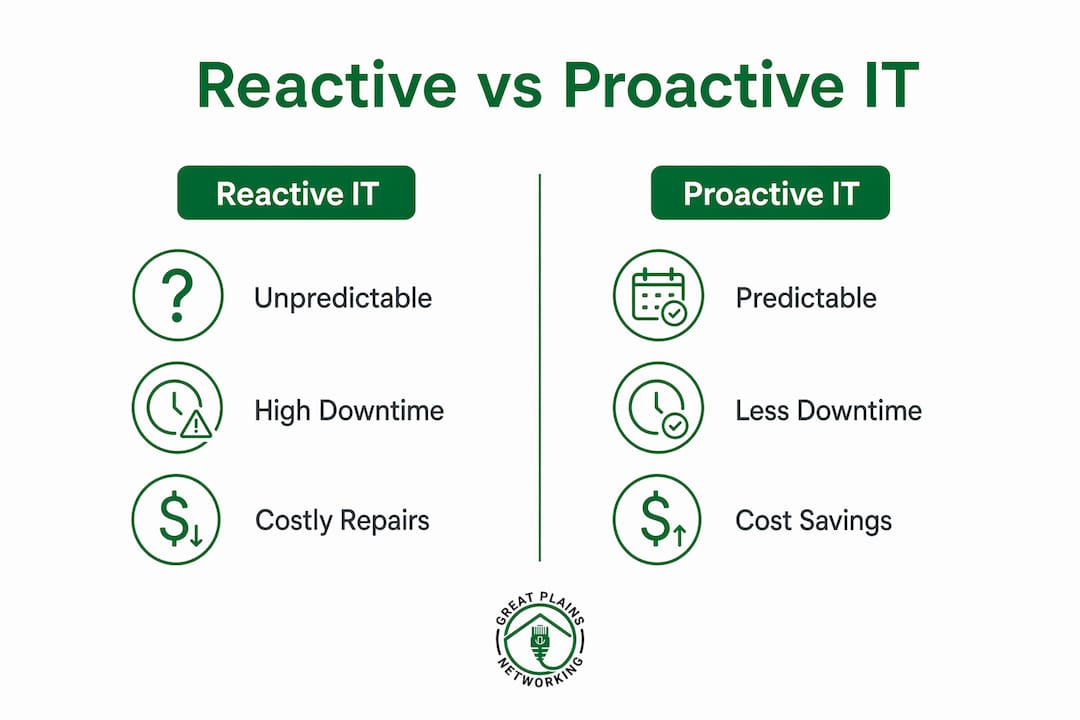
| Benefit category | Reactive IT | Proactive IT |
|---|---|---|
| Downtime frequency | Unpredictable; multiple incidents per quarter | Reduced significantly in year one |
| Spending pattern | Variable; spikes during emergencies | Predictable monthly investment |
| Critical failure rate | Baseline | Large reduction reported in vendor case studies |
| Security posture | Reactive patching; gaps accumulate | Consistent patch cadence; fewer open vulnerabilities |
| Staff productivity | Interrupted by outages and tickets | Protected by fewer incidents reaching users |
Operational benefits include fewer emergency tickets, shorter mean time to repair (MTTR), and staff who spend time on planned work rather than unplanned firefighting. Security benefits come from consistent patching, documented configurations, and EDR coverage that reduces dwell time when threats do appear.
For a concrete ROI example: a 20-person professional services firm experiencing multiple hours of unplanned downtime per month at a fully-loaded labor cost loses substantial productivity monthly. Cutting that downtime by 35–50% through proactive monitoring delivers measurable savings that can easily exceed the monthly cost of a managed IT support contract for a business that size.
The managed IT support benefits extend beyond cost avoidance. Predictable monthly pricing makes it easier to budget for technology, which matters for small businesses managing tight cash flow.
How to implement proactive IT: a phased rollout
Most failed proactive IT programs try to do everything at once. A phased approach builds momentum, demonstrates early wins, and avoids overwhelming a small team.
Phase 0: Assessment (weeks 1–4)
- Inventory all hardware, software, and network devices.
- Document existing incident processes and identify gaps.
- Establish baseline metrics: current uptime, average MTTR, open vulnerability count.
- Confirm stakeholder sponsorship and budget approval.
Phase 1: Visibility (weeks 5–12)
- Deploy RMM agents across all managed endpoints and servers.
- Implement basic backup jobs with at least one verified restore test.
- Set up a centralized ticketing system if one does not exist.
- Identify the five most business-critical systems and tune alert thresholds for those first.
Phase 2: Stabilization (months 4–6)
- Automate patch deployment with a tested rollback procedure.
- Establish a weekly backup verification cadence.
- Deploy EDR across all endpoints.
- Document standard configurations for servers and network devices.
- Begin tracking MTTR and ticket volume by severity.
Phase 3: Optimization (months 7–9)
- Add predictive analytics and capacity planning dashboards.
- Implement a formal vulnerability management program with a defined remediation SLA.
- Establish a quarterly vCIO review cadence to align IT with business goals.
- Build a Known Error Database (KEDB) from recurring incident patterns.
Phase 4: Continuous improvement (ongoing)
- Review KPIs monthly; adjust alert thresholds and runbooks based on data.
- Conduct quarterly SLA reviews with stakeholders.
- Update the IT roadmap annually based on capacity trends and business changes.
Staffing and budget considerations: A small business with a modest number of users typically needs a part-time internal IT coordinator plus an MSP for the monitoring and maintenance stack. Budget for RMM licensing, EDR, backup storage, and MSP fees. The IT services checklist for 2026 provides a useful line-item reference for planning conversations.
Pro Tip: Schedule a 30-day "quick win" review after Phase 1. Showing leadership a before/after ticket volume chart or a verified backup restore report builds the organizational trust that sustains the program through the harder phases.

KPIs to track and how to measure ROI
Measuring proactive IT requires tracking leading indicators, not just lagging ones. Ticket count after an outage is a lagging indicator. Patch compliance rate before a vulnerability is exploited is a leading one.
Priority KPIs:
- Mean time to detect (MTTD): How long between a failure starting and your team knowing about it.
- Mean time to repair (MTTR): Time from detection to resolution.
- Uptime/availability %: Measured per critical system, not as a single aggregate.
- Ticket volume by severity: Track P1/P2 tickets separately; a declining P1 count is the clearest signal that proactive work is paying off.
- Patch compliance rate: Percentage of managed endpoints current within your defined patch window.
- Backup verification success rate: Percentage of scheduled backup jobs that produce a verified, restorable image.
- Open critical vulnerabilities: Count of CVEs rated critical or high that exceed your remediation SLA.
- Business-impact incidents per quarter: Incidents that caused measurable user downtime or data loss.
| KPI | Purpose | Measurement method | Owner |
|---|---|---|---|
| MTTD | Detect issues faster | Monitoring platform timestamps | IT/MSP |
| MTTR | Reduce resolution time | Ticketing system reports | IT/MSP |
| Patch compliance % | Reduce attack surface | RMM compliance dashboard | IT/MSP |
| Backup success rate | Confirm recoverability | BDR platform logs | IT/MSP |
| P1 ticket volume | Track incident severity trend | Service desk reporting | IT manager |
ROI calculation example: If your team currently experiences several hours of unplanned downtime per month across a set number of users at a moderate average productivity cost, the lost output is significant. Reducing downtime by 35–50% can save thousands per month, aggregating to considerable annual savings. Compare that figure against your annual proactive IT investment to calculate a straightforward return.
Are you ready? Prerequisites and pitfalls to avoid
Organizations that attempt proactive IT too early often fail because they lack the stable incident processes and historical data needed to analyze trends meaningfully. Readiness matters as much as tooling.
Prerequisites before you start:
- A functioning incident management process with documented escalation paths.
- Basic asset inventory (you cannot monitor what you have not cataloged).
- Stakeholder sponsorship at the budget-approval level.
- At least 60–90 days of incident history to establish baselines.
- Defined data retention and logging practices.
Common failure modes:
- Alert fatigue: Too many low-priority alerts train staff to ignore the monitoring system entirely.
- Insufficient historical data: Without baseline metrics, you cannot demonstrate improvement or tune thresholds accurately.
- Skill gaps: RMM and EDR platforms require trained administrators; deploying tools without trained staff produces noise, not insight.
- Scope creep: Trying to implement all four phases simultaneously overwhelms small teams and produces no completed phase.
- Wrong KPIs: Measuring total ticket count rather than P1/P2 severity trends masks whether proactive work is actually reducing business impact.
The most common reason proactive IT programs stall is not budget or tooling. It is the absence of documented processes to improve. If your team cannot describe how an incident is currently handled, monitored, and closed, fix that first. Proactive management is an improvement layer built on top of a functional foundation, not a replacement for one.
Pro Tip: Stage your rollout by system criticality, not by tool category. Get monitoring and patching right for your five most critical systems before expanding to the full environment. Early wins on high-visibility systems build the internal credibility that funds Phase 2.
How ITIL defines proactive problem management
ITIL distinguishes between two disciplines that are often conflated: incident management and problem management. Understanding the difference is practical, not academic.
Incident management has one goal: restore normal service as quickly as possible. Speed is the metric. Root cause is secondary.
Problem management has a different goal: find and eliminate the underlying cause so the incident does not recur. ITIL's proactive problem management goes further, seeking root causes before any incident occurs by analyzing past incidents, event logs, and performance trends.
Practical ITIL integrations for proactive IT programs:
- Known Error Database (KEDB): A documented record of known problems and their workarounds or permanent fixes. Reviewing incident records and trend reports to populate the KEDB is a core proactive problem management activity.
- Root cause analysis (RCA) cadence: A scheduled, structured review of recurring incidents to identify systemic causes, not just immediate triggers.
- Change planning integration: Using trend data from problem management to inform the change calendar, so patches and configuration changes are timed to address known risk patterns.
On the ITSM maturity curve, reactive incident management sits at the base. Reactive problem management (investigating root cause after incidents) is the next step. Proactive problem management, where trends are analyzed before incidents occur, represents a mature practice that most SMBs reach in Phase 3 of the rollout described above.
The ITIL framework also reinforces a cultural point: teams must learn to quantify avoided incidents and frame preventative work as a business continuity investment. A month with zero P1 tickets is a success, not evidence that the IT team has nothing to do.
How Greatplainsnetworking helped a small business client make the shift
A professional services firm in the Oklahoma City metro area came to Greatplainsnetworking running a classic break-fix model: no centralized monitoring, inconsistent backups, and an IT vendor relationship that only activated when something failed. The firm had experienced two significant outages in the prior 12 months, each lasting several hours and disrupting client-facing work.
What Greatplainsnetworking did:
- Conducted a full asset inventory and documented the existing environment, including unmanaged devices that had never been patched.
- Deployed RMM agents across all endpoints and servers, establishing 24/7 monitoring within the first two weeks.
- Implemented an automated patching schedule with a tested rollback procedure and a weekly backup verification routine.
- Established a quarterly vCIO review cadence to align the firm's technology spending with its growth plans.
- Delivered plain-language staff training on phishing recognition and password hygiene, reducing the firm's exposure to credential-based attacks.
Within 90 days, the firm had documented patch compliance above 95%, verified backup restores on record, and a P1 ticket count that had dropped to zero for the quarter. Vendor case studies similarly report up to 83% reduction in critical failures after a proactive IT rollout. The partners reported that IT had stopped being a topic at leadership meetings, which was precisely the goal.
The shift from reactive to proactive IT is not primarily a technology change. It is a change in how leadership thinks about IT spending. When the team at this firm saw a quarter with no outages, the instinct was to ask whether they were overpaying. The documented patch compliance rate and backup verification logs answered that question before it became a budget conversation.
Pro Tip: Ask your MSP for a monthly report that shows what was prevented, not just what was fixed. Avoided incidents are invisible by nature; documentation makes them visible and justifies the investment.
For small businesses ready to make the shift to managed support, the transition is more straightforward than most expect when a provider handles the assessment and phased rollout.
Key Takeaways
Proactive IT management delivers measurable uptime, cost, and security improvements—including 35–50% less downtime and roughly 25% annual cost savings—when it is built on a stable foundation of documented processes, phased implementation, and consistent KPI tracking.
| Point | Details |
|---|---|
| Start with visibility | Deploy monitoring and verify backups before automating anything else. |
| Phase the rollout | Four phases over 6–9 months prevents scope creep and builds stakeholder trust. |
| Measure leading indicators | Track patch compliance and MTTD, not just total ticket count. |
| Quantify avoided incidents | Document prevented failures monthly to justify the investment to leadership. |
| Greatplainsnetworking | Provides 24/7 monitoring, patching, and vCIO guidance for SMBs in Norman, Moore, and OKC with no long-term contracts. |
The part most guides skip: why the first 90 days are the hardest sell
The technical side of proactive IT is well-documented. The harder problem is organizational. When a proactive program is working correctly, nothing dramatic happens, and that invisibility is precisely what makes it difficult to defend at budget time.
The teams Greatplainsnetworking works with most often struggle not with the tools but with the internal narrative. A month with zero P1 incidents looks, on the surface, like a quiet month. Without documented patch compliance rates, verified backup logs, and a KEDB showing what was caught and corrected, leadership has no way to distinguish "nothing happened because we prevented it" from "nothing happened because we got lucky."
The practical advice for non-technical executives sponsoring a proactive IT program: require a monthly report that shows prevented incidents alongside resolved ones. Frame the IT budget as a business continuity investment with a measurable return, not a cost center. And resist the instinct to cut the monitoring contract after a quiet quarter. That quiet quarter is the product.
For SMBs specifically, the staffing question is usually the first barrier. You do not need a full internal IT department to run a proactive program. A trusted local IT support provider who understands your environment and your business goals can deliver the full proactive stack at a fraction of the cost of an internal hire.
Greatplainsnetworking delivers proactive IT without the enterprise overhead
Small businesses in Norman, Moore, and Oklahoma City get the same 24/7 monitoring, automated patching, and verified backup protection that larger organizations pay enterprise prices for, without the long-term contracts or the technical jargon.

Greatplainsnetworking's managed IT support engagement starts with a documented assessment of your current environment, followed by a 60–90 day pilot that deploys monitoring, establishes a patching cadence, and verifies your backups. By the end of the pilot, you have baseline metrics, a documented IT environment, and a clear picture of what a steady-state proactive program looks like for your business. There are no long-term contracts, and every service is explained in plain language. Contact Greatplainsnetworking to schedule your assessment and see what a proactive IT program looks like for your specific environment.
Useful sources and further reading
- ITIL proactive vs. reactive problem management — ManageEngine's explanation of how ITIL distinguishes incident management from proactive problem management.
- What is proactive IT management? — Operational definition and scope overview, including the $5,600/minute downtime figure used in the business case section.
- ROI of proactive monitoring vs. reactive IT fixes — Vendor analysis of cost reduction figures, including the 83% critical failure reduction cited above.
- Why proactive IT is more cost-effective — Source for the 25% annual cost savings and 35–50% downtime reduction estimates.
- What is problem management in ITIL? — Practical explanation of KEDB, RCA cadence, and proactive problem management activities.
- Proactive IT support practitioner guidance — Practitioner-level discussion of monitoring, alert tuning, and the monitoring-to-improvement loop.
- Proactive IT support for small business success — Greatplainsnetworking's step-by-step guide for SMBs shifting from reactive to proactive IT.
- Switching to managed IT support — Practical guidance on pilot engagements, budgeting, and what to expect from a managed IT transition.
- IT services small business checklist for 2026 — Line-item checklist aligned with the phased rollout described in this guide.
Recommended
Want help putting this into practice?
We'll audit your security, speed, and hardware in under an hour — no commitment, no sales pitch. Just a clear roadmap of what to fix and why.