
How to Manage User Access in a Law Firm Network

The short operational answer: combine role-based access control (RBAC) with multi-factor authentication (MFA), Zero Trust conditional access, and continuous monitoring, then layer matter-level controls and ethical walls on top. That architecture, applied consistently, is how you manage user access in a law firm network without exposing client confidential data or violating your professional responsibility obligations under ABA Model Rule 1.6.
Three steps you can act on today:
- Inventory critical assets and high-risk accounts. List every system that touches client data, identify who has admin or elevated access, and flag any account without MFA.
- Enable enterprise MFA for all users. Prioritize admin accounts, remote access, and document management system (DMS) logins. Use phishing-resistant methods where possible.
- Schedule your first access review. Block a suitable amount of time with your IT lead or managed IT provider to compare current permissions against actual job roles.
Pro Tip: Copy this one-line runbook into your ticketing system right now: "Audit all accounts with admin rights, confirm MFA is active on each, and flag any account inactive for 30+ days for immediate review."
Key Takeaways
Securing user access in a law firm network requires RBAC as the entitlement baseline, MFA on every account, Zero Trust conditional access for remote sessions, and documented logging that satisfies both security and professional responsibility obligations.
| Point | Details |
|---|---|
| RBAC + least privilege | Build roles around matter responsibilities, not job titles, and run quarterly access reviews to catch permission drift. |
| MFA on every account | Phishing-resistant FIDO2 keys or platform authenticators for admin and partner accounts; TOTP as the minimum fallback for all others. |
| Zero Trust progression | Start with conditional access and device posture checks on VPN; migrate highest-risk apps to ZTNA within 180 days. |
| Logging and IR documentation | Log DMS access, auth events, and privileged actions; retain for 24 months; your incident response documentation is also your ethics compliance record under ABA Formal Opinion 483. |
| Greatplainsnetworking | Provides 24/7 monitoring, MFA rollouts, MDM, and incident response support for small law firms in Norman, Moore, and Oklahoma City, with no long-term contracts. |
Table of Contents
- Start by mapping every asset, user, and matter to its required access
- How to define roles and apply least-privilege RBAC for law-firm workflows
- Authentication best practices: MFA, SSO, and password hygiene for law firms
- VPN vs. Zero Trust: choosing the right remote-access model for your firm
- Endpoint protection and MDM: securing attorney devices and BYOD
- Network segmentation, guest Wi-Fi, and controlling third-party access
- Logging, monitoring, incident response, and your notification duties under ABA guidance
- Policies, staff training, and keeping permissions accurate over time
- Your 30/90/180-day implementation checklist
- When to hire managed IT: signals, vendor questions, and SLA requirements
- What most law firms get wrong about access control
- Greatplainsnetworking helps law firms lock down access without the overhead
- Sources
Start by mapping every asset, user, and matter to its required access
You cannot protect what you have not documented. Before any technical control goes in, you need a clear picture of what systems exist, who touches them, and how sensitive each one is.
Your inventory should cover:
- Core systems: DMS (iManage, NetDocuments, Worldox), practice management (Clio, MyCase, Practice Panther), email (Microsoft 365, Google Workspace), billing and finance (QuickBooks, Aderant, Elite 3E)
- Endpoints: attorney laptops, shared workstations, mobile devices, printers with local storage
- External integrations: client portals, e-discovery platforms, court filing systems, cloud storage
- Privileged accounts: domain admins, DMS admins, backup operators, service accounts, API keys
- Third-party access: outside counsel, vendors, IT contractors, temporary staff
Once you have that list, map it into a sensitivity and access table, with columns for asset, sensitivity level, and access owner, that you can paste directly into a spreadsheet.
Assign a named owner to each asset and set a review date. Without an owner, reviews do not happen. Aim to revisit the inventory at least quarterly, or immediately after any staff change.
Pro Tip: Use your endpoint detection and response (EDR) tool or an IAM platform like Microsoft Entra ID to automate discovery of connected devices and service accounts. Manual spreadsheets drift; automated discovery catches shadow IT before it becomes a liability.
How to define roles and apply least-privilege RBAC for law-firm workflows
RBAC serves as the static entitlement baseline while Zero Trust enforces dynamic, context-aware decisions at runtime. That means you build roles first, then let conditional access policies decide whether a given session actually gets through.
Model roles around what a person does on a matter, not their HR title. A "senior associate" label tells you nothing about which client files they should reach. "Litigation associate assigned to Matter 2024-047" tells you exactly what access to grant.
For most small to mid-size firms, keep the role matrix compact: define roles around matter responsibilities, group by practice area, and cap the number of distinct roles so reviews stay manageable.
Key principles to enforce:
- Grant the minimum access needed to complete the task, then stop.
- Use time-bound or just-in-time (JIT) privileges for sensitive tasks like bulk file exports or admin configuration changes.
- Assign role ownership to a named person (typically the practice group leader or office manager) who approves changes.
- Run a formal access review quarterly. Compare the current permission state against the role matrix and revoke anything that does not match.
Matter-level RBAC, ethical walls, and privileged access management are the controls that prevent one practice group from inadvertently seeing another's client files, which is a real conflict-of-interest risk in multi-practice firms.
Authentication best practices: MFA, SSO, and password hygiene for law firms
MFA is not optional. Stolen credentials are one of the most common attack vectors against law firms, and a strong password alone does not stop a credential-stuffing or phishing attack. Every account, including service accounts and admin logins, needs MFA.
Preferred MFA methods, in order of strength:
- Hardware FIDO2 security keys (YubiKey, Google Titan): phishing-resistant, no shared secret transmitted, highest assurance for admin and partner accounts.
- Platform authenticators (Windows Hello for Business, Apple Touch ID/Face ID): built into modern devices, phishing-resistant, low friction for daily use.
- TOTP authenticator apps (Microsoft Authenticator, Google Authenticator): acceptable fallback; avoid SMS-based OTP for privileged accounts.
Single sign-on (SSO) reduces password fatigue and gives you a single enforcement point for MFA and conditional access policies. Integrate SSO with your DMS, practice management platform, and Microsoft 365 or Google Workspace using SAML 2.0 or OIDC. Matter-level controls still apply inside the DMS after SSO authentication passes.
Phased rollout checklist:
- Enable MFA on all admin and privileged accounts immediately.
- Roll MFA to all remote-access users within 30 days.
- Deploy SSO for core systems (DMS, practice management, email) within 60 days.
- Enforce MFA for all remaining accounts within 90 days.
- Disable legacy authentication protocols (basic auth, NTLM where possible) after rollout is complete.
Pro Tip: Create at least two documented break-glass accounts with hardware key MFA, stored in a physical safe. If your SSO provider has an outage, you need a verified path back in that does not bypass security controls.
VPN vs. Zero Trust: choosing the right remote-access model for your firm
Traditional VPN grants network-level access once a user authenticates. That model worked when everyone was in the office and the perimeter was a firewall. It does not hold up when attorneys work from home, coffee shops, and client sites.
Perimeter-based security is insufficient for hybrid legal work. Zero Trust's continuous validation and identity-based segmentation reduce lateral movement and better protect client data by treating every access request as untrusted until verified.
VPN vs. Zero Trust at a glance:
| Dimension | VPN | Zero Trust |
|---|---|---|
| Access model | Network-level (once in, broadly trusted) | Identity + device + context per session |
| Lateral movement risk | High (flat network access) | Low (micro-segmented, least privilege) |
| Device posture checks | Minimal or none | Continuous, per-request |
| Fit for hybrid work | Moderate | Strong |
| Implementation complexity | Low | Medium to High |
| Cost to start | Low | Medium (scales with tooling) |
Conditional access policies add device posture checks: is the device encrypted? Is the OS patched? Is it enrolled in MDM? A session from an unmanaged personal device on a public network should get less access than a managed firm laptop on a known network, even for the same user.
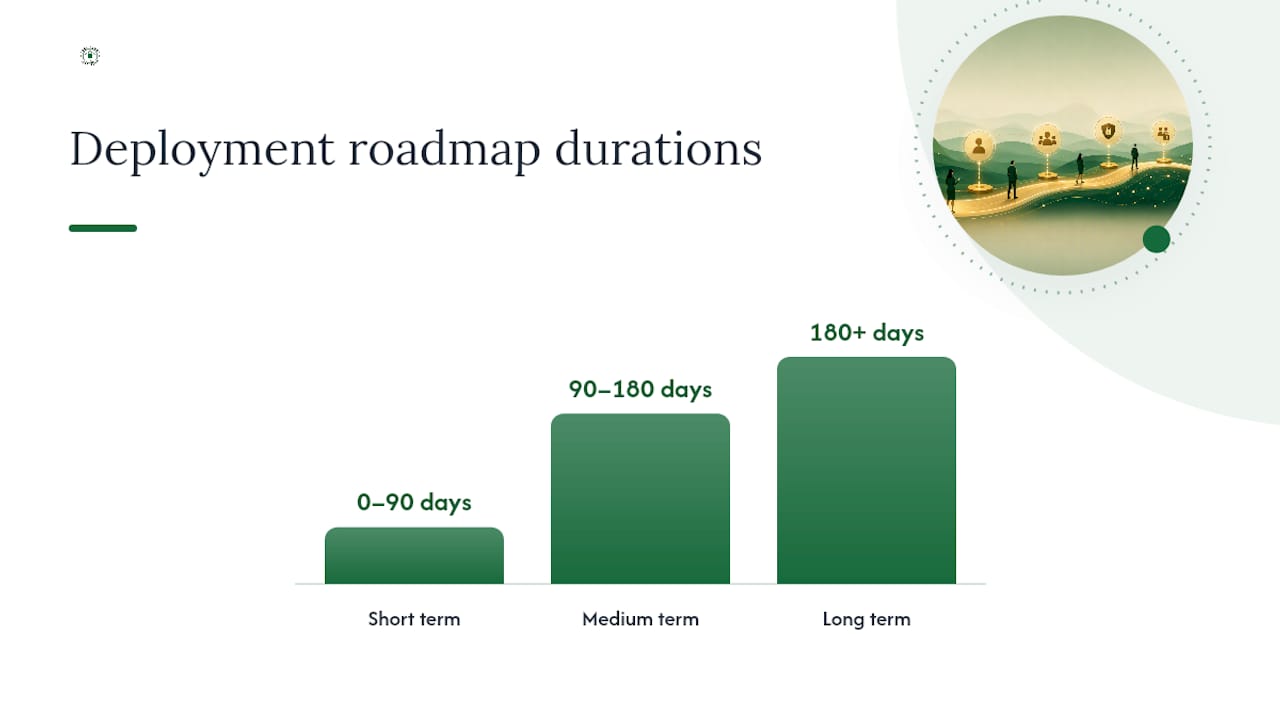
Deployment roadmap:
- Short term (0–90 days): Enforce MFA on VPN, add conditional access policies in Microsoft Entra ID or Okta, block legacy auth protocols.
- Medium term (90–180 days): Deploy Zero Trust Network Access (ZTNA) for your highest-risk applications (DMS, finance). Pilot with IT staff first.
- Long term (180+ days): Retire VPN for application access entirely; use ZTNA for all remote sessions with continuous posture validation.
Pro Tip: Zero Trust can be adopted incrementally and integrated with existing systems. You do not need to replace everything at once. Start with your highest-sensitivity applications and expand from there.
Endpoint protection and MDM: securing attorney devices and BYOD
Every device that connects to your network is a potential entry point. Full-disk encryption, EDR, and automated patching are the baseline, not the ceiling.
Required endpoint controls for every firm-owned device:
- Full-disk encryption: BitLocker (Windows) or FileVault (macOS) on all laptops and desktops; VeraCrypt or hardware encryption for removable media.
- EDR platform: Bitdefender GravityZone or Microsoft Defender for Endpoint for behavioral threat detection beyond signature-based antivirus; CrowdStrike Falcon and SentinelOne are valid alternatives.
- Secure configuration baseline: CIS Benchmarks for Windows and macOS; disable unused ports, services, and remote desktop where not needed.
- Automated patching: deploy patches within 14 days of release for standard updates; within 72 hours for critical or actively exploited vulnerabilities.
- Screen lock and session timeout: enforce 5-minute idle lock on all workstations.
For mobile devices, an MDM or unified endpoint management (UEM) platform like Microsoft Intune, Jamf Pro, or Kandji lets you enforce encryption, remote wipe, app whitelisting, and compliance policies before a device can access firm resources.
BYOD vs. firm-owned: For most small law firms, firm-owned devices are the cleaner choice. BYOD introduces personal app risk, complicates e-discovery, and makes remote wipe legally and practically complicated. If BYOD is unavoidable, use a containerized workspace (Microsoft Intune MAM, Good Dynamics) that separates firm data from personal apps and allows selective wipe of the firm container only.

Pro Tip: Budget a reasonable amount per device per month for a mid-tier MDM platform, which is a predictable, low-cost control that prevents a far more expensive breach.
Network segmentation, guest Wi-Fi, and controlling third-party access
Segmentation limits how far an attacker can move if they get past your perimeter. A flat network where every device can reach every other device is a liability, especially when clients, vendors, or contractors are connecting.
Practical segmentation patterns for law firms:
- User VLAN: attorney and staff workstations, separated from servers.
- Server VLAN: DMS, practice management, file servers, domain controllers.
- Finance segment: billing and accounting systems, accessible only to authorized billing staff and partners.
- Management network: switches, firewalls, and IT admin consoles, isolated from all user traffic.
- Guest SSID: separate wireless network for clients and visitors, internet-only, no access to internal resources.
Ethical walls in your DMS (iManage Walls, NetDocuments Ethical Walls) operate at the application layer, but network segmentation adds a second layer of protection at the infrastructure level.
Guest access quick checklist:
- Separate SSID with its own VLAN and internet-only routing.
- Short credential TTL (8-hour maximum for visitor Wi-Fi passwords).
- DNS filtering on the guest segment to block malicious domains.
- No access to internal subnets, printers, or file shares.
- Logging of all guest connections with timestamps and MAC addresses.
For contractors and vendors, apply the same least-privilege principle: scope access to the specific system and time window needed, then revoke it. Use a privileged access management (PAM) tool like CyberArk or BeyondTrust to issue time-bound credentials for vendor sessions, and log every action taken during that session.
Pro Tip: Issue ephemeral access tokens for vendor maintenance windows rather than standing credentials. A token that expires in four hours cannot be used in a breach that happens six months later.
Logging, monitoring, incident response, and your notification duties under ABA guidance
Logging is not just a security control. Under ABA Formal Opinion 483, your ability to investigate a breach and determine whether client notification is required depends directly on the quality of your logs. Thin logs mean you cannot answer the question "was client data accessed?" with confidence.
Minimum logging requirements:
- DMS access logs: who opened, edited, exported, or deleted which file and when.
- Authentication logs: all login attempts, MFA events, failures, and lockouts.
- Admin session logs: every privileged action taken by IT or admin accounts.
- File export and bulk download events: flag any export above a defined threshold.
- Network flow logs: connections between segments, especially outbound to unknown destinations.
Retain logs for an appropriate duration suitable for your jurisdiction and compliance requirements. Some state bar opinions and data breach notification laws require longer retention; confirm the requirement for your jurisdiction.
Incident response checklist:
- Detect: SIEM alert, user report, or anomaly triggers investigation.
- Contain: isolate affected systems, revoke compromised credentials, block lateral movement.
- Investigate: pull logs, determine scope, identify what data was accessed and by whom.
- Notify (if material): consult ethics counsel; notify affected clients per ABA Model Rule 1.6 and applicable state bar guidance; notify insurers and law enforcement as required.
- Remediate: patch the vulnerability, reset credentials, restore from verified backup.
- Document: write a post-incident report covering timeline, scope, containment steps, and remediation. Keep it. Regulators and insurers will ask for it.
Understanding common breach patterns that law firms face helps you tune your monitoring thresholds before an incident, not after.
Policies, staff training, and keeping permissions accurate over time
Technical controls fail when people do not understand or follow them. Policy documents and training are what make RBAC and MFA stick in practice.
Core policy documents every firm needs:
- Access control policy: defines role matrix, approval workflow for access requests, and review cadence.
- Acceptable use policy (AUP): covers permitted use of firm devices, systems, and networks.
- BYOD policy: conditions under which personal devices may access firm resources and MDM enrollment requirements.
- Privileged access procedure: governs admin account use, JIT access requests, and break-glass account protocols.
- Breach notification plan: step-by-step response guide with named owners, contact lists, and notification templates.
Review your law firm security policy annually and update it after any significant incident or system change.
Training cadence:
- Onboarding: access control policy, AUP, and phishing awareness before system access is granted.
- Quarterly micro-training: 10-minute modules on phishing, credential hygiene, and reporting suspicious activity.
- Annual phishing simulation: test the full staff; track click rates and use results to target follow-up training.
For access reviews, assign attestation campaigns in your IAM platform (Microsoft Entra ID access reviews, Okta Lifecycle Management) so role owners receive automated prompts to confirm or revoke permissions on a quarterly schedule. Manual reviews work for very small firms, but automation reduces the chance that a review gets skipped during a busy trial period.
Your 30/90/180-day implementation checklist
Turn this guide into a project plan. The tasks below are sequenced by risk reduction impact, not alphabetical order.
Days 1–30 (critical controls):
- Complete asset and user inventory; identify all admin and privileged accounts.
- Enable MFA on all admin accounts and remote-access users.
- Audit current permissions against job roles; revoke obvious over-permissions.
- Enable DMS access logging and authentication logging if not already active.
- Separate guest Wi-Fi from the internal network.
Days 31–90 (structural improvements):
- Deploy SSO for DMS, practice management, and email.
- Implement RBAC role matrix; assign role owners.
- Enroll all firm-owned devices in MDM; enforce encryption and patching policy.
- Implement network segmentation (user, server, finance, management VLANs).
- Draft access control policy, AUP, and breach notification plan.
- Complete first formal access review; document results.
Days 91–180 (maturity and automation):
- Deploy ZTNA for highest-risk applications; begin VPN phase-down.
- Implement PAM for vendor and contractor access.
- Configure SIEM or log aggregation with alerting rules.
- Run first phishing simulation; deliver targeted follow-up training.
- Conduct a full cybersecurity audit using a structured framework.
Cost brackets by firm size:
- Solo/2–5 attorney firm (DIY + light managed IT): $500–$2,000 upfront for tooling (MDM, MFA licenses); $300–$800/month for a managed IT partner handling monitoring and patching.
- Small firm (6–20 attorneys, limited internal IT): $2,000–$8,000 upfront for MDM, SIEM, and SSO licensing; $800–$2,500/month for managed IT covering 24/7 monitoring, helpdesk, and access reviews.
- Mid-size firm (20–50 attorneys, internal IT staff): $10,000–$30,000+ for full IAM, PAM, and ZTNA deployment; internal IT staff plus a managed security services partner for monitoring and IR.
When to hire managed IT: signals, vendor questions, and SLA requirements
Some firms can handle access management in-house. Many cannot, and the gap between those two situations is usually visible before a breach makes it obvious.
Signals that outsourcing is the right call:
- No staff member has dedicated IAM or security expertise.
- Admin errors (wrong permissions granted, accounts not offboarded) happen more than once a quarter.
- You have no 24/7 monitoring and no documented incident response plan.
- A client, insurer, or regulatory body has asked for evidence of security controls you cannot produce.
- You are onboarding remote or hybrid staff and have no device management infrastructure.
Vendor question checklist:
- Do you have access to our log data, and can we pull it independently if needed?
- What is your incident response SLA? How quickly do you contain, investigate, and notify?
- Do you provide forensic support, or do we need a separate retainer?
- How is our data segregated from your other clients?
- What cyber liability insurance do you carry, and does it cover third-party liability?
- How do you handle client confidential data under attorney-client privilege considerations?
- Do you enforce MFA on your own admin accounts that access our systems?
SLA must-haves:
- MFA enforced on all vendor admin accounts accessing your environment.
- Proactive patching within defined windows (critical: 72 hours; standard: 14 days).
- 24/7 monitoring with documented escalation paths.
- Written incident response plan that names your firm as a covered client.
- Regular access review participation and documentation.
Pro Tip: Ask any prospective managed IT vendor for a sample incident response report from a previous engagement (redacted). A vendor who cannot produce one has likely never run a real IR process. That is a disqualifying answer.
What most law firms get wrong about access control
The most common failure pattern is not a sophisticated attack. It is an admin account that never had MFA enabled, a paralegal who left two years ago whose credentials still work, or a vendor given broad file-share access for a one-week project that was never revoked.
Service accounts and API keys with broad entitlements, admin accounts without MFA, and temporary access that becomes permanent are the three most frequently exploited misconfigurations in law firm environments. These are not exotic vulnerabilities. They are process failures.
Firms that treat access governance as a one-time setup task rather than an ongoing operational discipline consistently end up with permission sprawl: dozens of accounts with more access than their current role requires, no clear owner, and no record of when or why the access was granted. A quarterly access review catches this before it becomes a breach.
The other underestimated risk is change events: an attorney moves from litigation to transactional work, a paralegal gets promoted to office manager, a contractor finishes a project. Each of those events should trigger an immediate access adjustment. In most small firms, it does not, because there is no formal offboarding or role-change workflow tied to the IT system.
Zero Trust is often framed as a technology purchase. It is more accurately a discipline: verify every access request, every time, based on current context. That discipline applies whether you are running Microsoft Entra ID with Conditional Access or a simpler setup with MFA and quarterly reviews. The technology scales the discipline; it does not replace it.
Pro Tip: Phase your changes. Pushing MFA, MDM enrollment, and a new DMS permission structure simultaneously will generate attorney resistance and help-desk overload. Sequence changes by risk priority and communicate each one clearly before rollout.
Greatplainsnetworking helps law firms lock down access without the overhead
For small law firms in Norman, Moore, and Oklahoma City, the gap between knowing what needs to be done and having the staff to do it is real. Greatplainsnetworking fills that gap with proactive managed IT support built specifically for small businesses, including law offices that cannot afford a full-time IT department but cannot afford a breach either.

The services map directly to this guide: MFA rollouts and SSO integration, MDM enrollment and device policy enforcement, 24/7 network monitoring with documented escalation, access review support, and cybersecurity services covering incident response and forensic documentation. A small Oklahoma City law firm that engaged Greatplainsnetworking for managed IT reduced its unresolved access anomalies from a recurring monthly problem to a tracked, remediated item with same-day response. No long-term contracts, no jargon, and a local team who picks up the phone.
If your firm is past the "we'll get to it" stage on access control, the next step is a direct conversation. Contact Greatplainsnetworking to schedule a network security assessment and get a clear picture of where your permissions stand today.
Sources
The guidance in this article draws on the following authoritative references. Each is worth bookmarking for your own documentation and compliance records.
- RBAC and Zero Trust Identity Management Guide - Security Boulevard
- Law firms cringe, but bow to the need for Zero Trust Architecture - Slaw
- Access Control and Identity Management in Law Firms — LawGaze
Keep records of every access review, incident response timeline, and policy update. Those records are your evidence of reasonable efforts under Rule 1.6, and they are what your insurer and ethics counsel will ask for first.
This article is general information, not a substitute for advice from a qualified lawyer. Consult a qualified legal professional about your own circumstances before acting on anything here.
Recommended
Want help putting this into practice?
We'll audit your security, speed, and hardware in under an hour — no commitment, no sales pitch. Just a clear roadmap of what to fix and why.