
How to Reduce IT Downtime for Your Small Business

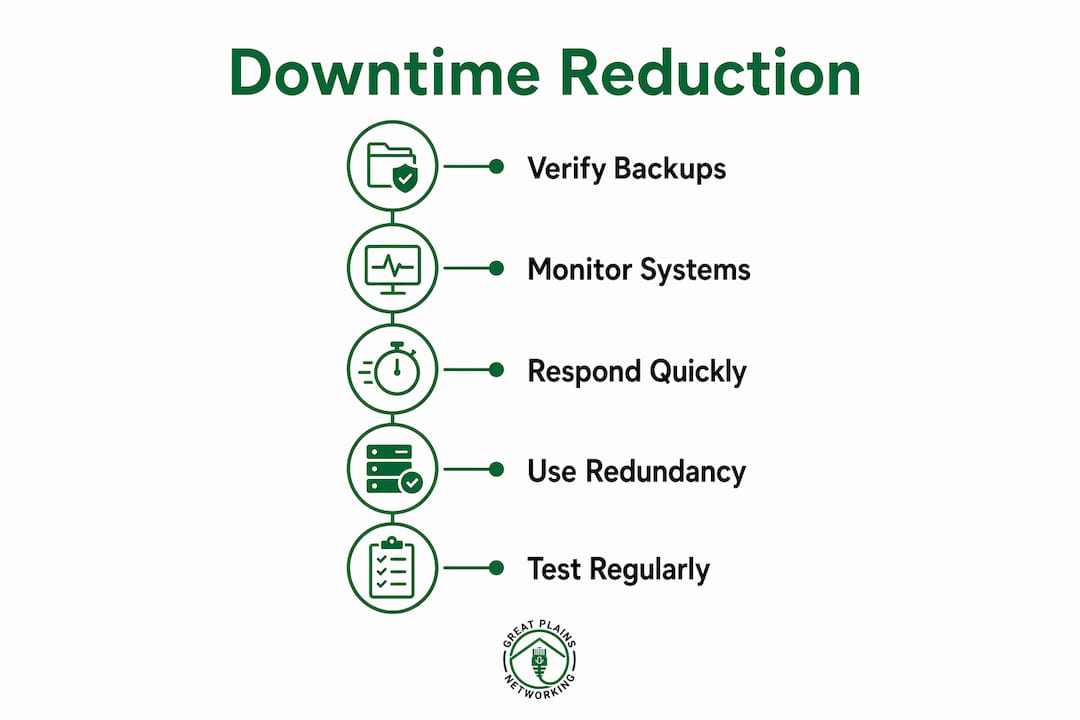
Reducing IT downtime for a small business is defined by three disciplines working together: proactive monitoring, verified backup strategies, and documented incident response. When any one of those three breaks down, the cost compounds fast. The industry term for this combined approach is operational resilience, and it covers everything from how quickly your team detects a problem to whether your backups actually restore when you need them. This guide covers the foundational tools, detection frameworks, and recovery practices that reduce IT downtime in practical, measurable ways, including Recovery Time Objectives (RTO), Recovery Point Objectives (RPO), and the 3-2-1-1-0 backup model.
What does it take to minimize IT downtime in a small business?
Every IT downtime solution for small businesses starts with the same foundation: the right physical infrastructure, a tested backup architecture, and monitoring that watches more than just whether a server is on. Most small businesses skip at least one of these, and that gap is where outages turn into multi-hour disasters.
Physical infrastructure: the layer most owners overlook
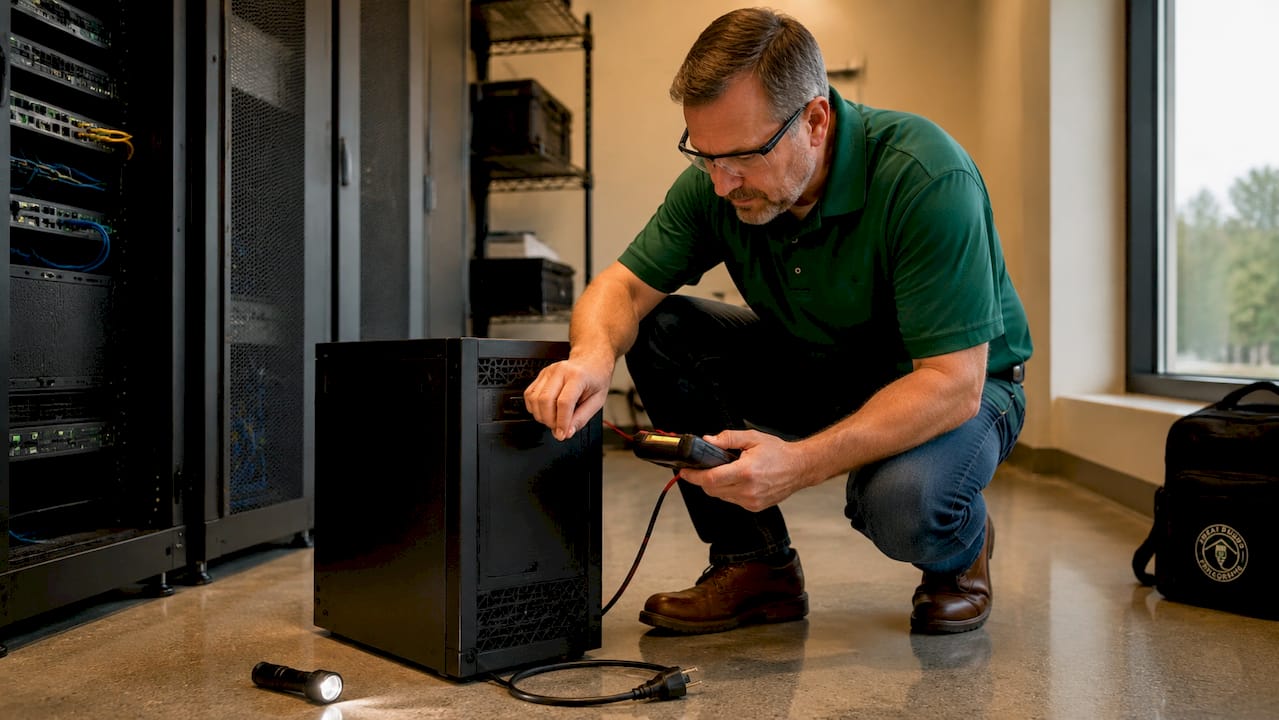
Power issues cause outages more often than most small business owners expect, especially in storm-prone regions like Oklahoma. An uninterruptible power supply (UPS) keeps servers and network equipment running through brief outages and gives your team time to shut down safely during longer ones. Surge protectors rated for IT equipment add a second layer of defense. Both devices need regular testing. A UPS with a dead battery is no different from having no UPS at all.
The 3-2-1-1-0 backup model explained
The 3-2-1-1-0 backup strategy is the current standard for ransomware resilience and reliable recovery. The numbers break down like this:
- 3 total copies of your data
- 2 stored on different media types (e.g., local NAS and cloud storage)
- 1 copy stored offsite
- 1 copy that is offline and immutable, meaning it cannot be altered or deleted by an attacker
- 0 unverified backups. Every backup must pass a restore test before it counts
The zero in that model is the most important number. A backup that has never been restored is a hypothesis, not a recovery plan.
Monitoring: availability, performance, and capacity
Monitoring availability (is the system up?) is the minimum. Effective IT uptime strategies also track performance (is it responding at normal speed?) and capacity (is storage or memory approaching a limit that will cause a crash?). Tools like Auvik, NinjaRMM, and PRTG Network Monitor each provide this layered visibility. The table below compares what each category of monitoring catches and why it matters.
| Monitoring type | What it detects | Why it matters |
|---|---|---|
| Availability monitoring | Server or service is down | Catches outages immediately |
| Performance monitoring | Slow response times, CPU spikes | Identifies degradation before full failure |
| Capacity monitoring | Disk, memory, or bandwidth near limits | Prevents crashes from resource exhaustion |
| Backup status monitoring | Failed or incomplete backup jobs | Confirms recovery data is current and usable |
Pro Tip: Schedule a monthly backup restore drill using an isolated test environment. Restoring a single file or folder takes less than 30 minutes and confirms your backup is actually usable before you need it under pressure.
How can small businesses detect and resolve outages faster?
The real cost driver in IT downtime is not the outage itself. It is the time between when the problem starts and when it is fixed. The downtime cost framework built around MTTD, MTTA, and MTTR gives you three specific phases to compress.
Mean Time To Detect (MTTD) is how long it takes your monitoring system to identify a problem. Mean Time To Acknowledge (MTTA) is how long it takes a person to accept responsibility for the issue. Mean Time To Resolve (MTTR) is how long it takes to fix it. Speeding up each phase reduces overall downtime cost more effectively than prevention alone. That is a counterintuitive but verified finding: you cannot prevent every outage, but you can shrink the damage window.
Monitoring check frequency matters more than most people realize
Increasing monitoring check frequency to every 30 to 60 seconds compresses detection time significantly. When your monitoring tool checks every five minutes, a problem can exist for nearly five minutes before anyone knows. At 30-second intervals, your team is almost always ahead of your customers in discovering an issue. That gap matters because a customer-reported outage already means lost trust, not just lost time.
Effective detection also requires diagnostic detail in alerts. An alert that says "server down" is less useful than one that says "server CPU at 99% for 3 minutes, memory at 94%, disk I/O spiked." The second alert tells a technician exactly where to look.
Building an escalation workflow
A documented escalation workflow is what converts fast detection into fast resolution. Without one, acknowledged alerts sit in inboxes while staff debate who owns the problem. A basic workflow looks like this:
- Alert fires at 30-second check interval
- Automated notification sent to primary technician via SMS and email
- If unacknowledged in 5 minutes, alert escalates to secondary contact
- If unresolved in 15 minutes, escalation reaches the business owner or IT manager
- Resolution notes logged for post-incident review
Pro Tip: Log every incident, even minor ones. Patterns in your incident log reveal recurring problems that a single fix can eliminate permanently, cutting your total downtime frequency over time.
What backup and disaster recovery practices actually prevent extended downtime?
RTO and RPO are the two engineering constraints that define how much downtime and data loss your business can absorb. RTO is the maximum acceptable time to restore operations. RPO is the maximum acceptable age of the data you recover. Setting realistic RTO and RPO targets and then verifying them through actual restore tests is what separates a real disaster recovery plan from a document that fails under pressure.
For most small businesses, an RTO of four hours and an RPO of 24 hours is a reasonable starting point. A dental practice or law firm with time-sensitive client records may need an RTO of one hour and an RPO of four hours. The targets must match your actual business operations, not a generic template.
Steps to build a verified disaster recovery plan
- Define your RTO and RPO based on the revenue and operational impact of each system going down.
- Map your backup schedule to your RPO. If your RPO is four hours, backups must run at least every four hours.
- Maintain an offline immutable copy of your most critical data. Ransomware can corrupt or delete backups before recovery starts unless a separate offline copy exists.
- Run isolated restore drills quarterly. Restore a full system image to a test environment and confirm it boots and functions correctly.
- Document the restore procedure step by step so any qualified technician can execute it, not just the person who set it up.
- Review and update the plan after any major infrastructure change, such as adding a new server, switching cloud providers, or onboarding a new application.
The 3-2-1-1-0 model supports this framework directly. Incremental backups running every four hours, combined with a daily full backup sent offsite and an immutable weekly copy stored offline, give most small businesses a defensible and tested recovery posture.
Pro Tip: Treat your RTO and RPO as live commitments, not paperwork. If a restore drill takes longer than your stated RTO, your plan needs updating before a real incident forces the issue.
How do cloud and redundancy strategies reduce IT outages for small businesses?
Cloud-first architectures improve IT system reliability by removing single points of failure that are common in small office environments. A business running its core applications on a single on-premises server has one failure point. The same business using Microsoft 365, a cloud-hosted line-of-business application, and a cloud backup platform has distributed that risk across multiple redundant systems.
AWS and similar platforms track MTTI and MTTR (Mean Time To Investigate and Mean Time To Resolve) as core operational metrics for mission-critical workloads. Small businesses benefit from the same discipline even without enterprise infrastructure. Knowing how long it typically takes your team to investigate and resolve an issue gives you a baseline to improve against.
Dual WAN and network segmentation
A dual WAN configuration uses two separate internet connections from different providers. When one connection fails, traffic automatically routes through the second. For a small business in Norman or Moore, Oklahoma, where a single ISP outage can take down operations for hours, a secondary LTE or fiber connection from a different carrier is a practical and cost-effective redundancy layer.
Network segmentation prevents one congested or compromised segment from affecting the entire business. Separating guest Wi-Fi from internal systems, and isolating point-of-sale or medical device networks from general office traffic, reduces both security risk and performance-related downtime.
| Redundancy method | What it protects against | Typical cost range |
|---|---|---|
| Dual WAN failover | ISP outages, single-carrier failures | $50 to $200/month for secondary line |
| Cloud application hosting | On-premises server failure | Varies by application |
| Offsite immutable backup | Ransomware, local hardware failure | $30 to $150/month |
| UPS with battery monitoring | Power outages, voltage spikes | $150 to $500 per unit |
For more on proactive IT monitoring and why it matters specifically for small businesses in 2026, the strategies above translate directly into fewer incidents and faster recovery when incidents do occur.
Key takeaways
Reducing IT downtime requires verified backups, fast detection workflows, and redundant infrastructure working together. No single tool or tactic is sufficient on its own.
| Point | Details |
|---|---|
| Use the 3-2-1-1-0 backup model | Maintain an offline immutable copy and verify every backup with a restore test. |
| Compress MTTD, MTTA, and MTTR | Faster detection and escalation shrinks the damage window more than prevention alone. |
| Set realistic RTO and RPO targets | Match recovery targets to actual business impact and test them with restore drills. |
| Add physical and network redundancy | UPS devices, dual WAN, and network segmentation eliminate common single points of failure. |
| Monitor more than availability | Track performance and capacity to catch degradation before it becomes an outage. |
What I've learned working with small businesses on downtime prevention
The most consistent mistake I see small businesses make is treating backup as a completed task rather than an ongoing process. A backup solution gets installed, the green light stays on, and nobody touches it for 18 months. Then a ransomware event or hardware failure hits, and the restore fails because the backup job silently stopped running six months ago. That scenario is far more common than it should be.
The second pattern I see regularly is businesses that rely entirely on helpdesk support without any proactive monitoring in place. Helpdesk coverage means someone answers the phone when you call. Monitoring means someone already knows about the problem before you do. Those are fundamentally different services, and confusing them is one of the most costly IT mistakes a small business can make.
The businesses that handle downtime best share a few traits. They have documented escalation workflows. They run restore drills at least quarterly. They treat their RTO and RPO as live targets, not aspirational numbers. And they partner with an IT provider that monitors proactively rather than waiting for a call. The cost of that partnership is almost always lower than the cost of a single extended outage. For most small businesses, the math is not close.
— Nicholas
How Greatplainsnetworking helps small businesses stay up and running
Greatplainsnetworking provides managed IT support built specifically for small businesses in Norman, Moore, and Oklahoma City. Their 24/7 monitoring service watches availability, performance, and backup status continuously, so problems are identified and addressed before they become outages. Clients at dental practices, law firms, and professional service businesses rely on defined escalation workflows, tested backup and recovery procedures, and same-day response times.
If your current IT setup depends on someone calling in a problem before anyone acts on it, that is a gap worth closing. Greatplainsnetworking offers a no-obligation consultation to evaluate your current IT resilience and identify where your business is most exposed. No long-term contracts, no jargon. Just a clear picture of where you stand and what it takes to stay operational.
FAQ
What is the fastest way to reduce IT downtime for a small business?
The fastest gains come from deploying proactive monitoring with short check intervals (30 to 60 seconds) and a documented escalation workflow. These two changes compress MTTD and MTTA, which are the phases where most downtime cost accumulates.
How often should a small business test its backups?
Restore drills should run at least quarterly, with automated backup status monitoring running continuously. A backup that has never been restored cannot be trusted to work when a real recovery is needed.
What is the 3-2-1-1-0 backup rule?
The 3-2-1-1-0 rule means keeping three copies of data on two different media types, with one offsite, one offline and immutable, and zero unverified backups. The offline immutable copy is the critical defense against ransomware.
What is the difference between RTO and RPO?
RTO (Recovery Time Objective) is the maximum time your business can tolerate being offline. RPO (Recovery Point Objective) is the maximum age of data you can recover without unacceptable loss. Both must be verified through actual restore testing to be meaningful.
Do small businesses need cloud infrastructure to prevent IT outages?
Cloud infrastructure reduces single points of failure but is not the only path to resilience. A combination of UPS devices, dual WAN failover, offsite backups, and proactive monitoring delivers strong IT system reliability even for businesses with primarily on-premises infrastructure.
Recommended
Want help putting this into practice?
We'll audit your security, speed, and hardware in under an hour — no commitment, no sales pitch. Just a clear roadmap of what to fix and why.