
Role of IT Support Provider: A Small Business Guide

An IT support provider is defined as the dedicated partner responsible for keeping your business's technology usable, secure, and available at all times. For small business owners in Norman, Moore, and Oklahoma City, understanding the full role of IT support provider services goes far beyond calling someone when a computer breaks. A qualified provider manages everything from Microsoft 365 access permissions and network health to cybersecurity controls and data backups. The industry term for this structured discipline is IT service management, or ITSM. Knowing what your provider should actually be doing gives you the clarity to hold them accountable and make smarter decisions for your business.
What are the primary responsibilities of an IT support provider?
IT support providers keep technology usable by acting as the primary contact for every device, platform, and access request in your business. That scope is broader than most owners realize. It covers the daily tasks that keep your team productive and the behind-the-scenes work that prevents problems from reaching you in the first place.
The core responsibilities of IT support fall into five categories:
- Incident management: Logging, triaging, and resolving technology failures, from a crashed laptop to a failed network connection.
- Service requests: Handling routine user needs like password resets, software installs, and new employee account setups.
- Cybersecurity: Serving as first-line defense through access control, multi-factor authentication (MFA), and endpoint protection.
- Routine maintenance: Applying patches, running backups, and pushing software updates on a scheduled basis.
- Change management: Documenting and controlling any modifications to your IT environment to prevent unintended disruptions.
Each of these functions is tracked through a ticketing system. Ticketing systems route, prioritize, and monitor every request, giving you a verifiable record of what was reported, who handled it, and how long resolution took.
Pro Tip: Ask your IT provider for a monthly ticket summary. If they cannot produce one, they are not tracking their work with enough accountability to serve you well.

How does the tiered IT support model resolve issues faster?
Tiered IT support organizes every issue by complexity, routing it to the right person immediately rather than creating a bottleneck at one generalist. This structure is not just a staffing hierarchy. It is a governance mechanism that reduces stalled handoffs and makes resolution times predictable.
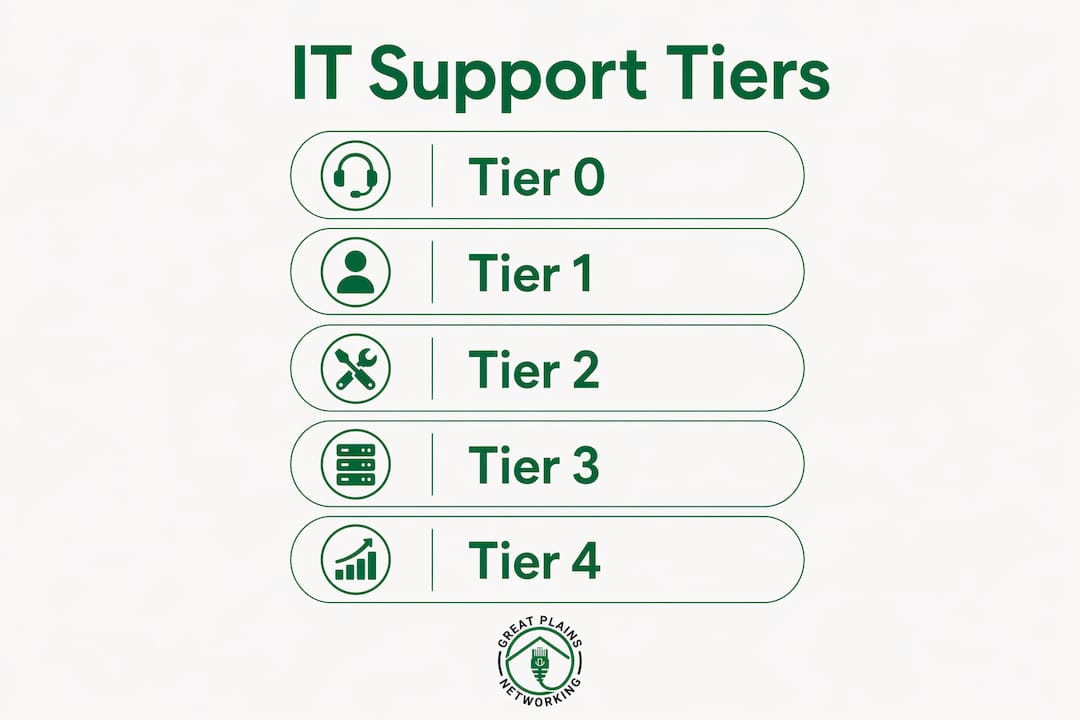
The five tiers work as follows:
- Tier 0 (Self-service): The user solves the issue independently using a knowledge base, FAQ portal, or automated password reset tool.
- Tier 1 (Help desk): A frontline technician handles common issues like connectivity problems, account lockouts, and basic software errors.
- Tier 2 (Advanced support): A more experienced technician addresses issues that require deeper system access or configuration changes.
- Tier 3 (Engineering): Specialists resolve complex infrastructure problems, including server failures, network architecture issues, and security incidents.
- Tier 4 (Vendor support): External vendors such as Microsoft, Dell, or a cloud platform provider step in when the issue is tied to their proprietary product.
Here is how the tiers compare in practice:
| Tier | Who Handles It | Example Issue |
|---|---|---|
| Tier 0 | End user | Password reset via self-service portal |
| Tier 1 | Help desk technician | Email not syncing on a laptop |
| Tier 2 | Senior technician | VPN configuration failure |
| Tier 3 | IT engineer | Server crash or ransomware containment |
| Tier 4 | External vendor | Microsoft 365 licensing error |
The real value of this model is governance. Clear escalation paths aligned with ITIL standards prevent issues from sitting unresolved because no one knew who owned them. For small businesses, this means faster fixes and fewer situations where a problem quietly grows into a crisis.
Pro Tip: When evaluating an IT provider, ask specifically how they handle Tier 3 and Tier 4 escalations. A provider without a documented escalation path is a liability.
Reactive IT support vs. proactive managed services: what is the difference?
The distinction between reactive and proactive IT support is the single most important factor in how much risk your business carries. Managed IT typically includes monitoring, maintenance, and enforcement of security standards, while ad hoc break/fix support only responds after something goes wrong. That difference has direct consequences for your operations and your workload as an owner.
Reactive (break/fix) support works like this:
- You notice a problem.
- You call for help.
- The provider fixes it and bills you.
- No one monitors for the next problem.
Proactive managed services work differently:
- The provider monitors your systems 24/7 for warning signs.
- Issues are identified and resolved before they cause downtime.
- Security patches, backups, and updates are applied on a schedule.
- You receive regular reports on the health of your environment.
The practical impact is significant. A dental practice or law firm running on break/fix support is one ransomware attack or hard drive failure away from losing days of productivity. A managed services provider takes ongoing responsibility for baseline technologies, including Microsoft 365, security controls, and verified backups. That shifts the burden of risk away from you.
For small businesses evaluating providers, the key question is not "Can you fix problems?" It is "What are you responsible for preventing?" The answer tells you everything about the scope of service you are actually buying.
How do IT support providers use ITSM frameworks to improve outcomes?
IT service management (ITSM) is a process framework that focuses on customer needs and continual service improvement through structured approaches like incident management, change management, and problem management. ITSM transforms IT support from a reactive cost center into a measurable, improving function. For small business owners, this matters because it determines whether your provider gets better over time or simply repeats the same fixes.
The service desk is the operational core of any ITSM-driven provider. It functions as a single point of contact (SPOC), meaning every request, complaint, and question enters one consistent system. The SPOC model prevents ticket chaos by ensuring consistent categorization and routing, so the right resolver group gets the right issue with full context immediately. Without this, requests get lost, duplicated, or handled by whoever happens to answer the phone.
Here is how ITSM functions translate into measurable outcomes for your business:
| ITSM Function | What It Does | Business Outcome |
|---|---|---|
| Incident management | Logs and resolves technology failures | Faster recovery, verified resolution |
| Problem management | Identifies root causes of repeat issues | Fewer recurring disruptions |
| Change management | Controls modifications to IT systems | Reduced risk of new problems |
| Service request management | Tracks routine user needs | Consistent, accountable delivery |
| Reporting and analytics | Surfaces trends from ticket history | Continuous improvement over time |
As providers mature in ITSM practice, the role of IT support shifts from simple incident resolution to building an analytic data foundation that reduces repeat problems. A provider who reviews ticket trends monthly can spot that your team resets passwords every Monday morning and fix the underlying cause, rather than just resetting passwords indefinitely. That is the difference between a vendor and a partner.
Key takeaways
An IT support provider's value to a small business is determined not by how fast they fix problems, but by how much they prevent through structured, proactive IT service management.
| Point | Details |
|---|---|
| Core responsibilities are broad | IT support covers incidents, service requests, cybersecurity, maintenance, and change management. |
| Tiered support improves resolution speed | A five-tier model routes issues by complexity, reducing stalled handoffs and improving predictability. |
| Proactive beats reactive | Managed services prevent downtime; break/fix support only responds after damage is done. |
| ITSM drives continuous improvement | Structured frameworks like incident and problem management reduce repeat issues over time. |
| Accountability requires documentation | Ticketing systems and monthly reports are the baseline for verified, trustworthy IT support. |
What i have learned working with small business IT support
I have reviewed enough IT support arrangements for small businesses to recognize a pattern that costs owners real money. Most businesses do not have a bad IT provider. They have an unclear one. The scope of what the provider is responsible for was never written down, and when something goes wrong, both sides point fingers.
The businesses that get the most value from their IT support are the ones who treat the relationship like a documented contract, not a handshake. They know which tier handles which issues. They receive monthly reports. They understand whether their provider owns their backups or just recommends a backup tool. That clarity is not a luxury. It is the minimum standard for a functional IT relationship.
The second thing I have learned is that proactive monitoring is not a premium feature. It is the baseline. A provider who only responds to your calls is not managing your IT. They are waiting for you to notice problems they should have caught first. For a dental practice managing patient records or a law firm handling confidential documents, that gap in coverage is a compliance and security risk, not just an inconvenience.
If your current provider cannot tell you what they monitored last week, what patches they applied, and what your backup status is right now, you do not have a managed IT partner. You have a repair service. The importance of IT support is not just in fixing things. It is in building a technology environment that does not break in the first place.
— Nicholas
How Greatplainsnetworking supports small businesses in oklahoma
Greatplainsnetworking delivers managed IT support built specifically for small businesses in Norman, Moore, and Oklahoma City. Their 24/7 monitoring service identifies and resolves issues before they disrupt your operations, covering everything from cybersecurity and data backup to Microsoft 365 management and network health. Clients including dental practices and law firms rely on same-day response times and plain-language communication, with no long-term contracts required.
If you are ready to move from reactive fixes to verified, proactive IT management, Greatplainsnetworking offers customized plans with no jargon and no surprises. You can also review their full IT service offerings to find the right fit for your business. Contact Greatplainsnetworking today to schedule a no-obligation conversation about your technology environment.
FAQ
What is the role of an IT support provider?
An IT support provider keeps a business's technology usable, secure, and available by managing incidents, service requests, cybersecurity, and routine maintenance. The industry term for this structured discipline is IT service management (ITSM).
What is the difference between break/fix and managed IT support?
Break/fix support responds to problems after they occur and bills per incident, while managed IT support involves ongoing monitoring, maintenance, and accountability for your full technology environment.
What does the IT help desk role include?
The IT help desk role covers frontline support for common issues like password resets, connectivity problems, and software errors, using a ticketing system to log, track, and resolve every request.
How do IT support tiers work?
IT support is organized into five tiers, from Tier 0 self-service to Tier 4 external vendor support, with each tier handling issues based on complexity and the expertise required for resolution.
Why does ITSM matter for small businesses?
ITSM gives small businesses a structured, measurable IT support function that reduces repeat problems, tracks accountability, and improves service quality over time through analytics and defined processes.
Recommended
Want help putting this into practice?
We'll audit your security, speed, and hardware in under an hour — no commitment, no sales pitch. Just a clear roadmap of what to fix and why.