
Shared IT Services Model: A Guide for Business Owners

A shared IT services model is an organizational approach that centralizes IT functions into a single dedicated unit, delivering standardized support across multiple business units through consistent processes and shared cost structures. The industry term for this structure is a Shared Service Center, or SSC. Rather than each department maintaining its own IT staff and tools, the SSC consolidates transactional functions like helpdesk support, device provisioning, and network management into one governed operation. Shared cloud infrastructure in these models can reduce total cost of ownership by 25–40% over three years when five or more organizations pool resources. That level of savings makes the model one of the most financially defensible IT decisions a business owner or IT manager can make.
What is a shared IT services model and how does it work?
A shared IT services model works by consolidating IT functions that were previously duplicated across departments or business units into one centralized team. That team then serves all units as internal customers, using standardized processes, defined service levels, and shared infrastructure. The result is a single point of accountability for IT delivery across the organization.
The functions most commonly consolidated include:
- Helpdesk and end-user support: One team handles all tickets, reducing response time inconsistencies across departments.
- Device provisioning: Laptops, phones, and peripherals are ordered, configured, and deployed through a single workflow.
- Network management: Monitoring, patching, and access control are managed centrally rather than replicated by each unit.
- Cybersecurity and compliance: Policies and controls apply uniformly, reducing gaps that arise when each department manages its own security posture.
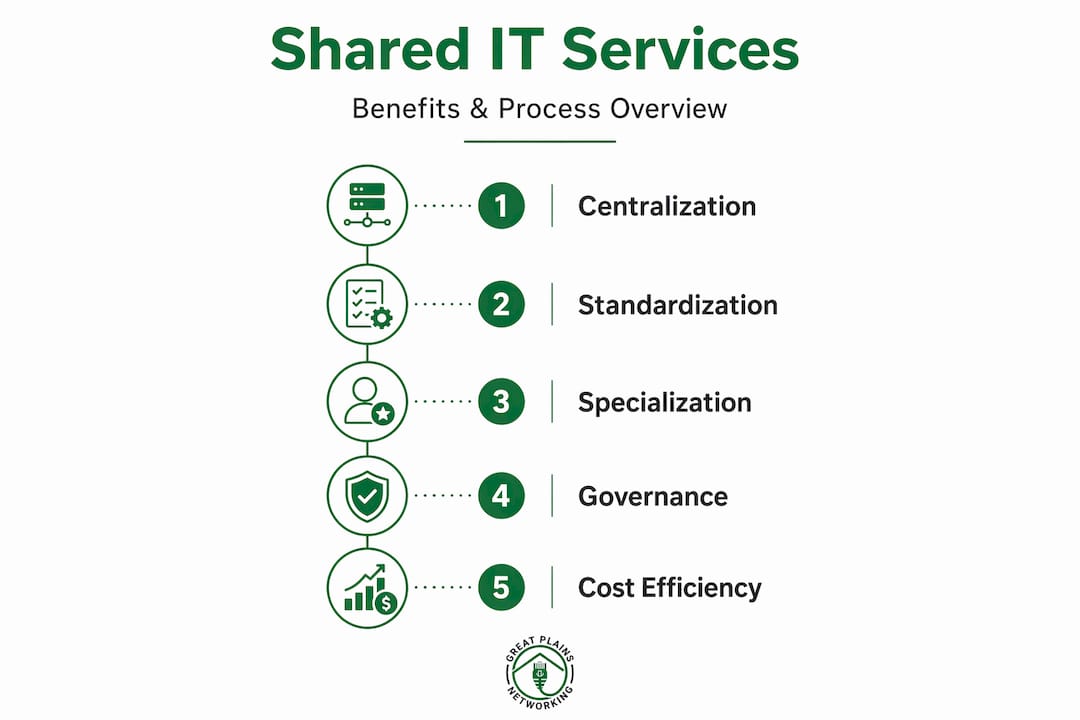
The SSC model rests on three pillars: standardization, specialization, and governance. Standardization eliminates redundant processes. Specialization allows IT staff to develop deep expertise in specific functions rather than being generalists stretched thin. Governance provides the framework that keeps the model accountable and financially transparent. Without all three, the model produces friction rather than savings.
How does a shared IT services model improve cost efficiency?

The financial case for a shared IT services model is built on economies of scale. When multiple business units share the same infrastructure, licensing agreements, and support staff, the cost per transaction drops significantly. Consolidating transactional IT functions like helpdesk and device provisioning has produced measurable results, including a 22% reduction in wait times and 50% fewer service disputes in organizations that have adopted the model. Those numbers reflect what happens when volume and standardization replace ad hoc, department-by-department IT management.
Specialization compounds the financial benefit. When a team handles the same category of IT request at high volume, they get faster and more accurate. That efficiency creates room to invest in automation tools, such as self-service portals and automated patch management, that further reduce labor costs. The cycle reinforces itself: higher volume enables better tools, and better tools reduce the cost per transaction even further.
The IT budgeting impact is also more predictable under a shared model. Fixed service costs replace unpredictable per-department spending, making annual IT budgets easier to defend and manage.
Pro Tip: Before migrating to a shared IT environment, audit your current workloads. Avoid lift-and-shift migrations that simply move inefficient processes into a centralized structure. Eliminate redundancies first, then centralize what remains.
What governance structures do shared IT service centers use?
Governance is the factor that separates a functioning SSC from an expensive internal conflict. Clear cost-allocation frameworks and service-level agreements are not optional. Without them, business units dispute charges, accountability blurs, and the model loses credibility with the departments it serves.
Three governance models are most common in practice:
| Governance Model | How it works | Best suited for |
|---|---|---|
| Cost center | IT costs are pooled and allocated by usage or headcount | Smaller organizations with limited internal billing complexity |
| Charge-back | Each business unit is billed for actual services consumed | Mid-size organizations that want cost transparency and accountability |
| Internal business unit with P&L | The SSC operates as a business within a business, tracking its own revenue and expenses | Mature enterprises where the SSC competes on service quality and cost |
The charge-back model is the most common starting point for organizations new to shared IT services. It creates visibility into what IT actually costs each department, which builds the political will needed to sustain the model long term.
Hybrid approaches that combine a centralized SSC with embedded divisional IT support are increasingly common. The central team handles volume-driven, standardized tasks. Embedded staff handle business-specific needs that require local context. This prevents the "ivory tower" problem, where a centralized team loses touch with the day-to-day realities of the departments it serves.
Pro Tip: Define your service-level agreements before you launch the SSC, not after. Retroactively negotiating SLAs with business units that already feel underserved is significantly harder than setting expectations upfront.
Common misconceptions about implementing shared IT services
The most persistent misconception is that a shared IT services model is the same as outsourcing. Shared services are internally owned and managed, treating internal departments as customers rather than handing control to an external vendor. The distinction matters because accountability stays inside the organization. If service quality drops, internal leadership can act directly. With outsourcing, that lever is contractual and slower.
The second misconception is that consolidation degrades service quality. The opposite is true. Specialization and volume enable better tools and higher service quality than a fragmented model where each department relies on a generalist IT person who handles everything from printer jams to network outages. A centralized team can invest in monitoring platforms, ticketing systems, and automation that no single department could justify on its own.
Other common pitfalls include:
- Skipping change management: Business units that feel IT is being taken away from them will resist the model. Communication and stakeholder involvement before launch are non-negotiable.
- Ignoring political friction: Departments that previously controlled their own IT budgets may push back on charge-back models. Address this with transparent reporting from day one.
- Centralizing without standardizing: Moving processes into a shared center without first standardizing them produces a centralized mess rather than an efficient operation.
Understanding why businesses outsource IT support versus adopting a shared services model helps clarify which path fits your organization's structure and risk tolerance.
How to implement a shared IT services model
Implementation follows a clear sequence. Skipping phases or rushing the transition is the most common reason shared IT initiatives fail to deliver their projected savings.
- Assessment: Audit all current IT functions across every business unit. Document what each unit spends, what services it receives, and where duplication exists. This baseline is the foundation for every decision that follows.
- Workload optimization: Before centralizing anything, eliminate redundant processes and outdated tools. Centralizing inefficiency only scales the problem. Optimize first, then consolidate.
- Governance setup: Define your governance model, cost-allocation method, and SLAs. Identify an SSC leader with both technical credibility and organizational authority. Establish reporting cadences so business units can see performance data.
- Pilot transition: Move one or two functions into the shared center first. Helpdesk support is the most common starting point because it is high volume, well-defined, and measurable. Use the pilot to refine processes before expanding scope.
- Full transition and continuous improvement: Expand the SSC scope incrementally. Build a feedback loop with business unit stakeholders. Track cost per transaction, resolution time, and satisfaction scores. Use that data to justify further investment in automation and tooling.
Technology standardization runs parallel to every phase. A single IT service management platform, a unified endpoint management tool, and consistent security policies across all units are the technical prerequisites for a functioning SSC. Without them, the governance model has nothing reliable to measure.
The benefits of managed IT infrastructure map directly onto what a well-run SSC delivers: consistent uptime, predictable costs, and documented processes that survive staff turnover.
Key Takeaways
A shared IT services model delivers its greatest value when governance, standardization, and workload optimization are in place before centralization begins.
| Point | Details |
|---|---|
| Define the model correctly | A shared IT services model is an internal SSC, not outsourcing. Accountability stays inside the organization. |
| Cost savings require scale | Pooling resources across five or more units can reduce total cost of ownership by 25–40% over three years. |
| Governance is non-negotiable | Cost-allocation frameworks and SLAs must be defined before launch to prevent disputes and maintain credibility. |
| Optimize before you centralize | Audit and eliminate redundant processes before migration. Lift-and-shift transfers inefficiency at scale. |
| Hybrid models outperform pure centralization | Embedding divisional IT support alongside a central SSC prevents disconnect and improves responsiveness. |
Why shared IT services are becoming a strategic asset
Shared IT services have moved well beyond cost-cutting. Shared services now underpin AI and automation implementation enterprise-wide, providing the standardized platform that makes those investments viable. You cannot build reliable automation on top of fragmented, department-by-department IT infrastructure. The SSC is what makes the platform coherent enough to build on.
What I have seen consistently is that organizations treat the SSC as a destination rather than a foundation. They centralize, declare success, and stop evolving. The SSC leaders who generate lasting value are the ones who treat the model as a living system. They track cost per transaction quarterly, renegotiate SLAs annually, and push automation into every repeatable process they can identify.
The cultural shift is harder than the technical one. Business unit leaders who lose direct control of IT resources often interpret that as losing influence. The SSC leader's job is to make the opposite case with data. When a department sees its IT costs drop and its resolution times improve, the political resistance fades. That takes 12–18 months in most organizations. Plan for it.
For small businesses in Oklahoma, the shared services logic applies even without a formal SSC structure. Pooling IT support through a managed provider delivers the same economies of scale and specialization that large enterprises build internally.
— Nicholas
Managed IT support for small businesses in Norman, Moore, and OKC
Greatplainsnetworking delivers the core advantages of a shared IT services model as a fully managed service, built specifically for small businesses in Norman, Moore, and Oklahoma City. You get centralized helpdesk support, 24/7 network monitoring, device management, and cybersecurity under one plan, without building an internal SSC from scratch.
Small businesses in Oklahoma can access managed IT support that includes same-day response times, no long-term contracts, and plain-language communication. Dental practices, law firms, and other local businesses rely on Greatplainsnetworking to deliver the consistency and cost predictability that a shared IT model promises. If your current IT setup is fragmented and expensive, explore managed IT services designed for businesses your size.
FAQ
What is a shared IT services model in simple terms?
A shared IT services model centralizes IT functions like helpdesk, device management, and network support into one internal unit that serves all departments. It reduces duplication and lowers cost per transaction through standardization and economies of scale.
How is a shared IT services model different from outsourcing?
Shared IT services are internally owned and managed, with internal departments treated as customers. Outsourcing transfers control to an external vendor, which changes accountability and response dynamics significantly.
What are the main shared IT services benefits for small businesses?
The primary benefits are lower IT costs, more consistent service quality, and access to specialized expertise that a single-department IT setup cannot sustain. Pooling resources across units reduces total cost of ownership and enables investment in automation tools.
What governance model works best for a new shared IT services center?
The charge-back model is the most practical starting point. It creates cost transparency by billing each business unit for actual services consumed, which builds accountability and makes the financial case for the SSC visible to leadership.
How long does it take to implement a shared IT services model?
A full implementation typically takes 12–18 months from assessment through full transition. Organizations that pilot with one function first, such as helpdesk support, reduce risk and refine processes before expanding the SSC scope.
Recommended
Want help putting this into practice?
We'll audit your security, speed, and hardware in under an hour — no commitment, no sales pitch. Just a clear roadmap of what to fix and why.