
Why Businesses Experience IT Downtime: 2026 Guide

IT downtime is any period when a business's IT systems are unavailable or underperforming, directly cutting into productivity and revenue. Understanding why businesses experience IT downtime is the first step toward stopping it from happening repeatedly. The Uptime Institute reports that over half of organizations say their most recent major outage cost more than $100,000 to remediate, with 1 in 10 classifying the impact as serious or severe. Downtime is not a random event. It follows predictable patterns rooted in technical failures, human error, and organizational gaps that most businesses have not fully addressed.
Why businesses experience IT downtime: the core technical causes
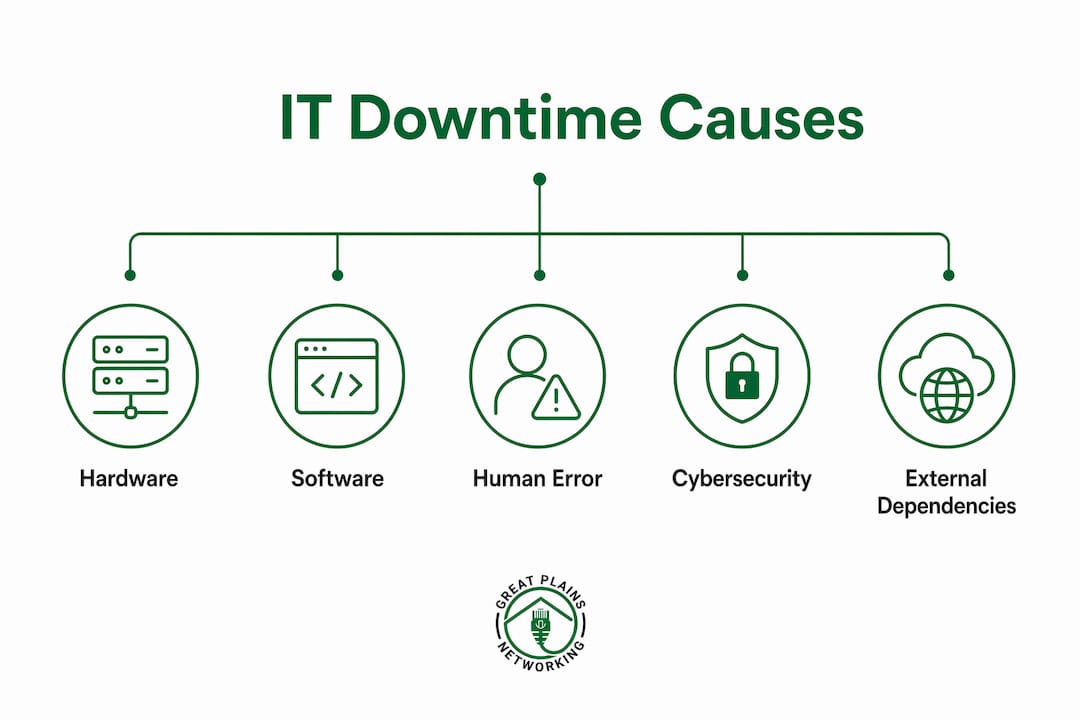
IT infrastructure failures rarely trace back to a single event. Downtime results from cumulative causes including aging hardware, software update failures, DNS misconfigurations, and cascading dependencies across interconnected systems. Each failure type compounds the others, which is why a minor issue can escalate into a full business IT outage within minutes.
Hardware failures and aging equipment
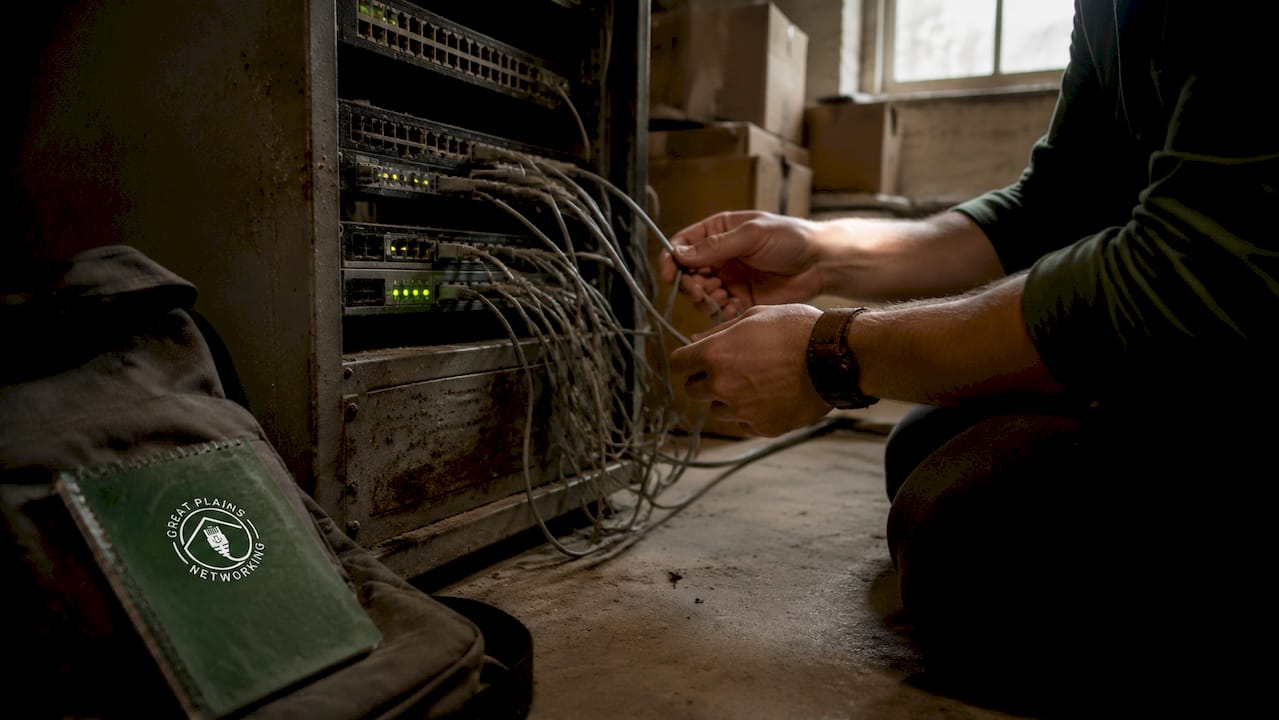
Hardware is the most straightforward cause of IT downtime. Servers, switches, storage drives, and network equipment all have finite lifespans. When a hard drive fails without a tested backup in place, recovery can take hours or days. Businesses that defer hardware refresh cycles to cut costs often pay far more in downtime losses than the equipment itself would have cost.
Software bugs and failed updates
Software update failures are a leading trigger of unplanned outages. A patch deployed without adequate testing in a staging environment can break dependencies across multiple applications simultaneously. The result is a cascading failure where fixing one system creates new problems in another.
Gray failures and hidden degradation
One of the most underestimated causes of IT downtime is what engineers call a "gray failure." Gray failures occur when systems appear healthy but are actually degrading through latency spikes, dropped packets, or partial service unavailability. These are harder to detect than a full outage and often cause prolonged operational damage before anyone realizes something is wrong.
Network misconfigurations and power issues
Network misconfigurations, power failures, and cooling outages round out the most common technical causes of IT infrastructure failures. A misconfigured firewall rule or a failed UPS (uninterruptible power supply) unit can take down an entire office. Physical environment factors like temperature and power quality are frequently overlooked until they cause a failure.
- Hardware failure: Aging servers and drives fail without warning when maintenance cycles are skipped.
- Software update failures: Unvetted patches break application dependencies across multiple systems.
- Gray failures: Partial degradation through latency or packet loss goes undetected by basic monitoring.
- Network misconfiguration: A single incorrect firewall or routing rule can isolate entire network segments.
- Power and cooling failures: Physical environment issues remain a top cause of data center and server room outages.
Pro Tip: Before deploying any software update, test it in a staging environment that mirrors your production setup. A 30-minute test window can prevent a multi-hour outage.
How do human errors and organizational factors contribute to IT downtime?
Human error is the most consistent contributor to business IT outages, and it rarely happens in isolation. Downtime increasingly reflects organizational design issues such as manual procedures, undocumented processes, and fatigued teams rather than purely technical faults. When a technician makes a configuration mistake at 11 p.m. after a 12-hour shift, the root cause is not the individual. It is the system that put that person in that position without adequate safeguards.
The four most common organizational contributors to IT downtime are:
- Rushed changes without proper testing. Change management processes exist for a reason. Skipping them to meet a deadline is one of the fastest ways to cause an outage.
- Undocumented processes and configurations. When only one person knows how a critical system is configured, that person's absence becomes a single point of failure.
- Monitoring gaps and visibility limitations. Monitoring that only shows up/down status is insufficient to catch the early warning signs of complex disruptions. This visibility gap is why organizations miss problems until they become outages.
- Communication breakdowns during incidents. When an outage occurs, unclear escalation paths and poor communication between teams extend recovery time significantly.
Fatigue compounds all of these factors. Teams managing IT without adequate staffing or clear documentation make more mistakes under pressure. The common IT mistakes small businesses make often trace directly back to these organizational gaps rather than technical ignorance.
Pro Tip: Document every non-standard configuration in a shared, version-controlled location. If your IT setup depends on one person's memory, you already have a downtime risk.
What role do cybersecurity threats and external dependencies play?
Cyberattacks are a direct and growing cause of IT downtime. Ransomware encrypts business data and locks users out of systems entirely. DDoS (distributed denial of service) attacks flood networks with traffic until legitimate services become unreachable. Phishing attacks compromise credentials, giving attackers access to internal systems that they can then disable or hold hostage. Each of these attack types produces downtime as a deliberate outcome, not a side effect.
External dependencies create a separate category of downtime risk that many businesses underestimate. When a business relies on a SaaS platform for billing, communication, or operations, that vendor's outage becomes the business's outage. SaaS providers do not guarantee uptime that meets most business continuity requirements. A cloud accounting platform going offline during payroll processing is a real operational crisis, regardless of whose fault it is.
The challenge with external dependencies is limited control. When your internet service provider, cloud host, or SaaS vendor experiences an outage, your options are narrow unless you have planned for that scenario in advance. A January 2026 nationwide wireless outage illustrated this clearly. 44% of large businesses reported significant downtime impact compared to 21% of small businesses, largely because larger organizations had more devices and mission-critical workflows tied to a single wireless network.
Key cybersecurity and dependency risks to address:
- Ransomware: Encrypts files and systems, causing complete operational shutdowns until resolved or restored.
- DDoS attacks: Overwhelm network capacity, making websites and internal systems unreachable.
- Third-party SaaS outages: Vendor failures cascade into your operations when no manual fallback exists.
- Cloud provider failures: Single-zone cloud deployments fail when that availability zone goes down.
Explicitly mapping your dependencies and building contingency plans for each one is the only reliable way to limit the damage when an external vendor fails.
How can businesses effectively prevent and reduce IT downtime?
Preventing IT downtime entirely is not a realistic goal. The realistic goal is reducing frequency, shortening recovery time, and limiting the blast radius of any single failure. Designing systems to expect failure and prioritize rapid recovery produces better outcomes than chasing perfect uptime through prevention alone.
The most effective prevention strategies fall into two categories: proactive monitoring and recovery readiness.
Proactive monitoring and visibility
Monitoring that only checks whether a system is "up" or "down" misses the gray failures and early warning signs that precede most outages. Effective IT monitoring for small businesses tracks performance metrics like latency, error rates, disk health, and CPU load continuously. When those metrics drift outside normal ranges, alerts fire before users notice any problem.
Recovery readiness and backup discipline
Tested backups are the single most reliable tool for reducing downtime impact. "Tested" is the operative word. A backup that has never been restored is a hypothesis, not a recovery plan. Businesses should maintain exportable data copies outside their primary cloud environment, because relying solely on cloud providers without local backups creates vulnerabilities that surface at the worst possible moment.
| Prevention strategy | Primary benefit |
|---|---|
| Continuous performance monitoring | Catches gray failures and early degradation before full outages occur |
| Staged software update testing | Prevents cascading failures from unvetted patches |
| Documented change management | Reduces human error during routine and emergency changes |
| Dependency mapping and contingency plans | Limits impact when third-party vendors fail |
| Regular hardware refresh cycles | Eliminates aging equipment as a failure source |
Pro Tip: Run a quarterly "failure drill" where you simulate a critical system going offline and practice your recovery steps. Teams that have rehearsed recovery are significantly faster when a real outage hits.
Local managed IT support plays a direct role in reducing downtime for small businesses. Greatplainsnetworking provides 24/7 monitoring and same-day response for businesses in Norman, Moore, and Oklahoma City, catching problems before they become outages. That kind of local IT support means a real person who knows your systems is watching them around the clock.
Key Takeaways
IT downtime is a predictable, preventable pattern driven by hardware failures, human error, monitoring gaps, and unplanned external dependencies — not random bad luck.
| Point | Details |
|---|---|
| Downtime has compounding causes | Hardware, software, human error, and third-party failures combine to produce most outages. |
| Gray failures precede most outages | Partial system degradation through latency or packet loss often signals trouble before a full crash. |
| Monitoring depth matters | Basic up/down checks miss the early warning signs that prevent outages when caught in time. |
| Recovery planning beats prevention | Designing for fast recovery produces better outcomes than chasing impossible perfect uptime. |
| External dependencies need contingency plans | SaaS and cloud provider outages become your outages without a documented fallback plan. |
The uncomfortable truth about why IT downtime keeps happening
After working with small businesses across Oklahoma on IT reliability, the pattern I see most often is not a technical one. It is an organizational one. Business owners assume that because their systems worked yesterday, they will work tomorrow. That assumption is the real vulnerability.
The businesses that suffer the longest outages are rarely the ones with the oldest hardware. They are the ones with no documented recovery process, no tested backups, and no monitoring beyond "did someone call to complain?" By the time a problem surfaces through a user complaint, it has usually been degrading for hours.
The mindset shift that actually reduces downtime is moving from "our systems are fine" to "our systems will eventually fail, and here is exactly what we do when that happens." That shift requires documented processes, tested backups, and someone actively watching your systems. Most small businesses do not have all three. The ones that do recover from outages in minutes rather than days.
Cybersecurity is the piece I see most consistently underestimated. A ransomware attack does not just cause downtime. It destroys trust with clients, triggers regulatory scrutiny, and in some cases ends businesses entirely. Treating cybersecurity as a cost center rather than a continuity tool is a decision that looks rational until the day it is not.
— Nicholas
How Greatplainsnetworking helps small businesses stay operational
IT downtime costs small businesses in Norman, Moore, and Oklahoma City far more than the repair bill. Lost productivity, missed client deadlines, and damaged trust add up fast.
Greatplainsnetworking provides managed IT support built specifically for small businesses, including 24/7 system monitoring, same-day response, and no long-term contracts. Their backup and recovery services keep your data protected and restorable when you need it most. Cybersecurity protection is built into every plan, covering the attack vectors that cause the most damaging outages. If your business cannot afford extended downtime, Greatplainsnetworking gives you the monitoring, protection, and recovery readiness to prevent it.
FAQ
What is the most common cause of IT downtime?
Hardware failure, software update errors, and human misconfiguration are the leading causes of IT downtime. Most outages result from a combination of these factors rather than a single event.
How much does IT downtime cost a business?
Over half of organizations report their most recent major outage cost more than $100,000 to remediate. Costs include lost productivity, revenue, and reputational damage.
Can cloud services cause IT downtime?
Yes. SaaS and cloud provider outages directly cause business downtime when no manual fallback or local backup exists. Businesses should maintain exportable data copies outside their primary cloud environment.
What is a gray failure in IT?
A gray failure is when a system appears operational but is actually degrading through latency, dropped packets, or partial unavailability. These failures are harder to detect than full outages and often cause prolonged disruption.
How can small businesses reduce IT downtime risk?
Small businesses reduce downtime risk through continuous performance monitoring, tested backups, documented change management, and dependency mapping. Working with a local managed IT provider adds 24/7 coverage that most small teams cannot maintain internally.
Recommended
Want help putting this into practice?
We'll audit your security, speed, and hardware in under an hour — no commitment, no sales pitch. Just a clear roadmap of what to fix and why.