
EDR for Small Business: A Practical Buying Guide
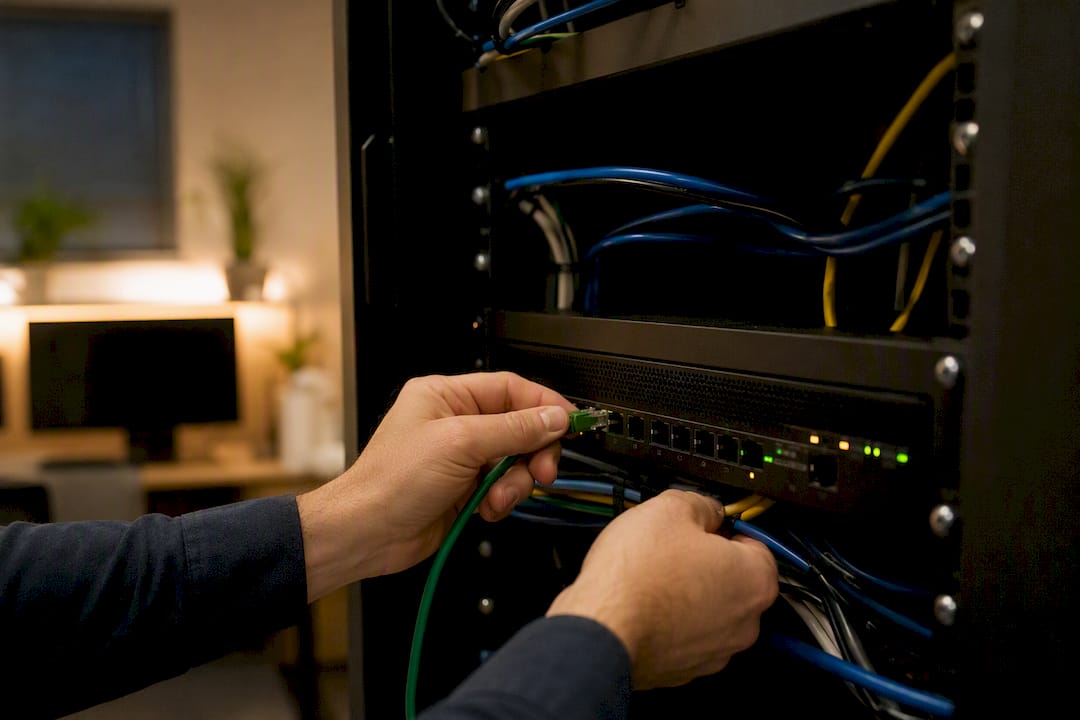
For most small businesses, the answer is straightforward: deploy endpoint detection and response, and unless you have a trained security team watching alerts around the clock, buy it as a managed service. The NIST Cybersecurity Framework and CISA both treat continuous endpoint monitoring as a baseline control, not a luxury add-on. At Greatplainsnetworking, we see the same pattern across dental offices, law firms, and accounting shops in the Oklahoma City area: the businesses that get hurt aren't the ones without antivirus. They're the ones with no one watching what happens after an alert fires.
Self-managed EDR makes sense in narrower cases: you already run internal IT staff comfortable with security tooling, you face compliance requirements demanding in-house audit control, or you operate at a scale where a dedicated analyst is affordable. Everyone else does better paying for triage and response.
Two things to do this week:
- Inventory every laptop, desktop, server, and mobile device that touches your network, then check what's actually protected today versus what you assume is protected.
- If your cyber insurance policy or a client contract references endpoint security, ask the carrier or client directly what proof of endpoint-wide deployment they require. Many policies now specify this in writing.
Pro Tip: Pull your current device list from your router's connected-devices page or your Microsoft 365 admin console. Most small businesses find at least a few "ghost" devices, an old point-of-sale tablet or a former employee's phone, that nobody has been monitoring at all.
Key Takeaways
Small businesses reduce breach impact most effectively by pairing behavioral EDR detection with managed human triage rather than relying on software alone.
| Point | Details |
|---|---|
| Deploy EDR, not just antivirus | Signature-based antivirus alone misses novel attacks; EDR catches behavior antivirus can't see. |
| Managed delivery fits most SMBs | Without dedicated security staff, MDR provides the 24/7 triage that makes detection actionable. |
| Budget for two cost layers | Per-endpoint licensing plus a separate managed-service fee together shape your real annual spend. |
| Demand ATT&CK mapping and exports | Vendors should map detections to MITRE ATT&CK and provide exportable forensic timelines. |
| Pair software with staff training | Quarterly phishing simulations and mandatory MFA reduce the incidents EDR ever has to contain. |
| Greatplainsnetworking bundles detection into managed IT | 24/7 monitoring, managed detection, and same-day response come without long-term contracts for Oklahoma City area small businesses. |
Table of Contents
- What Is EDR for Small Business, and What Does It Actually Do?
- Why Small Businesses Need EDR Now
- Is EDR the Same as Antivirus? How to Run Both Together
- What to Look for in an EDR Platform for Small Business
- How Much Does EDR Cost for a Small Business?
- Managed EDR vs. Self-Managed: Which Fits Your Team?
- How to Choose and Deploy EDR: A Procurement Checklist
- User Training Still Matters, Even With EDR Running
- Fitting EDR Into Your Existing Security and IT Setup
- Data Privacy and Compliance Considerations for Small Businesses
- What Small Businesses Consistently Get Wrong About EDR
- Get Endpoint Detection Built Into Your Managed IT, Not Sold as an Extra
- Sources
What Is EDR for Small Business, and What Does It Actually Do?
EDR stands for endpoint detection and response. An endpoint is any device connecting to your network: laptops, desktops, servers, and often phones and tablets through mobile device management. EDR software runs on each of those devices, continuously recording what programs run, what files change, and what network connections open, then analyzing that activity for signs of an attack in progress.
That's a fundamentally different job than antivirus. Antivirus tries to stop a known bad file from executing. EDR assumes something will eventually get past prevention and instead asks: is this behavior suspicious, and what do we do about it right now?
EDR platforms generally handle three jobs at once:
- Behavioral monitoring. The agent watches process activity, not just file signatures, flagging patterns like a Word document spawning PowerShell, which is a classic sign of a phishing payload executing.
- Automated response. When something crosses a threshold, the platform can isolate the device from the network, kill the malicious process, or quarantine a file, often before a human even sees the alert.
- Forensic timeline reconstruction. After an incident, EDR shows exactly what happened: which file arrived first, what it touched, where it tried to spread. That timeline is what you hand to an insurer, a regulator, or a forensic investigator.
Picture a staff member opening an invoice attachment that looks legitimate. A signature-based antivirus tool might miss it entirely because the file itself isn't flagged as malware. EDR watches what the file does once it's opened, catches the process trying to encrypt files or contact a command server, and can automatically cut that machine off from the network within seconds. That gap between "opened the file" and "isolated the device" is the entire value proposition.
Why Small Businesses Need EDR Now
Ransomware operators have shifted their targeting math. Large enterprises have security teams, so attackers increasingly go after businesses with 10 to 200 employees, where the payout-to-effort ratio is better and defenses are thinner. Remote work compounds the exposure: employees connecting from home routers, coffee shop Wi-Fi, and personal devices push your actual security perimeter far past the walls of your office.
Cloud applications add another layer. A compromised laptop today often means a compromised Microsoft 365 account, a compromised QuickBooks login, and a compromised client database, all through one weak endpoint.
Insurance and compliance pressure has caught up with the threat. Underwriters increasingly ask direct questions on renewal applications about endpoint monitoring, and HHS security guidance requires continuous monitoring and incident response capability for any business handling protected health information, which covers most dental and medical practices outright.
What EDR buys you operationally:
- Faster containment, because an isolated device stops an infection from spreading to file shares and other endpoints.
- A documented incident record you can hand to an insurer, auditor, or client who asks what happened.
- Fewer full-network shutdowns, since a contained incident on one machine rarely forces you to take the whole office offline.
Vendor and analyst commentary consistently points to one operational reality for small businesses: the staffing gap, not the software, is usually the limiting factor. Buying a powerful detection engine doesn't help much if nobody is available to act on what it finds at 2 a.m. That single fact should shape almost every decision that follows in this guide, including whether you manage EDR yourself or pay someone else to watch it.
Is EDR the Same as Antivirus? How to Run Both Together
No, and treating them as interchangeable is one of the more expensive mistakes a small business can make. Antivirus, sometimes called endpoint protection (EPP), relies heavily on signature matching: it compares files against a known-bad database and blocks matches. That's fast and cheap, but it's blind to anything new, including custom malware built specifically to evade signature detection.
EDR takes the opposite approach. It doesn't ask "have I seen this exact file before?" It asks "does this behavior look like an attack, regardless of what the file is called?" Kaseya's comparison of the two approaches makes the case that they're complementary layers rather than competing choices, and most managed service providers deploy both for that reason.
Here's why dropping antivirus is usually a mistake:
- Antivirus catches the high-volume, low-sophistication threats cheaply, freeing EDR's more expensive analysis and human triage time for genuinely suspicious activity.
- Many EDR platforms include a built-in AV-equivalent layer already, so "EDR only" often means you're not actually losing signature protection, just consolidating vendors.
- Running EDR without any prevention layer means every commodity threat generates an alert that a human has to review, which burns through your response budget fast.
EDR-only setups make sense mainly when the platform you've chosen already bundles next-generation antivirus into the same agent, which is increasingly the norm rather than the exception among SMB-focused vendors.
What to Look for in an EDR Platform for Small Business
Vendor demos are built to impress, not to inform. Walking in with a specific checklist keeps the conversation on your terms instead of theirs. Six things matter more than the rest.
- Detection quality and framework alignment. Ask whether the vendor maps its detection rules to MITRE ATT&CK, the industry-standard catalog of adversary tactics and techniques. A vendor that can't answer this clearly, or answers with marketing language instead of specifics, likely can't tell you what its product actually catches.
- Automated response depth. Can the platform isolate a device from the network automatically, or does every action require a human to click a button first? Automatic containment during off-hours is often the difference between a contained incident and a Monday morning disaster.
- Forensic timeline and export capability. You need the ability to pull a clean, exportable incident timeline, not a static dashboard screenshot, for insurance claims or compliance audits. If the vendor can't export data in a usable format, walk away.
- Data retention terms. Ask exactly how long telemetry is stored. Ninety days is common; some compliance frameworks expect longer.
- Agent performance and platform support. A heavy agent that slows down aging office machines will get quietly disabled by frustrated staff within weeks. Confirm support for Windows, macOS, and any Linux servers you run, and ask for real performance benchmarks, not vendor claims.
- Manageability and alert quality. A cloud console with sane default policies, integration options for your existing tools, and available managed triage matters more than a feature list. Ask how many alerts a typical 25-endpoint deployment generates weekly, and who's expected to review them.
Pro Tip: During any demo, ask the vendor to walk through a real, specific attack scenario end to end, from initial detection to containment to the forensic report you'd receive afterward. Vendors that dodge this and default to slideshow bullet points usually have a thinner platform than their marketing suggests.
How Much Does EDR Cost for a Small Business?
Budgeting for EDR means separating the software license from the human labor that makes it useful. Market pricing for SMB-focused EDR platforms typically runs in the low-to-mid single-digit dollars per endpoint per month for core detection and response features. Premium tiers with extended retention, advanced threat hunting, or deeper forensic exports push that higher.
Managed detection and response adds a separate fee layered on top of the license, either priced per endpoint or bundled into a flat monthly rate. That fee buys you the human triage the software alone can't provide.
Watch for costs that don't show up on the first quote: onboarding and agent deployment labor, incident response retainers for when something actually happens, and custom integration work if you're connecting EDR telemetry to a separate security information and event management tool.
| Cost Component | What It Covers |
|---|---|
| Per-endpoint license | Core agent, behavioral detection, and basic automated response. |
| Managed detection add-on | Human triage, 24/7 alert review, and incident escalation. |
| Onboarding and deployment | Initial agent rollout, policy tuning, and staff training time. |
| Incident response retainer | Guaranteed access to forensic support if a breach occurs. |
Small professional offices illustrate typical spending: license fees scale directly with device count, while the managed-service fee per seat often decreases as headcount grows, since a triage team can watch more endpoints without adding staff at the same rate. Ask any vendor for a quote at your exact device count rather than trusting a published starting price, since almost every real deployment includes servers and a few devices beyond a simple per-employee count.
Bundling your cybersecurity coverage with your existing managed IT relationship often avoids duplicate onboarding fees entirely, since the provider already has your environment mapped.
Managed EDR vs. Self-Managed: Which Fits Your Team?
Managed detection and response, usually shortened to MDR, means a provider's security analysts watch your EDR alerts around the clock, investigate anything suspicious, and escalate or contain incidents on your behalf. You get the software plus the staffing that makes it effective, without hiring anyone new.
Self-managed EDR makes sense when you already have IT or security staff comfortable interpreting alerts, building response playbooks, and being reachable outside business hours. That's rare among businesses under 100 employees.
The trade-off comes down to a few practical questions:
- Who's awake at 2 a.m.? Ransomware doesn't wait for business hours, and a self-managed setup only works if someone is actually monitoring after hours, not just during the day.
- How fast is your escalation path? MDR providers commit to response time targets. A self-managed team without dedicated security staff often discovers an incident hours or days later, during a routine check.
- What does an MSP relationship already give you? If you already work with a managed IT provider for network management and helpdesk support, folding managed EDR into that relationship means one team with full context on your environment, rather than a security vendor working blind.
Pro Tip: Ask any prospective MSP whether managed EDR is bundled into their standard support agreement or sold as a separate line item. Providers that treat security monitoring as core infrastructure, not an upsell, tend to respond faster because it's already part of their daily workflow.
The ECCouncil's guidance on EDR best practices backs this up directly: combining automated detection with documented human triage playbooks measurably reduces false positives and speeds response, which is exactly what a managed model is built to deliver.
How to Choose and Deploy EDR: A Procurement Checklist
Start with scope, not vendors. Before you take a single sales call, inventory every endpoint that needs coverage: workstations, laptops, servers, and any admin or service accounts with elevated access. Vendors will quote you based on device count, so an accurate number prevents both under-provisioning and paying for licenses you don't need.
Procurement checklist:
- Confirm supported operating systems and versions match your actual environment, including any legacy line-of-business software running on older machines.
- Request a written incident response playbook sample, not a verbal description, so you know exactly what happens when something fires.
- Ask about telemetry export formats and confirm they're compatible with anything an insurer or forensic investigator might request.
- Get data retention periods in writing, particularly if you're in a regulated industry.
- Pin down the service level agreement for incident support: response time, coverage hours, and who's actually reachable during an active incident.
Questions to ask vendors and MSPs directly:
- How long does onboarding typically take from signed contract to full deployment?
- What breach support is included, and what costs extra if we're actually attacked?
- Will you provide documentation my cyber insurance carrier can accept as proof of endpoint coverage?
- Can I see the actual management console during the demo, not just slides?
Red flags that should end the conversation:
- No managed or co-managed option available if you don't have internal security staff.
- Pricing that isn't clear until after you've committed to a contract.
- Inability or reluctance to export forensic data in a standard, portable format.
Reviewing our checklist for choosing an IT provider alongside this list helps if you're evaluating EDR as part of a broader managed IT decision rather than a standalone purchase.
User Training Still Matters, Even With EDR Running
EDR catches what gets past your people, but it works far better when fewer things get past them in the first place. A single well-trained employee who hesitates before clicking a suspicious invoice attachment prevents an incident EDR would otherwise have to contain after the fact.

Effective training for small teams doesn't need to be elaborate. Short, recurring sessions on recognizing phishing emails, verifying wire transfer requests by phone before acting on them, and reporting suspicious activity immediately, rather than trying to fix it themselves, cover most of the ground that actually matters. Simulated phishing tests, run quarterly rather than as a one-time event, keep the skill fresh instead of fading after a single training day.
Multi-factor authentication deserves specific attention here, since it stops a huge share of account takeover attempts even when a password gets stolen. Make MFA mandatory across email, cloud file storage, and any remote access tools, and walk staff through why it matters rather than just mandating it as a policy.
Pair this with a simple, clearly communicated reporting path: one email address or one phone number staff know to use the moment something looks wrong. The businesses that recover fastest from a phishing click aren't the ones with the most sophisticated software. They're the ones where an employee reported it within minutes instead of hours, giving EDR and your response team time to contain the damage before it spreads. Our guide to ransomware protection covers specific warning signs worth building directly into staff training.
Fitting EDR Into Your Existing Security and IT Setup
EDR doesn't replace your firewall, your email filtering, or your backup system. It works alongside them, and how well it integrates with what you already run determines how much value you actually get from it.
Most modern EDR platforms offer APIs or built-in connectors for common tools: email security gateways, firewall logs, and identity providers like Microsoft Entra ID. That integration matters because an attack rarely shows up in just one place. A phishing email that gets through your filter, followed by a suspicious login from an unusual location, followed by unusual file activity on an endpoint, tells a much clearer story when a security team can see all three signals together instead of investigating each one separately.
If you're running Microsoft 365, confirm your EDR platform integrates with Microsoft's built-in security signals rather than operating in total isolation. Many SMB environments already generate useful security data through Microsoft 365 that a well-integrated EDR platform can pull in for context, cutting investigation time significantly during a real incident.
Backup systems deserve a direct connection too, even if it's just procedural rather than technical: your EDR platform should be part of the trigger that tells your team to verify recent backups are clean and unaffected before restoring anything after an incident. Our backup best practices guide walks through that verification step in more depth, since restoring an infected backup undoes any containment EDR just achieved.
Data Privacy and Compliance Considerations for Small Businesses
EDR agents collect a meaningful amount of data about what happens on every device they're installed on: process activity, file changes, network connections, sometimes even command-line arguments. That's exactly what makes them effective at catching threats, and it's also why you need to understand what your vendor does with that data before you sign anything.
Ask directly where telemetry is stored, how long it's retained, and whether the vendor's own staff can access raw data from your environment. For businesses in regulated industries, this isn't optional. HHS security regulations require that any vendor handling systems touching protected health information sign a business associate agreement, and that applies to your EDR provider if their platform runs on machines that touch patient records.
Law firms and accounting practices face a similar dynamic around client confidentiality, even without a specific regulation naming EDR directly. If your EDR vendor's support staff can view file names or content during an investigation, understand that access model before an incident happens, not during one.
The NIST Cybersecurity Framework treats data governance as inseparable from detection and response capability for exactly this reason: monitoring tools that create their own compliance exposure defeat part of their purpose. Ask any vendor for their data handling policy in writing, and involve whoever handles compliance at your business before final signoff, not after.
What Small Businesses Consistently Get Wrong About EDR
The conventional advice on this topic treats EDR selection like a feature comparison exercise: pick the platform with the most checkboxes, sign the contract, done. That's backward for most small businesses, and it's the single biggest reason EDR deployments fail to deliver value.
The actual bottleneck is almost never detection quality. Most reputable SMB-focused platforms today catch the vast majority of common attack techniques. The bottleneck is staffing: who reviews the alert at 11 p.m. on a Saturday, and how fast do they act? A brilliant detection engine watched by nobody is functionally a very expensive log file.
If you take one thing from this guide, prioritize the operational question over the feature list. Ask any vendor or MSP exactly who's watching your environment outside business hours before you ask about their detection algorithms. Then ask for a real incident scenario walkthrough, not a sales deck. The businesses that get burned aren't the ones with worse software. They're the ones who bought a tool and assumed it would run itself.
— Nicholas
Get Endpoint Detection Built Into Your Managed IT, Not Sold as an Extra
Buying EDR as a standalone product means managing yet another vendor relationship, another console, and another support line when something goes wrong at 9 p.m. on a Friday. Greatplainsnetworking builds managed detection directly into the same 24/7 monitoring and helpdesk relationship you already rely on for network management and support, so there's one team with full context on your systems instead of a security vendor working blind.

That means same-day response times, no long-term contracts locking you in, and a single point of contact whether the issue is a suspicious login or a printer that won't connect. It's a model that fits the dental practices, law firms, accounting shops, and small offices across Norman, Moore, and Oklahoma City that don't have the headcount for a dedicated security analyst but still need someone actually watching. Start with a straightforward endpoint inventory and coverage assessment through our managed IT support services to see exactly what's protected today and what's exposed, before deciding on a platform or contract.
Sources
Recommended
Want help putting this into practice?
We'll audit your security, speed, and hardware in under an hour — no commitment, no sales pitch. Just a clear roadmap of what to fix and why.