
How to Protect Your Business from Ransomware Attacks

Ransomware is malicious software that encrypts your files and demands payment before restoring access. Protecting your business from ransomware attacks requires a layered defense combining strong identity security, updated endpoints, network controls, and tested backups. No single tool stops a determined attacker. The businesses that recover fastest are the ones that built multiple overlapping defenses before an incident occurred. This article covers the foundational tools, network controls, backup protocols, and employee practices that small businesses in Norman, Moore, and Oklahoma City need right now.
What foundational tools protect business from ransomware attacks?
Every small business needs a core set of controls before anything else. These are not optional extras. They are the minimum viable defense against ransomware attack prevention failures.
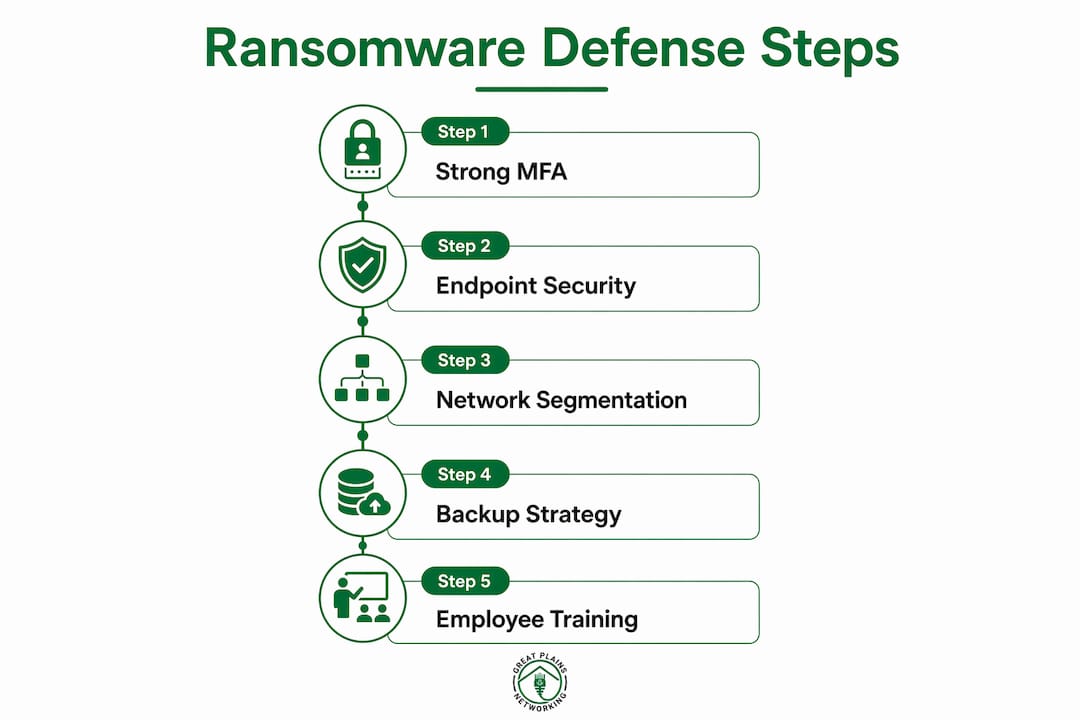
- Phishing-resistant MFA. Hardware security keys such as FIDO2 tokens or passkeys are the strongest form of multi-factor authentication. Standard SMS codes can be intercepted or SIM-swapped. Passkeys and hardware keys cannot be phished.
- Endpoint Detection and Response (EDR). EDR tools with automated containment isolate infected devices within seconds of detecting malicious activity. Manual intervention is too slow to stop ransomware from spreading across a network.
- Regular patching. Updating internet-facing software promptly closes the vulnerabilities ransomware uses to gain entry. Unpatched systems are the most common entry point for attackers.
- Firewall and VPN. A properly configured firewall blocks unauthorized inbound traffic. A VPN protects remote workers connecting to business systems over public networks.
Modern attackers often use stolen credentials to log in rather than breaking through technical barriers. That shift makes identity security just as critical as endpoint protection. If an attacker already has a valid username and password, your firewall will not stop them.
Pro Tip: Audit your MFA setup today. If any account still uses SMS codes as the only second factor, replace it with a FIDO2 key or passkey before your next business day ends.
How does network segmentation limit ransomware spread?
Network segmentation is the practice of dividing your network into separate zones so that a compromise in one area cannot automatically reach everything else. Think of it as fireproof doors inside a building. One room catches fire, but the doors contain it.

Network segmentation reduces the blast radius of a ransomware infection by blocking lateral movement. Without segmentation, ransomware that infects one workstation can scan and encrypt every other device on the same flat network within minutes.
Least-privilege access works alongside segmentation. The principle is simple: every user and every application gets only the permissions required to do their specific job. Nothing more. Least-privilege access combined with microsegmentation limits ransomware's ability to escalate privileges and spread across systems.
A practical implementation for a small business looks like this:
- Separate your guest Wi-Fi from your internal business network.
- Put your accounting or patient records system on its own network segment, isolated from general staff workstations.
- Restrict which user accounts can access file servers. A receptionist does not need access to financial records.
- Disable administrative shares on workstations unless a specific task requires them.
- Review and revoke access permissions for any former employees or unused service accounts.
"Segmentation is not just a large-enterprise concept. A dental practice or law firm with ten workstations can implement basic segmentation using a managed switch and a properly configured router. The cost is low. The protection is real."
What backup strategies make ransomware recovery reliable?
A backup that has never been tested is a hypothesis, not a recovery plan. The backup strategy that defines current best practice is the 3-2-1-1-0 model.
| Backup element | What it means | Why it matters |
|---|---|---|
| 3 copies of data | Original plus two backups | Redundancy prevents single-point failure |
| 2 different media types | Cloud plus local drive | Protects against one media type failing |
| 1 offsite copy | Cloud or remote location | Survives physical disaster at your office |
| 1 immutable or air-gapped copy | Write-once or offline storage | Ransomware cannot encrypt what it cannot reach |
| 0 errors on restore tests | Quarterly verified restores | Confirms recovery actually works |
The 3-2-1-1-0 backup model is the current standard for ransomware resilience. The critical addition over the older 3-2-1 rule is the immutable or air-gapped copy. Modern ransomware targets backups first. If your backup destination is connected to your network, ransomware will find it and encrypt it too.
Quarterly restore testing is non-negotiable. Many small businesses discover their backups are broken only when they need them most. A restore test should be documented, with a record of what was restored, how long it took, and whether the data was complete and usable. For more detail on building a solid foundation, the business data backup best practices guide covers the full framework.
Pro Tip: Set a calendar reminder for quarterly restore tests right now. Treat it like a fire drill. Run it, document it, and fix anything that fails before ransomware forces the real test.
How does employee training reduce ransomware risk?
Phishing emails remain the most common delivery method for ransomware. A well-trained employee is one of the most effective controls you can deploy. Security awareness training significantly reduces the likelihood of a ransomware attack by teaching staff to recognize phishing and social engineering tactics.
Effective training programs cover:
- How to identify suspicious email senders, mismatched URLs, and unexpected attachments
- What to do when something looks wrong, including who to contact immediately
- Why clicking "unsubscribe" on a suspicious email is dangerous, not helpful
- How to verify unexpected requests for wire transfers or credential resets through a second channel
- The difference between legitimate IT support requests and fake help desk calls
Training should not be a one-time event. Quarterly phishing simulations, where your IT provider sends a fake phishing email to test staff responses, reveal which employees need additional coaching. Automated security alerts from your EDR or email filtering system also give your team real-time feedback on blocked threats. That visibility builds a security-conscious culture rather than a compliance checkbox.
What common mistakes leave small businesses exposed to ransomware?
The most dangerous assumption in cybersecurity is that one strong control is enough. Over-reliance on a single control like antivirus alone, without identity hardening and network segmentation, creates gaps that ransomware exploits directly.
- Skipping backup restore tests. Many businesses back up data but never verify the restore works. A backup with zero successful test restores is not a recovery plan.
- Using SMS-based MFA. SMS codes are vulnerable to SIM-swapping attacks. Replacing them with FIDO2 keys or passkeys closes this gap.
- Running a flat network. Every device on the same network segment means ransomware can reach everything at once. Basic segmentation limits the damage.
- Delaying software updates. Attackers actively scan for unpatched systems. A patch released today closes a vulnerability that ransomware will exploit tomorrow.
- No incident response plan. When ransomware hits, confusion costs time. A documented plan that names who does what, and in what order, reduces recovery time significantly.
Reviewing your current setup against this list is a practical first step. The IT mistakes small businesses make guide covers additional gaps worth addressing.
Key takeaways
Protecting your business from ransomware requires layered defenses: phishing-resistant MFA, EDR with automated containment, network segmentation, and tested immutable backups working together.
| Point | Details |
|---|---|
| Use phishing-resistant MFA | Replace SMS codes with FIDO2 hardware keys or passkeys on every account. |
| Deploy EDR with auto-containment | Isolate infected devices within seconds before ransomware spreads across the network. |
| Follow the 3-2-1-1-0 backup rule | Keep one immutable or air-gapped copy that ransomware cannot reach or encrypt. |
| Test backups every quarter | Document each restore test to confirm recovery works before an incident forces the issue. |
| Train employees regularly | Quarterly phishing simulations reduce the chance a staff member opens the door for ransomware. |
What I've learned about ransomware defense after years in the field
The businesses I see recover fastest from ransomware incidents are rarely the ones with the most expensive tools. They are the ones that treated security as a system rather than a shopping list. They had MFA on every account, EDR running on every device, backups stored somewhere ransomware could not touch, and staff who knew what to do when something looked wrong.
The uncomfortable truth is that no single control stops ransomware. Defense-in-depth, combining identity, endpoint, network, and user awareness layers, is the only approach that holds up under real attack conditions. I have seen businesses with enterprise-grade antivirus get hit because they skipped MFA. I have seen businesses with great backups still pay ransoms because they never tested a restore.
The other shift worth making is how you think about cybersecurity aligned with business priorities. Security is not a cost center. It is the infrastructure that keeps your revenue flowing, your client data protected, and your reputation intact. For small businesses in Oklahoma, that framing changes the conversation from "how much does this cost?" to "what does a ransomware incident cost us if we skip this?"
Build the layers. Test the backups. Train the team. Then keep doing all three on a regular schedule, because the threat does not stand still.
— Nicholas
How Greatplainsnetworking helps small businesses stay protected
Ransomware defense requires consistent attention, not a one-time setup. Greatplainsnetworking provides managed IT support for small businesses in Norman, Moore, and Oklahoma City, including 24/7 monitoring, endpoint protection, and backup management built around the 3-2-1-1-0 model. Their team handles patching, MFA deployment, and security awareness support so you are not managing these controls alone.
If your current setup has gaps in any of the layers covered here, Greatplainsnetworking offers a practical starting point. Their small business cybersecurity services include identity hardening, EDR deployment, and proactive threat monitoring with no long-term contracts required. Same-day response means issues get addressed before they become incidents.
FAQ
What is ransomware and how does it affect small businesses?
Ransomware is malicious software that encrypts your files and demands payment to restore access. Small businesses are frequent targets because they often lack the layered defenses that larger organizations maintain.
What is the most effective way to prevent a ransomware attack?
The most effective approach combines phishing-resistant MFA, EDR with automated containment, network segmentation, and immutable backups. No single control is sufficient on its own.
How often should small businesses test their backups?
Quarterly restore testing is the current best practice. Each test should be documented to confirm the data is complete and recoverable before an actual incident occurs.
What is the 3-2-1-1-0 backup rule?
The 3-2-1-1-0 rule means keeping 3 copies of data on 2 media types, with 1 offsite copy, 1 immutable or air-gapped copy, and zero errors confirmed through regular restore tests.
Why is SMS-based MFA not enough to protect business accounts?
SMS codes are vulnerable to SIM-swapping attacks, where an attacker redirects your phone number to their device. FIDO2 hardware keys and passkeys eliminate this risk because they cannot be intercepted or phished.
Recommended
Want help putting this into practice?
We'll audit your security, speed, and hardware in under an hour — no commitment, no sales pitch. Just a clear roadmap of what to fix and why.