
Why Law Firms Need IT Documentation: A Practical Guide

Law firms need IT documentation because written evidence of security controls, tested recovery practices, and access management is the only reliable way to demonstrate you met your ethical and operational duties. Verbal assurances from your IT provider are not a defense in a bar inquiry. Written records are.
Three immediate reasons to prioritize documentation now:
- Ethical proof: ABA Model Rule 1.6 requires "reasonable efforts" to protect client data. Written documentation is the evidence regulators and insurers use to judge whether those efforts were real.
- Operational resilience: Tested backup logs and recovery records prove your firm can restore client data. A backup job that ran is not the same as a backup that restores.
- Commercial drivers: Cyber insurers and clients increasingly require documented security controls before renewing coverage or signing engagement letters.
Start with three priorities: centralize incident records, document your last backup recovery test, and produce a current access-control list.
Table of Contents
- Why IT documentation is your firm's first line of ethical defense
- What happens when incident records are incomplete or missing
- What your firm's IT documentation should actually include
- Who owns your documentation and how often it needs review
- How to build a technology playbook without drowning in paperwork
- How documentation protects you during a breach or e-discovery request
- When it's time to hire a managed IT partner for documentation
- Key Takeaways
- What small law firms consistently get wrong about IT documentation
- Greatplainsnetworking keeps your firm's documentation current and defensible
- Useful sources
Why IT documentation is your firm's first line of ethical defense
ABA Model Rule 1.6 requires attorneys to make reasonable efforts to prevent unauthorized disclosure of client information. Model Rule 1.1, Comment 8, extends that obligation to technical competence. Together, they mean your firm must not only implement security controls but also be able to prove those controls exist and work.
Bar investigators and malpractice examiners do not accept verbal assurances. They ask for documentation: incident logs, access review records, backup test results, and written policies. If your firm cannot produce those on request, the absence itself becomes evidence of inadequate effort. Cyber insurers apply the same standard at renewal, and corporate clients now routinely send security questionnaires before signing retainer agreements. Documentation is no longer a back-office task. It is a client-facing credential.
What happens when incident records are incomplete or missing
A 2025 thematic review found that 41% of firms maintained only partial records of incidents, leaving them unable to justify decisions in audits or regulatory reviews. That figure represents a significant defensibility gap across the profession.
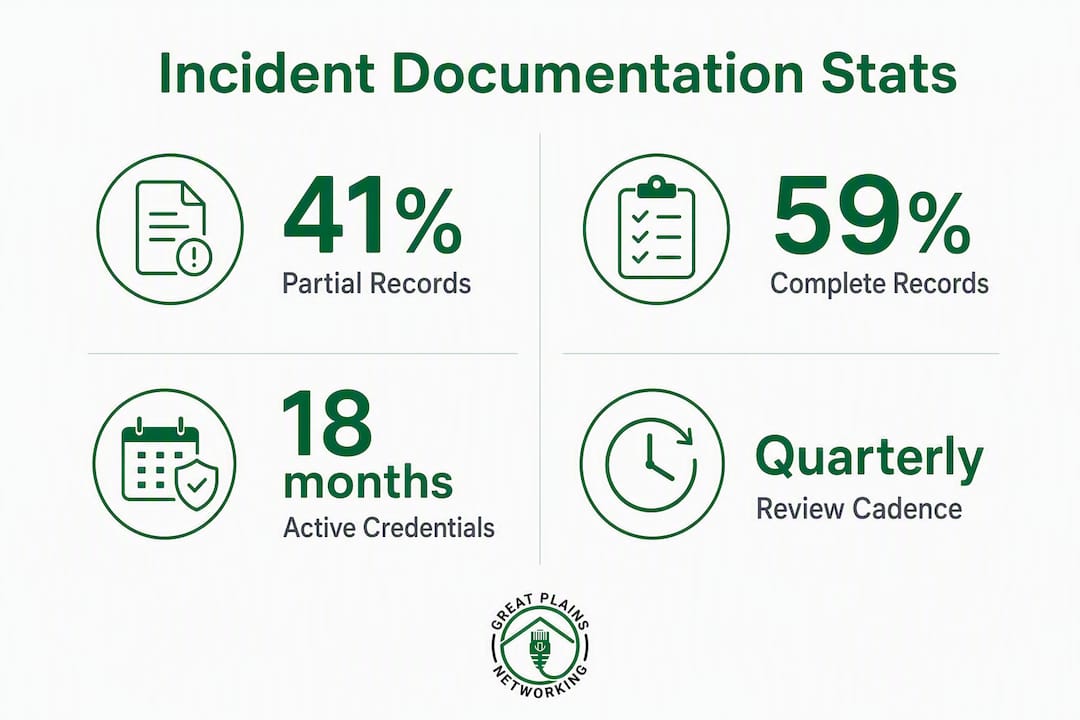
The operational consequences are concrete. A paralegal who left eighteen months ago may still hold active credentials because offboarding was handled informally and no checklist captured account revocation. A vendor given temporary network access for a project may still be able to log in. Unverified backups that have never been tested through a full restore cannot be relied upon when a ransomware attack forces the question. Each of these gaps represents technical friction that costs billable hours and, in a breach scenario, can surface in discovery as evidence that the firm failed to take reasonable precautions. Malpractice exposure and insurance renewal difficulties follow.
What your firm's IT documentation should actually include
Every small law firm needs a defined set of records. The list below covers the core categories; the table maps each to its primary purpose.
- Matter-level access and permission records: who can access which client files, ethical wall configurations, and role-based access assignments.
- Onboarding and offboarding checklists: timestamped records of account creation and revocation, device provisioning, and credential changes.
- Backup and recovery logs: not just confirmation that jobs ran, but documented recovery-test results showing a full restore was completed and verified.
- Network configuration snapshots and device inventories: current topology, firmware versions, and hardware assigned to each user.
- Software license inventory: what is installed, on which devices, and when licenses expire.
- Vendor contact list: every third-party with system access, their access scope, and the contract governing that access.
- Incident reports: timeline, investigation notes, decisions made, remedial actions taken, and who was notified.
Your legal document management platform should also maintain version history and audit trails for every matter file, as bar guidance and client requirements increasingly treat those logs as part of the compliance record.
| Document Type | Primary Purpose |
|---|---|
| Access and permission records | Prove ethical walls and support e-discovery chain of custody |
| Onboarding/offboarding checklists | Eliminate stale accounts and demonstrate access revocation |
| Backup and recovery test logs | Show verified restore capability, not just scheduled jobs |
| Incident reports | Satisfy bar inquiries and support malpractice defense |
| Network/device inventory | Enable rapid response and accurate forensic investigation |
Who owns your documentation and how often it needs review
Governed IT operations, where every action is policy-checked and audited, require a named owner. Assign one person, whether that is your office manager, managing partner, or a delegated IT lead, with defined responsibility for keeping records current and complete.
| Record Type | Review Cadence | Retention Guidance |
|---|---|---|
| Incident reports | After every incident | Minimum 6 years or per client obligation |
| Access and permission lists | Monthly | Current version plus history |
| Backup recovery test logs | Quarterly | Minimum 3 years |
| Security policies and playbook | Annual | Version-controlled with prior versions retained |
Version control matters. Store documentation in an auditable system, a ticketing platform, a security information and event management (SIEM) tool, or a document management system with access logs, rather than a shared folder where files can be overwritten without a record.
Pro Tip: Set a recurring calendar event for your quarterly backup recovery test. The test is only useful if the result is written down and stored somewhere your IT provider and your managing partner can both access.
How to build a technology playbook without drowning in paperwork
The goal is a concise, living technology playbook that acts as a strategic roadmap, not a voluminous archive. Start small and build from the systems that would stop billing if they failed.
- Identify your three critical systems. For most small firms, that is your case management platform, your email and identity system (typically Microsoft 365), and your backup solution. Document those first.
- Assign an owner to each system. Name the person responsible for keeping that system's documentation current.
- Define the required logs for each system. Access logs, configuration snapshots, and recovery test records are the minimum.
- Create simple templates. An onboarding/offboarding checklist, an incident report template, a backup test log, and an access-review checklist cover the majority of documentation needs for a small firm.
- Set a test schedule. Recovery tests quarterly, access reviews monthly, full playbook review annually.
- Integrate with your monitoring and ticketing tools. Documentation tied to a ticketing system reflects real outcomes, not just scheduled intentions.
A standardized legal tech stack with documented configurations reduces fragmentation and makes onboarding a new IT partner far less disruptive.
How documentation protects you during a breach or e-discovery request

When a breach occurs, the sequence is containment, evidence preservation, investigation, and notification. Each stage depends on records you either have or do not have.
During containment, your network configuration snapshot tells responders what is in scope. During investigation, your access logs show who touched what and when, shortening forensic timelines and reducing costs. During notification, your incident report template ensures you capture the timeline and decisions in a format regulators expect. Documented backup recovery tests prove you had a viable restore path before the incident, which matters in both malpractice defense and bar inquiries. For e-discovery, preserve chain of custody by storing exported evidence in an auditable location separate from your primary systems. Your cybersecurity audit preparation process should rehearse this sequence before an incident forces it.
When it's time to hire a managed IT partner for documentation
Some firms reach a point where DIY documentation is not sustainable. Red flags that signal it is time to hire:
- No documented incident history exists, even after a known disruption.
- Backups have never been tested through a full restore.
- Access lists exist only in staff members' heads.
- Offboarding has failed at least once, leaving a former employee with active credentials.
- Your current IT provider cannot produce written evidence of the controls they claim to have in place.
When evaluating providers, demand documented compliance records and recent recovery-test evidence rather than verbal claims. Ask three direct questions: Can you produce written evidence of the controls you manage for us? Can you show us a recent recovery test report? How do you support our defensibility under ABA Rule 1.6? A provider who cannot answer those questions in writing is not the right fit for a law firm.
Key Takeaways
IT documentation is the written proof that your firm made reasonable efforts under ABA Model Rule 1.6, and without it, bar inquiries, malpractice claims, and insurance renewals all become significantly harder to defend.
| Point | Details |
|---|---|
| ABA Rule 1.6 requires written evidence | Verbal assurances do not satisfy bar investigators; documented controls do. |
| 41% of firms have partial incident records | Incomplete records create defensibility gaps in audits and regulatory reviews. |
| Recovery tests must be documented | A backup job that ran is not proof of restore capability; a written test result is. |
| Assign a named documentation owner | Without a defined owner and review cadence, records go stale and become liabilities. |
| Greatplainsnetworking delivers documentation-first managed IT | Local firms in Norman, Moore, and OKC can get written recovery reports, access reviews, and incident response support through Greatplainsnetworking's managed IT program. |
What small law firms consistently get wrong about IT documentation
The most common mistake is treating documentation as a one-time project rather than an operational habit. Firms complete an initial audit, file the results somewhere, and then let those records age until they bear no resemblance to the actual environment. A network map from two years ago is not evidence of reasonable efforts. It is evidence that the firm stopped paying attention.
The second mistake is trusting untested backups. A backup that has never been restored through a full recovery test is a hypothesis, not a safety net. Firms that discover this during a ransomware incident face recovery timelines measured in days or weeks, not hours.
What resilient firms do differently is straightforward: they assign documentation ownership by name, schedule review windows on the calendar, and integrate their records with their monitoring and ticketing systems so that documentation reflects real outcomes. When a recovery test runs, the result goes into the log automatically. When an employee is offboarded, the checklist closes the ticket. That discipline is what separates firms that can defend their practices from firms that cannot.
Greatplainsnetworking keeps your firm's documentation current and defensible
If your firm is in Norman, Moore, or Oklahoma City and your incident records are incomplete, your last backup test is undocumented, or your access lists exist only in someone's memory, Greatplainsnetworking offers a concrete alternative to managing this alone.

Greatplainsnetworking's managed IT support for law firms includes documentation-first onboarding and offboarding, quarterly backup recovery testing with written reports you can present to a bar inquiry or insurer, and regular access-review programs. Every engagement is built around the specific compliance obligations law firms carry under ABA Rule 1.6, with no long-term contracts and same-day response times. If a client sends you a security questionnaire or your insurer asks for evidence of controls at renewal, you will have the records to answer both. Contact Greatplainsnetworking to schedule a documentation review for your firm.
Useful sources
- ABA Model Rule 1.6 and ethical IT obligations for law firms — backs the "reasonable efforts" standard and the written-evidence requirement.
- Documentation disaster: partial records and the 41% finding — 2025 thematic review source for the partial-records statistic.
- Why weak IT systems cost law firms billable hours — technical friction and productivity loss from undocumented processes.
- Why law firms need governed IT — governance gap, ethical walls, and e-discovery chain of custody.
- Building a technology playbook: ISO 27001 and law firms — start-small playbook approach and audit-readiness.
- Law firm IT documentation — knowledge-in-heads risk and documentation maturity framework.
- Attorney-client privilege and legal IT — provider evaluation checklist and documented compliance records.
- IT compliance for law firms — access controls, matter-level segregation, and audit trail requirements.
- Law firm technology playbook: a strategic roadmap — standardized tech stack documentation and fragmentation reduction.
- Greatplainsnetworking managed IT support — documentation-first managed IT for law firms in Norman, Moore, and Oklahoma City.
- Legal document management software guide — platform audit trails and matter-level access documentation.
Recommended
Want help putting this into practice?
We'll audit your security, speed, and hardware in under an hour — no commitment, no sales pitch. Just a clear roadmap of what to fix and why.