
What Is Managed IT Support for Small Businesses?

Many small business owners treat IT support the way they treat a fire extinguisher: something to grab only when things are already burning. That reactive mindset is costly. What is managed IT support, exactly? It is a proactive, subscription-based model where an outside provider monitors, maintains, and secures your entire IT environment on an ongoing basis. Instead of calling someone after your server crashes or your email stops working, a managed IT provider is already watching your systems around the clock, catching problems before they become crises. For small businesses in particular, that shift in approach can mean the difference between a minor hiccup and a full-day outage.
Table of Contents
- Key takeaways
- What managed IT support is and how it differs from break-fix
- The real benefits of managed IT support for small businesses
- What to expect in a managed IT contract
- Deciding if managed IT is right for your business
- My honest perspective on getting managed IT right
- How Greatplainsnetworking supports small businesses in Oklahoma
- FAQ
Key takeaways
| Point | Details |
|---|---|
| Proactive, not reactive | Managed IT support monitors your systems continuously so problems are resolved before they disrupt operations. |
| Predictable monthly costs | Flat-fee pricing replaces surprise repair bills, making IT budgeting straightforward for small businesses. |
| Security is built in | Patch management, threat monitoring, and backup oversight are standard components, not expensive add-ons. |
| SLAs define accountability | A clear service level agreement sets response times, uptime commitments, and recovery expectations in writing. |
| Vendor fit matters | Local expertise, SLA clarity, and no long-term contracts are key criteria when choosing a provider. |
What managed IT support is and how it differs from break-fix
Managed IT support is outsourced IT management where a provider takes ongoing responsibility for your technology environment. The provider is called a managed service provider, or MSP. Rather than billing you when something breaks, the MSP charges a flat monthly fee and takes operational ownership of keeping your systems running well.
The older model, commonly called break-fix, works exactly as the name implies. Something breaks. You call for help. You pay an hourly rate. The technician fixes the immediate issue and leaves. There is no ongoing monitoring, no preventive maintenance, and no accountability for what happens next. For a small dental practice or a law firm handling sensitive client data, that model carries serious risk.
Managed IT support for businesses replaces that uncertainty with a defined, structured partnership. Managed services function as a partnership with proactive monitoring, ongoing maintenance, and service level agreements (SLAs) that hold the provider accountable for measurable outcomes. The SLA is the contract backbone: it specifies uptime guarantees, response times for support tickets, resolution targets by priority level, and which services are covered.
Common tasks included in a managed IT agreement cover a wide operational range:
- Remote monitoring and management (RMM): Your MSP watches servers, workstations, and network devices 24/7 using automated tools that flag anomalies in real time.
- Patch management: Operating systems, applications, and firmware are updated on a defined schedule to close security vulnerabilities before attackers exploit them.
- Help desk support: Employees can call or submit tickets for day-to-day issues like password resets, software problems, or connectivity errors.
- Backup and disaster recovery: Your data is backed up on a tested schedule, with documented recovery procedures that have actually been verified.
- Security monitoring: Threat detection tools watch for suspicious activity, malware, and unauthorized access attempts around the clock.
Pro Tip: Ask any prospective MSP for a sample SLA before signing. If the document is vague on response times or leaves security responsibilities ambiguous, treat that as a warning sign.
The real benefits of managed IT support for small businesses
The word "benefits" gets used loosely in this industry, so here is what the advantages actually look like in practice for a small business.
1. Predictable costs replace unpredictable surprises. Managed IT pricing replaces break-fix hourly costs with flat, recurring monthly fees, often tiered by service level. A law firm with 12 employees knows exactly what IT will cost each month. There are no surprise invoices after a server failure, no emergency hourly rates on a Friday afternoon. That budget stability matters when margins are tight.
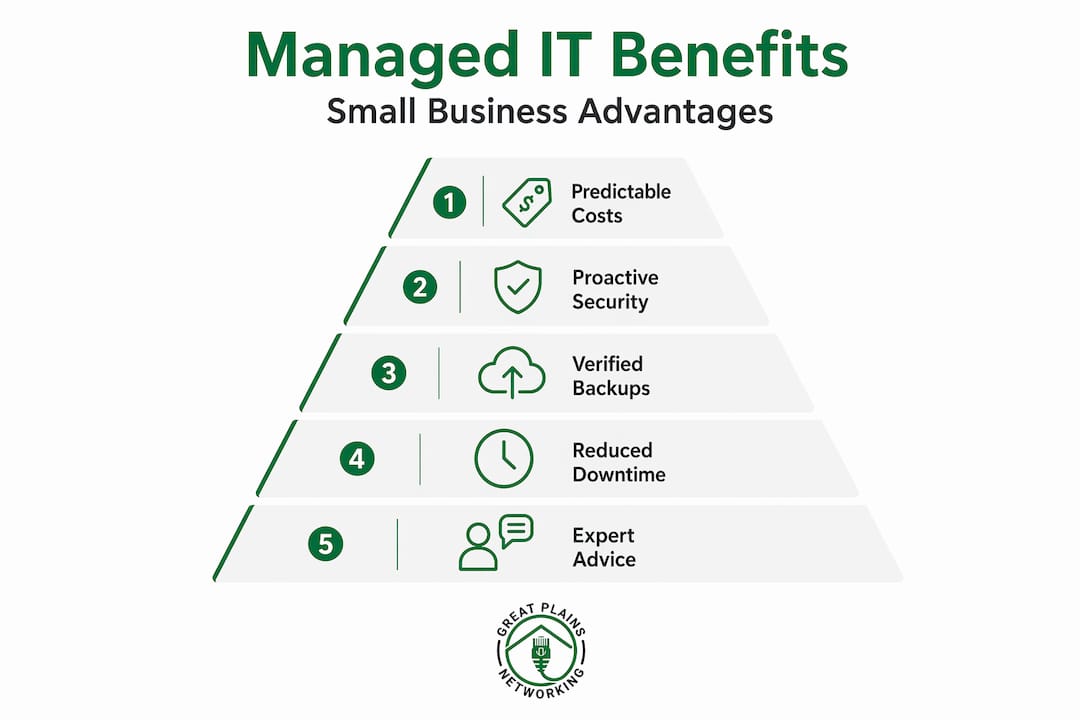
2. Proactive security is included, not optional. Patching cycles, threat assessment, and monitoring tooling are core components of a credible managed IT service, not premium upgrades. Your MSP applies security patches on a regular schedule, monitors your network for unusual behavior, and responds to incidents under the terms of your SLA. For a business handling patient records or financial data, this level of ongoing attention is not a luxury. It is a requirement.
3. Backup and disaster recovery move from hope to verified reality. Many small businesses believe their data is backed up, but have never confirmed that a restore actually works. Backup recovery testing ensures backups are reliable and meets compliance expectations under frameworks like NIST. A managed IT provider oversees your backup schedule, tests restores on a defined cadence, and documents the results. You can see proof that your data is recoverable before you ever need it. For more detail on what verified backup looks like, the data backup best practices guide from Greatplainsnetworking is worth reviewing.

4. Reduced downtime has a measurable business impact. The proactive nature of modern MSPs reduces firefighting and improves uptime in ways that reactive support simply cannot. When your network is monitored continuously and patches are applied before vulnerabilities are exploited, your systems stay up. For a business where hourly productivity is directly tied to revenue, fewer outages translate directly to the bottom line.
5. Access to specialized expertise without full-time overhead. Small businesses gain access to specialized IT expertise and 24/7 support through an MSP without hiring, training, or retaining an internal IT team. That expertise includes cybersecurity specialists, network engineers, and compliance-aware technicians who understand the specific risks your industry faces.
Pro Tip: Before contacting an MSP, write down your three most disruptive IT problems from the past year. Use those as a benchmark when evaluating whether a provider's services actually address your pain points.
What to expect in a managed IT contract
Understanding the SLA is how you protect yourself as a buyer. MSP agreements typically combine a master service agreement, scope of work, and SLA to structure responsibilities, performance expectations, and escalation procedures. Reading each component carefully before signing is not optional.
Here is what a thorough managed IT contract should include:
| Contract element | What to look for |
|---|---|
| Scope of services | Exact list of covered devices, systems, users, and service types |
| Uptime commitments | Specific percentage guarantees (e.g., 99.9% network uptime) with defined measurement methods |
| Response and resolution times | Tiered by ticket priority: critical, high, medium, low |
| Security responsibilities | Clear ownership of patching, monitoring, incident response, and reporting |
| Backup and recovery terms | Backup frequency, retention period, restore testing cadence, and RTO/RPO targets |
| Exclusions | What the provider does NOT cover (hardware replacement, out-of-scope software, etc.) |
| Escalation paths | How unresolved issues move up the chain and within what timeframe |
| Termination terms | Notice period, data return process, and any cancellation fees |
Managed IT contracts define measurable SLAs including uptime commitments, response targets by ticket priority, and resolution timeframes. If a vendor's SLA omits any of these elements, ask directly why. The answer will tell you a great deal about how they run their operations.
Clear SLA definitions on security and backup responsibilities prevent disputes and keep accountability intact when an incident occurs. This is especially true for backup. If the SLA does not state who is responsible for verifying restores, that task tends to fall through the cracks until it is critically needed.
One often overlooked SLA element is documentation. Patch compliance reports and backup restore test records are crucial when you face a regulatory review, a cyber insurance application, or an audit. A well-run MSP produces this documentation automatically and can provide it on request. If your provider cannot show you these records, your "managed" IT may be less managed than you think.
Deciding if managed IT is right for your business
Not every business is at the same stage when it comes to IT maturity. Before contacting an MSP, it helps to assess where you currently stand.
Start by asking yourself a few direct questions. How often do IT problems interrupt your team's work? Do you have a current, tested backup that you could restore from today? Is anyone in your organization actively monitoring for security threats? If the honest answers reveal gaps, managed IT support is worth serious consideration.
When evaluating providers, prioritize these factors:
- Local presence: A provider with technicians near your office can respond on-site when remote support is insufficient. For businesses in the Oklahoma City area, that proximity is a concrete advantage.
- SLA specificity: Generic response time language is a red flag. You want tiered commitments with defined remedies if targets are missed.
- Industry experience: A provider who has worked with dental practices or law firms understands the compliance requirements and data sensitivity those industries involve. Ask for references in your vertical.
- Contract flexibility: Long-term lock-in contracts shift risk entirely to the buyer. Look for providers who offer month-to-month or short-term arrangements.
- Communication style: If the sales conversation is full of jargon you cannot follow, the ongoing support relationship will likely be the same. Plain-language communication is a practical business need, not just a preference.
Some businesses already have partial internal IT resources but lack the capacity or specialized skills to cover everything. Co-managed IT and managed detection and response are options worth exploring in those situations. The MSP fills the gaps in your internal team's coverage without replacing the people already doing good work.
Pro Tip: Run a simple IT audit before your first MSP conversation. List every device on your network, every piece of software in use, and every system that holds sensitive data. You will get more accurate proposals, and you will spot gaps you did not know existed.
My honest perspective on getting managed IT right
Over the years, I have seen small businesses make the same mistake repeatedly: they choose the cheapest MSP they can find and call it a win. Months later, they are frustrated by slow response times, vague answers about their backup status, and security incidents that probably could have been prevented.
The cheapest option is almost never the lowest-risk option. Price compression in this industry usually means one of three things: fewer technicians, slower response, or thinner security coverage. Any one of those shortcomings can cost far more than the savings when something goes wrong.
What I have seen work consistently is treating the MSP relationship as a genuine business partnership. That means reading the SLA before signing, asking pointed questions about backup restore testing and patch schedules, and expecting regular communication rather than only hearing from your provider when there is a problem. Regular backup restore testing is essential because an untested backup is just a hypothesis. Make sure your MSP can prove yours works.
The businesses I have seen get the most value from managed IT are the ones who stay engaged. They review monthly reports, they ask questions, and they hold their provider accountable to the SLA. That active posture keeps the relationship productive and keeps the provider sharp.
— Nicholas
How Greatplainsnetworking supports small businesses in Oklahoma
If you are a small business owner in Norman, Moore, or Oklahoma City evaluating your IT options, Greatplainsnetworking provides managed IT services for small businesses built specifically around the challenges local companies face. Their model centers on 24/7 proactive monitoring, same-day response times, and no long-term contracts, so you are never locked in if the relationship is not working.

Services include cybersecurity monitoring, patch management, verified data backup and recovery, and plain-language communication that does not require a technical background to follow. For industries with specific compliance requirements, Greatplainsnetworking also offers a free HIPAA and cyber insurance audit for dental practices, addressing the exact documentation and security gaps that create audit risk. Whether you run a medical office, a law firm, or a professional services business, the team at Greatplainsnetworking can build a customized plan aligned to your actual operational needs. Contact them to schedule an assessment with no obligation.
FAQ
What does managed IT support include?
Managed IT support typically includes 24/7 remote monitoring, patch management, help desk support, cybersecurity monitoring, and backup and disaster recovery oversight. The exact scope is defined in the SLA your business signs with the provider.
How does managed IT support work for small businesses?
A managed service provider installs monitoring tools on your systems, manages your network and security on an ongoing basis, and handles IT issues under the terms of a service level agreement. You pay a flat monthly fee instead of paying for repairs after problems occur.
What is the difference between managed IT support and break-fix?
Break-fix support is reactive: you pay only when something fails. Managed IT support is proactive: your provider monitors and maintains your systems continuously to prevent failures and resolves issues before they affect your operations.
How much does managed IT support cost?
Managed IT service pricing is typically a flat monthly fee tiered by service level, number of users, or number of devices. This predictable structure replaces unpredictable hourly repair costs and makes IT budgeting more reliable for small businesses.
Why is an SLA important in a managed IT contract?
An SLA defines measurable commitments including uptime guarantees, response times by ticket priority, and security responsibilities. Without a detailed SLA, there is no clear accountability when service targets are missed or an incident occurs.
Recommended
Want help putting this into practice?
We'll audit your security, speed, and hardware in under an hour — no commitment, no sales pitch. Just a clear roadmap of what to fix and why.