
90 Day Phishing Awareness Training Plan for Security Teams

Run a continuous program of short micro-lessons plus realistic, progressive phishing simulations that include immediate corrective feedback. That combination, backed by government guidance and controlled research, produces measurable drops in employee susceptibility. Expect higher report rates and lower click rates over months, not days, and know that even the best training program still needs technical controls like multifactor authentication behind it.
TL;DR:
- A comprehensive phishing training program must include governance, policies, simulations, microlearning, reporting channels, remediation, and integration with HR and incident response.
- Realistic simulations should mirror actual organizational threats and vary for difficulty, with immediate, explanatory feedback to foster lasting behavior change.
- Regular micro-lessons and simulations, especially for high-risk roles and new hires, are more effective than annual training at reducing click rates and increasing report rates.
- Tracking trends like report rates, time-to-report, and repeat clickers provides more meaningful insights into program effectiveness than click rates alone.
- Simplified, one-click reporting tools and leadership involvement in feedback and culture-building significantly improve employee engagement and vulnerability mitigation.
Table of Contents
- What Does a Complete Phishing Awareness Training Program Include?
- How Do You Design Realistic Phishing Simulations?
- How Often Should You Run Phishing Training and Simulations?
- What Metrics Prove Your Training Program Is Working?
- How Do You Make Reporting Easier Than Clicking?
- What Free Resources Help You Start a Training Program Today?
- How We Approach This for Small Business Clients
- Beyond Email: Phone and Text-Based Social Engineering
- What Legal and Compliance Rules Apply to Phishing Training?
- How Do You Build a Culture Where Security Is Everyone's Job?
- How Do You Keep Employees Engaged Without Training Fatigue?
- How Should You Handle Employees Who Keep Clicking?
- How Does Phishing Training Fit Into Your Broader Security Program?
- How Do You Tailor Training by Role and Risk Level?
- The Real Gap in Most Phishing Programs
- Let Great Plains Networking Help You Build This
- Sources
What Does a Complete Phishing Awareness Training Program Include?
A working program has seven moving parts, and most organizations only build two or three of them before calling the job done. Governance without a named owner drifts. Simulations without microlearning teach nothing. Reporting channels without a triage process just generate noise.
Here's what the full architecture looks like:
- A governance owner. One person, usually the security lead or IT manager, owns the program's budget, cadence, and metrics.
- A written policy. Define what phishing is, what employees must do when they spot it, and what happens after a failed simulation.
- A simulation engine. This sends realistic test emails, tracks clicks, and logs who reported versus who clicked.
- A microlearning library. Short, role-specific lessons that map to the mistakes your simulations are catching.
- A one-click reporting channel. An email add-in or button that's faster to use than deleting a suspicious message.
- A remediation pathway. A defined process for what happens the moment someone clicks or reports.
- Integration with HR and incident response. Repeat clickers need HR visibility; confirmed threats need an incident response handoff.
Roles matter as much as tools. The security lead sets strategy and reviews metrics monthly. IT maintains the simulation platform and reporting mechanism. HR handles onboarding enrollment and repeat-offender escalation. Managers reinforce messaging inside their own teams, since employees trust a direct supervisor's reminder more than a mass email from security. Someone, ideally in IT or security operations, owns triaging every reported message within a defined window.
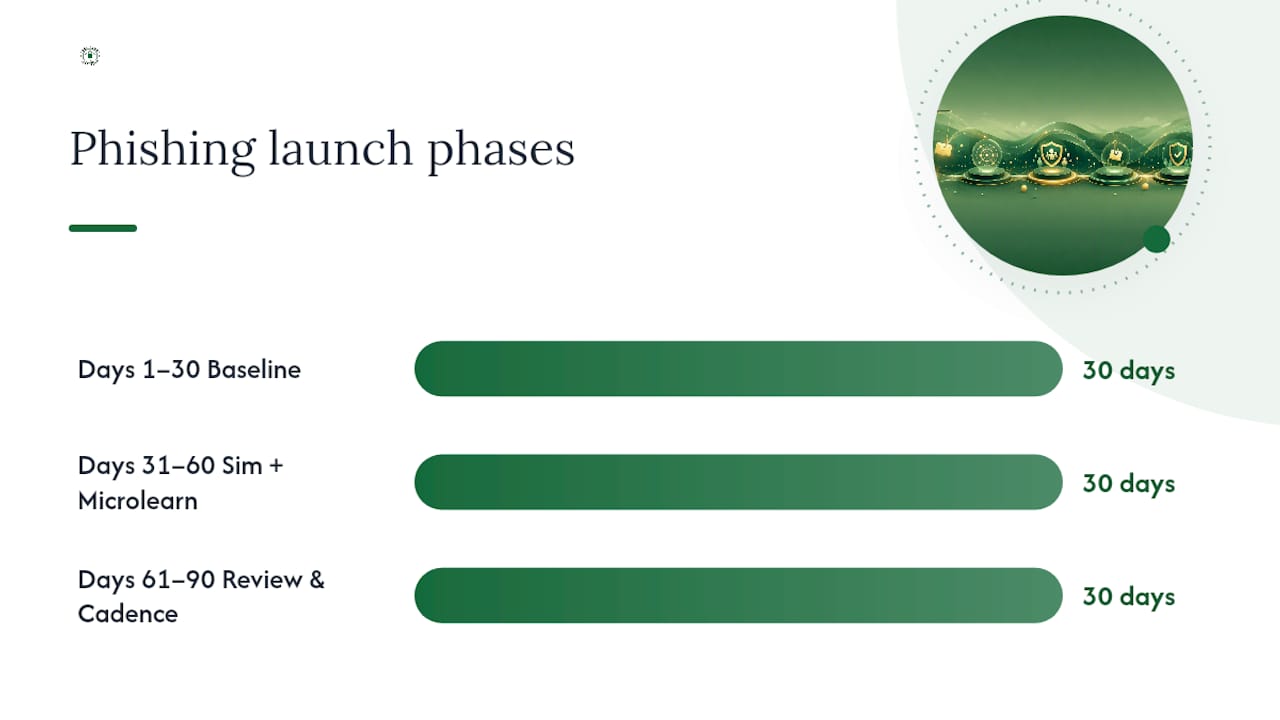
A 90-day launch keeps this from becoming an abstract policy document. Days 1 to 30: baseline your current click rate with one unannounced simulation, finalize the policy, and pick your platform. Days 31 to 60: launch your first real simulation campaign alongside the first microlearning modules, and stand up the reporting button. Days 61 to 90: review what broke. Fix the process gaps, whether that's a triage bottleneck or a department with an unusually high click rate, and set your ongoing 12-month cadence from there.
How Do You Design Realistic Phishing Simulations?
Realism is what separates a simulation that changes behavior from one that just embarrasses people. Generic "you've won a prize" emails don't fool anyone past their first week on the job, and they don't prepare employees for the invoice-fraud email that's actually going to hit their inbox. Effective simulations mirror the specific lures your organization is likely to face: a fake vendor invoice for accounting, a fake court notice for a law firm, a fake patient portal alert for a dental practice.
A few design principles keep simulations useful instead of punitive:
- Build scenarios around real job functions, not generic templates.
- Route clicks to a safe landing page that explains the mistake immediately, never to a fake credential harvester that just logs the failure silently.
- Never name or publicly shame individuals who click. Public callouts kill the psychological safety that makes people willing to self-report.
- Vary sender domains, urgency cues, and visual polish so employees learn to spot patterns, not just one template.
Calibrating difficulty is where most programs skip a step. The NIST Phish Scale, which rates lures by cues and premise alignment, gives you a way to track difficulty across campaigns instead of guessing. Research using the scale found click rates increasing with lure difficulty from low to higher rates depending on complexity, which means a rising click rate might just mean you made the test harder, not that your training failed.
Pro Tip: Anyone who clicks should land on a page that explains, in one screen, exactly which cue gave the phish away. Pair that with a five-minute mandatory module due within 48 hours. That immediate loop, not the quarterly report, is what actually changes behavior.
How Often Should You Run Phishing Training and Simulations?
Once-a-year training sessions barely dent behavior; the research consistently favors short, frequent touches over long, infrequent ones. Start with short micro-lessons delivered every few weeks and run phishing simulations on a similar regular schedule. That spacing keeps the topic present in employees' minds without becoming background noise.
A few adjustments make the cadence work for your actual workforce:
- New hires get an accelerated onboarding track in their first 30 days, since they're statistically the most likely to click.
- High-risk roles, like finance staff who approve wire transfers, get more frequent and more targeted simulations than general staff.
- Intensify cadence temporarily for any team that shows a spike in clicks or a real incident, then taper back once behavior stabilizes.
Rotate micro-lesson topics so the content stays relevant: pretexting and impersonation calls, link hygiene and hover-checking habits, and payment verification steps for anyone who touches invoices or wire requests.
What Metrics Prove Your Training Program Is Working?
Click-through rate gets all the attention, but it's the least useful metric on its own. A dropping click rate could mean better-trained employees, or it could just mean your last three campaigns used easier lures. Track it as a trend, and always read it alongside difficulty level.
The scorecard that actually tells you something:
- Click-through rate trend, tracked against lure difficulty over time.
- Report rate, the percentage of recipients who flagged the simulation instead of clicking or ignoring it.
- Time-to-report, how fast the first report comes in after a campaign launches.
- Repeat clickers, the small group who fail simulation after simulation regardless of training.
- Remediation completion rate, whether assigned micro-lessons actually get finished.
- Department and role breakdowns, since a 20% click rate in one team can hide behind a healthy company average.
Interactive, multi-modal training measurably moves the report rate. One large-scale study found interactive formats produced a 37% jump in reporting rate over a passive baseline, and a 25% improvement over lecture-only training specifically. That's the number worth chasing over vanity click-rate drops.
Escalate program changes when report rates flatten for two straight quarters, when repeat clickers climb instead of shrink, or when one department consistently outperforms its own baseline while another consistently lags. Account for turnover and campaign difficulty before concluding the program itself is broken.
How Do You Make Reporting Easier Than Clicking?
Employees report phishing at higher rates when reporting takes one click and produces a visible response. An email add-in button embedded directly in Outlook or Gmail beats a policy that tells people to "forward suspicious emails to IT," which adds friction at exactly the moment speed matters.
- Deploy a one-click reporting button and assign clear ownership, usually IT or the security operations function, for triaging every report within a set window, ideally under an hour.
- Acknowledge every report immediately, even a false positive. A quick "thanks, we reviewed this" message is what keeps people reporting the next time.
- Escalate confirmed threats into your incident response process and assign short corrective microlearning to anyone who clicked before reporting.
- Feed real findings into process fixes. If a wire-fraud simulation succeeds against your accounting team, the fix isn't just retraining. It's adding a secondary approval step for payment changes and a callback verification requirement for any vendor bank-detail update.
What Free Resources Help You Start a Training Program Today?
You don't need a budget approval to start. CISA's phishing guidance lays out printable employee tips and no-cost cyber threat services you can hand to staff this week. The CDSE offers interactive e-learning modules covering phishing, smishing, and vishing specifically, useful for organizations without a training platform yet. Stopransomware publishes incident-response playbooks and tabletop exercise templates you can run internally.
The tradeoff comes when you outgrow free resources. Vendor platforms add automated simulation scheduling, difficulty-calibrated campaigns, and analytics dashboards that manual tracking can't match at scale, at the cost of a subscription and less granular content control. Pilot any vendor with a single 60-day test against one department before committing organization-wide, and measure it against the report-rate and time-to-report numbers above.
How We Approach This for Small Business Clients
Phishing defense can be built as part of managed cybersecurity services for law firms, dental practices, and accounting firms, rather than as a bolt-on training course. One small-practice rollout paired quarterly simulations with a one-click reporting workflow and saw repeat-click incidents drop within two quarters.
Beyond Email: Phone and Text-Based Social Engineering
Email gets the training budget, but attackers increasingly work the phone and text channels where employees have their guard down. Vishing calls that impersonate IT support asking for a password reset code, or smishing texts claiming to be a delivery notice with a malicious link, exploit the same urgency and authority cues as email phishing, just through a channel your spam filter can't touch.
Training has to name these tactics explicitly, not assume email lessons transfer automatically. A few additions close the gap:
Teach employees to verify any unexpected IT or vendor phone call through a separate channel, like calling the company directory number back rather than trusting caller ID. Caller ID is trivially spoofed, and most employees don't know that. For SMS, the lesson is simpler: legitimate organizations rarely ask you to click a link in a text message, and any request for a one-time code over the phone or by text should be treated as a red flag, full stop.

Simulated vishing calls are harder to run at scale than email tests, but even a handful of internal test calls to your finance or IT help desk staff each quarter reveals whether your verification habits hold up under real pressure. Include a smishing module in your microlearning rotation specifically, since most off-the-shelf training libraries still lean almost entirely on email scenarios.
What Legal and Compliance Rules Apply to Phishing Training?
Running phishing simulations touches legal and compliance territory that many security teams don't think about until something goes wrong. Employee monitoring and testing programs generally need to be disclosed in an acceptable-use or IT security policy that employees acknowledge, since testing behavior without any disclosed policy can raise workplace-privacy questions depending on your state and industry.
Regulated industries add another layer. A dental or medical practice's phishing program should support, not duplicate, existing HIPAA security awareness requirements, and documentation of training completion matters as much as the training itself during an audit. Law firms and financial services often face similar documentation expectations tied to client confidentiality obligations. If your organization pursues CMMC compliance for defense contracts, security awareness training with recorded completion is typically a required control, not optional.
Practical compliance steps that apply broadly: keep dated records of who completed training and when, retain simulation results as evidence of a documented risk-reduction program, and never use simulation results for punitive action beyond the remediation pathway defined in policy, since disciplinary use without clear advance disclosure invites employment-law risk. When in doubt about a specific regulatory requirement for your industry, that's a conversation for legal counsel or a compliance specialist, not a generic guide. Nonprofits carrying donor financial data face their own version of this obligation, covered in more detail in why nonprofits need dedicated cybersecurity training.
How Do You Build a Culture Where Security Is Everyone's Job?
A phishing program without visible leadership buy-in reads to employees as one more compliance box IT is checking. Culture shifts the moment leadership treats their own simulation failures the same way everyone else's are treated, publicly acknowledging a click, sitting through the same remedial module, and referencing the program in team meetings, not just in an annual all-hands email.
The strongest cultural signal is speed of response to a report. When an employee flags a suspicious email and gets a same-day acknowledgment, that reinforces the behavior far more than any poster in the break room. When reports disappear into an inbox nobody checks, employees stop bothering within a month.
A few practices build that culture deliberately: have managers, not just security staff, deliver micro-lesson reminders inside regular team meetings; publish a quarterly (not names-attached) summary of report rate improvement so staff see their collective effort paying off; and treat a high report rate, not just a low click rate, as the metric worth celebrating publicly. Security awareness works best as a shared habit reinforced socially, closer to hand-washing in a hospital than to a mandatory annual certification.
How Do You Keep Employees Engaged Without Training Fatigue?
Training fatigue sets in fast when every module feels identical and every email from security starts with a warning. The fix isn't fewer touches, since frequency is what drives retention. It's making each touch short, specific, and varied enough that employees don't tune it out by the third repetition.
A few communication habits keep engagement up: vary the format between short video, a single scenario walkthrough, and a quick interactive quiz rather than running the same slide-deck style every time. Keep every micro-lesson under five minutes. Tie lessons to real recent events when possible, referencing a phishing attempt the organization actually caught last month lands harder than a generic hypothetical. And frame communications around protection, not blame: "here's how we caught this one together" outperforms "here's what you did wrong" for sustained participation.
Timing matters too. Sending a simulation announcement recap on a Friday afternoon guarantees it gets ignored. Early-week, mid-morning communications get read. Keep the volume of official security emails low enough that a real phishing report request doesn't get lost in a flood of routine reminders.
How Should You Handle Employees Who Keep Clicking?
Every organization has a small group of repeat clickers, employees who fail simulation after simulation regardless of standard remediation. Punitive escalation alone rarely fixes this, and neither does simply repeating the same micro-lesson a fourth time.
Start by separating causes: some repeat clickers are rushing through high email volume, some genuinely can't distinguish cues yet, and a small number are testing whether the reporting process actually does anything. Each needs a different response. For volume-driven clicking, a manager conversation about workload and email triage habits often matters more than another training module. For skill gaps, one-on-one coaching with real examples from that person's own inbox works better than generic content.
After three failed simulations within a defined window, most effective programs escalate to a structured intervention: a short one-on-one session with the security lead, a personalized micro-lesson plan, and a documented note in the employee's training record for HR visibility. Reserve any disciplinary conversation for cases involving a genuine security incident, not simulation failure alone, and always make that distinction clear in your written policy so employees don't fear reporting their own mistakes.
How Does Phishing Training Fit Into Your Broader Security Program?
Phishing training works best as one module inside a larger security awareness program, not a standalone initiative running on its own calendar. Password hygiene, physical security, data handling, and incident reporting all reinforce the same underlying habit: pause before acting on an unexpected request.
Integration means your phishing reporting button feeds the same triage queue as other security reports, your microlearning platform hosts phishing content alongside password and data-handling modules, and your annual security policy references phishing procedures rather than treating them as a separate document. This also means phishing metrics belong in the same quarterly security review as patching cadence, backup testing, and access reviews, giving leadership one unified picture instead of five disconnected reports. Organizations building out a full control set, including backup and recovery practices and technical safeguards, should treat phishing training as one line item among the roughly fifteen controls that matter, covered in more depth in this nonprofit cybersecurity checklist. The FBI's Internet Crime Complaint Center continues to document phishing and social engineering as leading drivers of reported cybercrime losses, which is exactly why training can't sit in isolation from technical controls like MFA and mailbox monitoring.
How Do You Tailor Training by Role and Risk Level?
A generic company-wide phishing module treats a receptionist and a controller as equal risks, and that's a mistake. Finance and accounting staff who approve payments face targeted business-email-compromise lures and need dedicated training on payment verification and secondary approval steps. Executives and their assistants face highly personalized spear-phishing attempts built from public information, and need training on how much of their schedule and travel is discoverable online. Frontline and reception staff face vishing and physical-pretext attempts more than sophisticated email lures, since they're often the first human contact point for a social engineering attempt.
IT and helpdesk staff deserve their own track entirely, since they're a favorite impersonation target for attackers posing as employees requesting password resets. Manufacturing environments carry a different risk profile again, where a compromised account can touch operational systems, not just email, a distinction worth building into role-specific scenarios the way manufacturing-specific cyber defense guidance recommends.
Segmenting by risk level, not just department, catches the gap that department-based training misses: a junior employee with wire-approval authority carries more risk than a senior employee without it, and simulation targeting should follow the authority, not the org chart.
The Real Gap in Most Phishing Programs
Most organizations don't fail at phishing training because they lack a platform. They fail because they treat it as a compliance checkbox instead of a behavior-change program, and those require entirely different designs. A checkbox program runs one annual session and calls it done. A behavior-change program runs short, frequent touches and measures whether behavior actually moved.
The conventional advice oversells the click rate and undersells the report rate. A falling click rate feels good on a slide, but a rising report rate is the metric that tells you employees are becoming active participants in defense rather than just avoiding punishment. The research bears this out: continuous simulation with immediate feedback cut phishing susceptibility roughly in half within six months in a large longitudinal study, and that result came from consistency, not cleverness.
If you're starting from nothing, don't wait for the perfect platform. Run one baseline simulation, stand up a one-click reporting button, and commit to a 90-day cadence before you evaluate vendors. The infrastructure matters less than the discipline of showing up every two to three weeks. Organizations that skip straight to buying a platform without that discipline usually see the same flat metrics a year later, just with a bigger invoice attached.
— Nicholas
Let Great Plains Networking Help You Build This
Some managed cybersecurity providers offer small businesses a faster path to a working phishing program than building one alone. Instead of piecing together a simulation platform, a microlearning library, and a reporting workflow from scratch, you get it bundled into managed cybersecurity built around plain-language guidance and same-day response, not a jargon-heavy vendor contract you're locked into for years.

Whether you run a law firm, dental practice, or accounting office, the services map directly to what this article covers: managed IT support for the reporting workflows and technical controls, cybersecurity assessments to baseline your current risk, and helpdesk support so employees have someone to call the moment a suspicious email lands. For a broader look at industry-specific resources, ArchiTECH MSP's cybersecurity blog covers practical angles worth reading alongside your own rollout. Organizations may request a pilot assessment from a managed IT provider to gain insight into their phishing risk before committing to a full program.
Sources
- Teach Employees to Avoid Phishing - CISA
- Sustaining Cyber Awareness: The Long-Term Impact of Continuous Phishing Training and Emotional Triggers
- Does Phishing Training Work? A Large-Scale Empirical Assessment of Multi-Modal Training Grounded in the NIST Phish Scale
Recommended
Want help putting this into practice?
We'll audit your security, speed, and hardware in under an hour — no commitment, no sales pitch. Just a clear roadmap of what to fix and why.