
Why Legal Client Data Requires Special Protection

Legal client data requires special protection because it combines privileged content, ethical duty, and attacker value in a way almost no other business record does. A breach at a law firm doesn't just expose data. It can waive privilege, trigger malpractice exposure, and violate a professional obligation that exists independent of any statute. Three forces make this non-negotiable:
- Ethical duty: Model Rule 1.6(c) obligates lawyers to make reasonable efforts to prevent unauthorized disclosure of client information, regardless of whether a state statute applies.
- Legal and regulatory exposure: HIPAA, state breach-notification laws, and client-driven contractual requirements stack on top of bar rules, and violating any of them carries separate consequences.
- Attacker value: Firms sit on privileged strategy memos, financial records, and personal data for multiple clients at once, which makes a single firm a far richer target than most standalone businesses.
What follows covers where these duties come from, which laws typically apply, and the specific controls, vendor practices, and incident response steps that turn "reasonable efforts" from a legal phrase into an operational reality.
Key Takeaways
Legal client data requires layered protection because ethical duty, statutory exposure, and attacker incentives all converge on the same files at once.
| Point | Details |
|---|---|
| Ethical duty is the baseline | Model Rule 1.6(c) requires reasonable efforts to protect client data regardless of whether a specific law applies. |
| Document your reasonableness analysis | Keep written records of security decisions tied to specific matters to survive scrutiny after an incident. |
| Start with inventory, MFA, and backups | Smaller firms should prioritize these three controls before investing in advanced monitoring tools. |
| Vet vendors and restrict AI use | Contracts should prohibit unauthorized data ingestion and AI training, closing tangential access risks. |
| Greatplainsnetworking supports the full checklist | Managed monitoring, cybersecurity, and backup services from Greatplainsnetworking map directly to the controls firms need to demonstrate compliance. |
Table of Contents
- Why Client Data Is Uniquely Sensitive to Begin With
- The Ethical Obligations Behind Legal Client Confidentiality Requirements
- Applicable Laws and Regulations That Commonly Affect Law Firms
- Security Controls Every Law Firm Should Have in Place
- Vetting Cloud Providers and Third-Party Vendors
- Building an Incident Response and Notification Plan
- Generative AI, Data Minimization, and Where Firms Are Exposed
- Documenting Due Diligence to Prove Reasonableness
- A 30/90/180-Day Checklist for Firm Leaders
- Board-Level Accountability for Legal Data Protection
- Risk Assessment Approaches That Fit How Law Firms Actually Operate
- Training Programs That Match Legal Roles to Real Risk
- Lessons From Real Law Firm Data Breaches
- What Firms Consistently Get Wrong About Data Protection
- How Managed IT Support Helps Firms Meet These Obligations
- Frequently Asked Questions
- Sources
Why Client Data Is Uniquely Sensitive to Begin With
Client files at a law firm aren't just personal data. They're privileged communications, litigation strategy, unredacted financial statements, medical records tied to injury or estate matters, merger terms before they're public, and intellectual property disclosures made in confidence. A single litigation file might contain more sensitive material than an entire year of a retail company's customer database, concentrated in one place, often with weaker access controls than the data deserves.
That concentration is exactly what makes law firms attractive. Attackers don't need to breach dozens of companies to get high-value information. They breach one firm and pull files from several clients at once, sometimes advancing multiple criminal or civil purposes in a single intrusion. Firms report a steady rise in breach frequency, and the trust premium a firm's reputation carries makes an incident far more damaging than the direct cost of remediation, according to Sikich's cybersecurity guidance for law firms.
The stakes go beyond financial loss. Consider two scenarios that play out regularly:
- Ransomware extortion: Attackers don't just encrypt files, they threaten to publish privileged material unless paid, turning confidentiality itself into leverage against the client, not just the firm.
- Privilege waiver through careless tool use: Pasting a client's contract into a public AI chatbot for a quick summary can strip privilege protection, because the communication is no longer confined to those who need to know it.
Traditional network security assumes data stays inside a perimeter. Legal work doesn't cooperate with that assumption. Documents move constantly, to opposing counsel, to experts, to courts, to co-counsel, and once a file leaves the firm's document management system, most controls simply don't travel with it, according to Confidencial's 2026 legal industry report. That structural gap is why "protect the network" is no longer sufficient advice for a firm handling privileged material.
The Ethical Obligations Behind Legal Client Confidentiality Requirements
The professional duty here didn't appear overnight, and it isn't optional. Model Rule 1.6(c) states that a lawyer "shall make reasonable efforts to prevent the inadvertent or unauthorized disclosure of, or unauthorized access to, information relating to the representation of a client." That single sentence has reshaped how bar associations think about technology.
ABA Formal Opinion 477R extended that duty explicitly into the digital realm, addressing how lawyers should handle electronic communication of client information. Formal Opinion 483 went further, clarifying that lawyers have an affirmative duty to notify current clients when a breach compromises material confidential information, according to ABA guidance on securing client data. Confidentiality, in other words, has evolved from a duty to keep secrets into a duty to secure systems, a shift legal scholars have tracked closely, including in Georgetown Law's scholarship on client confidentiality as data security.
The word doing most of the work in Rule 1.6(c) is "reasonable." It isn't a fixed checklist. Bar guidance points to factors lawyers must weigh:
- The sensitivity of the information involved in a given matter.
- The likelihood of disclosure without additional safeguards.
- The cost and difficulty of implementing stronger protections.
- The extent to which safeguards would interfere with the lawyer's ability to represent the client effectively.
That flexibility is useful, but it also means "reasonable efforts" is judged after the fact, usually during a malpractice claim or bar complaint, which is precisely when you want a paper trail rather than a memory.
Pro Tip: Keep a written "reasonableness" checklist tied to each active matter, noting the sensitivity level, the safeguards applied, and who approved any exceptions. If a regulator or opposing counsel ever questions your security posture, that document is the difference between a defensible position and a guess.
Applicable Laws and Regulations That Commonly Affect Law Firms
Ethical rules set the floor, but several statutes layer on top depending on what a firm handles and who its clients are.
- HIPAA: Firms handling protected health information, personal injury practices, estate planning, healthcare regulatory work, may qualify as business associates and must follow HIPAA's security and breach-notification requirements when PHI is involved.
- State breach-notification statutes: Nearly every state requires notifying affected individuals after a breach involving personal information, with varying timelines and definitions of what counts as a reportable incident.
- CCPA/CPRA: Firms serving California clients or handling California residents' personal information may face obligations around data handling and disclosure, even without a direct consumer relationship.
- Client-driven contractual requirements: Corporate clients increasingly issue security questionnaires and require specific controls (encryption, incident notification timelines, sometimes cyber insurance minimums) as a condition of engagement.
Cross-border matters add another layer entirely. A U.S. firm working with a European counterparty, holding data on EU residents, or representing a client with EU operations can trigger GDPR obligations even without a physical presence in Europe. Firms rarely anticipate this until a client's compliance team asks about it directly, and by then it's a scramble rather than a plan.
Breach costs aren't abstract. Firms facing an incident deal with direct remediation expenses, regulatory exposure, and increasingly, higher premiums or denied coverage from cyber insurers who scrutinize security posture more closely after a claim, a pattern the Clio law firm data security guide documents in detail.
Security Controls Every Law Firm Should Have in Place
Ethical duty and statutory exposure both point to the same practical question: what controls actually satisfy "reasonable efforts"? The answer isn't a single product. It's a layered set of habits.
- Inventory and classify data. You can't protect what you can't find. Map where client data lives, email, document management systems, laptops, cloud storage, and assign sensitivity labels so higher-risk files get stronger controls automatically.
- Enforce least-privilege access. Staff should only reach files relevant to their role and active matters, with role-based permissions and audit logging so unusual access gets flagged, not discovered months later.
- Require multi-factor authentication everywhere. Email, document systems, remote access, no exceptions, since credential theft remains one of the most common entry points into firm systems.
- Encrypt data at rest and in transit. Secure email, client portals for sensitive exchanges, and encrypted storage should be standard, not an upgrade offered to select clients.
- Maintain immutable, tested backups. Backups that can be altered or deleted by an attacker aren't backups, they're another target. Disaster recovery plans need periodic testing, not just documentation.
- Monitor continuously and train staff regularly. Phishing-resistant authentication and ongoing awareness training close the gap that technology alone can't.
Smaller firms often ask where to start when the full list feels like too much at once. Start with inventory, MFA, and backups. Those three controls address the highest-probability failure modes (credential theft and ransomware) before moving to more resource-intensive investments like continuous monitoring platforms or advanced document-level protection.
Pro Tip: Data minimization is underrated as a security control. If you don't retain data you no longer need for an active matter or regulatory requirement, there's nothing for an attacker to steal in the first place. Start there before spending on new tools.
Vetting Cloud Providers and Third-Party Vendors
Every vendor that touches client data extends your risk surface, whether it's a cloud document platform, an e-discovery tool, or a security vendor scanning for threats. Due diligence here isn't optional paperwork, it's part of the reasonableness analysis regulators and bar associations expect.
Build a vendor inventory that maps every third party with access to client data, including subprocessors those vendors rely on. A cloud storage provider might use a separate company for backups or analytics, and that subprocessor is now part of your risk chain whether you've reviewed it or not.
- Request SOC 2 or ISO 27001 reports. These independent audits show whether a vendor's security claims hold up under scrutiny, not just what their marketing page says.
- Ask about incident history. A vendor that has had a breach isn't automatically disqualified, but one that won't discuss it openly is a warning sign.
- Confirm encryption practices and data residency. Know where client data physically sits and whether it crosses borders, since that affects both security and regulatory exposure.
- Negotiate contract language, not just service terms. Insist on clauses covering permitted use, breach notification timelines, audit rights, and subprocessor controls before signing.
- Prohibit unauthorized AI training on your data. With generative AI tools proliferating, contracts need explicit language barring vendors from using client data to train models without express authorization, as recommended by the ABA's guidance on GenAI and law firm data.
One risk firms consistently miss is "tangential" access, situations where a security vendor ingests a suspicious file for malware analysis and, without a contract saying otherwise, retains or shares it beyond the immediate investigation. Contract language should explicitly restrict data movement and ingestion, not just assume good intentions.
Building an Incident Response and Notification Plan
When something goes wrong, speed and structure matter more than heroics. A firm without a written incident response plan tends to improvise under pressure, which is precisely when mistakes compound.
- Contain first, investigate second. Isolate affected systems immediately to stop the spread, then preserve evidence (logs, affected files, timestamps) before anything gets overwritten or deleted.
- Determine scope quickly. Which matters, which clients, and what type of information was potentially accessed? This drives every downstream decision.
- Assess notification obligations. Formal Opinion 483 makes clear that lawyers have an affirmative duty to notify current clients when material confidential information may have been compromised, separate from any statutory breach-notification trigger.
- Check regulatory reporting timelines. State breach laws often impose specific windows for notification, and HIPAA reporting requirements apply on top of that when protected health information is involved.
- Notify affected clients with specific, useful content, not vague reassurance.
A client notification should include:
- What happened and when it was discovered.
- What categories of information were potentially affected.
- What steps the firm has taken to contain and remediate the issue.
- What the client can do to protect themselves (credit monitoring, password changes, and so on).
- A direct contact for follow-up questions.
After containment, the work isn't finished. Root-cause analysis should identify exactly how the intrusion happened, and that finding should feed directly into policy updates and targeted staff retraining, not just a one-time memo that gets forgotten.
Pro Tip: Run a tabletop exercise before you need the real plan. Walking through a simulated breach with your team surfaces gaps, unclear ownership, missing contact information, no backup communication channel, while the stakes are still zero.
Generative AI, Data Minimization, and Where Firms Are Exposed
Generative AI tools have introduced a confidentiality risk that didn't exist five years ago, and most firms haven't caught up to it. The core problem is straightforward. Public AI tools often retain input data for model training or internal review, meaning a lawyer pasting client information into a public chatbot may be handing that content to a third party in a way that violates confidentiality obligations, regardless of intent.
Privacy policies for these tools are often vague about retention and reuse, which puts the burden on the firm to assume the worst rather than the best case. Approval processes matter here just as much as technical blocking, because a well-meaning associate looking for a faster way to summarize a deposition transcript can create a privilege problem without realizing it.
Data minimization is arguably the single most effective lever firms have to reduce this risk, according to the ABA's analysis of GenAI and law firm data protection. The problem is that most firms lack the data inventory needed to minimize effectively. You can't reduce what you haven't mapped.
- Inventory what AI tools staff are already using, sanctioned or not, and what data has gone into them.
- Build an authorized-tools list with clear rules about what information can and cannot be entered, tied to vendor contracts that prohibit training on your data.
- Deploy technical blocking or monitoring for unauthorized AI tools at the network level, rather than relying solely on policy compliance.
Pro Tip: Ban public AI tools for matter content by default, and require explicit written authorization for any exception. Default-deny is far easier to enforce than trying to catch violations after the fact.
Documenting Due Diligence to Prove Reasonableness
If "reasonable efforts" is the standard, documentation is the evidence. Firms that make good security decisions but never write them down leave themselves exposed to the same scrutiny as firms that made no decisions at all, because from the outside, undocumented diligence looks identical to no diligence.
Retain these records as a matter of practice, not just when a regulator asks:
- Risk assessments conducted for the firm overall and for specific high-sensitivity matters.
- Vendor security questionnaires and the responses received, including any red flags and how they were addressed.
- Meeting notes from security policy discussions, especially decisions to accept a known risk.
- Approval memos for exceptions to standard policy (a client insisting on an unencrypted transfer method, for example).
- Versioned copies of security policies showing how they've evolved over time.
Version control matters more than firms think. A policy from three years ago that doesn't reflect current tools or threats isn't just outdated, it's evidence that your security program isn't actively maintained if it ever comes under scrutiny. Timestamp every update and keep prior versions accessible rather than overwriting them.
An audit-friendly vendor file includes the original due diligence questionnaire, the signed contract with security clauses highlighted, any SOC 2 or ISO reports collected, and a record of periodic reassessment, at minimum annually, more often for vendors handling the most sensitive data.
Pro Tip: Link each documentation artifact to a specific matter ID where relevant. When a client or regulator asks why a particular safeguard was or wasn't applied to their matter, you want to point to a specific decision record, not reconstruct your reasoning from memory.
A 30/90/180-Day Checklist for Firm Leaders
Knowing what to do is one thing. Sequencing it so a firm doesn't stall out under a mountain of "someday" tasks is another. Here's a realistic rollout.
First 30 days (high priority):
- Complete a basic data inventory identifying where client data lives. Owner: IT/compliance lead. Priority: high.
- Enforce MFA across email and document systems. Owner: IT. Priority: high.
- Confirm backups are running, immutable, and actually restorable. Owner: IT. Priority: high.
- Draft a client communication template for use if an incident occurs. Owner: managing partner/general counsel. Priority: medium.
Next 90 days:
- Review and update vendor contracts to include breach notification, audit rights, and AI training prohibitions. Owner: general counsel. Priority: high.
- Deliver role-specific security training to attorneys, paralegals, and administrative staff. Owner: HR/compliance. Priority: medium.
- Run a tabletop incident response exercise with firm leadership. Owner: managing partner. Priority: medium.
Next 180 days:
- Implement document-level protection or data loss prevention tools for the most sensitive matter types. Owner: IT. Priority: medium.
- Establish board-level or partner-committee reporting on security posture. Owner: managing partner. Priority: high.
- Conduct a full risk assessment covering technical, vendor, and process gaps identified in earlier phases. Owner: compliance lead. Priority: medium.
Board-Level Accountability for Legal Data Protection
Cybersecurity at a law firm often gets treated as an IT department problem, something delegated and forgotten until an incident forces attention upward. That framing is the mistake. Data protection is a governance issue, and firm leadership, whether that's a managing partner, an executive committee, or a formal board, bears direct accountability for it.
Practically, that means security posture should appear on partner meeting agendas the same way financial performance does. Firms with a documented governance structure, someone who owns risk assessment results, a defined escalation path for security incidents, and periodic reporting to leadership, are far better positioned to demonstrate the "reasonable efforts" Rule 1.6(c) requires than firms where security lives entirely inside a vendor contract nobody in leadership has read.
This also changes budget conversations. When security is framed as a compliance and malpractice-risk issue rather than a line-item IT expense, it becomes easier to justify investments in monitoring, training, and vendor vetting as core operating costs rather than discretionary spending that gets cut in a lean year.
Risk Assessment Approaches That Fit How Law Firms Actually Operate
Generic corporate risk frameworks don't map cleanly onto legal practice, because the risk isn't just financial or operational, it's ethical and privilege-related in ways a standard IT risk matrix doesn't capture.
An effective approach starts by categorizing matters by sensitivity rather than treating all client data uniformly. A routine contract review carries different risk than active litigation involving trade secrets or a healthcare matter involving protected health information. Layering matter sensitivity against likely threat vectors, phishing, vendor compromise, insider error, produces a more useful risk map than a one-size-fits-all checklist borrowed from a different industry.
Firms should reassess risk on a recurring cycle, not just after an incident. Annual reviews tied to renewal of vendor contracts and insurance policies create a natural cadence, and revisiting the assessment whenever the firm adopts a new tool, from a cloud platform to an AI assistant, catches risks before they become embedded in daily workflow.
Training Programs That Match Legal Roles to Real Risk
Generic annual security training, click through a slideshow, pass a quiz, does little to change behavior in a law firm where different roles face genuinely different exposure. An associate drafting discovery responses faces different risks than a paralegal managing document production or a billing administrator handling client financial data.
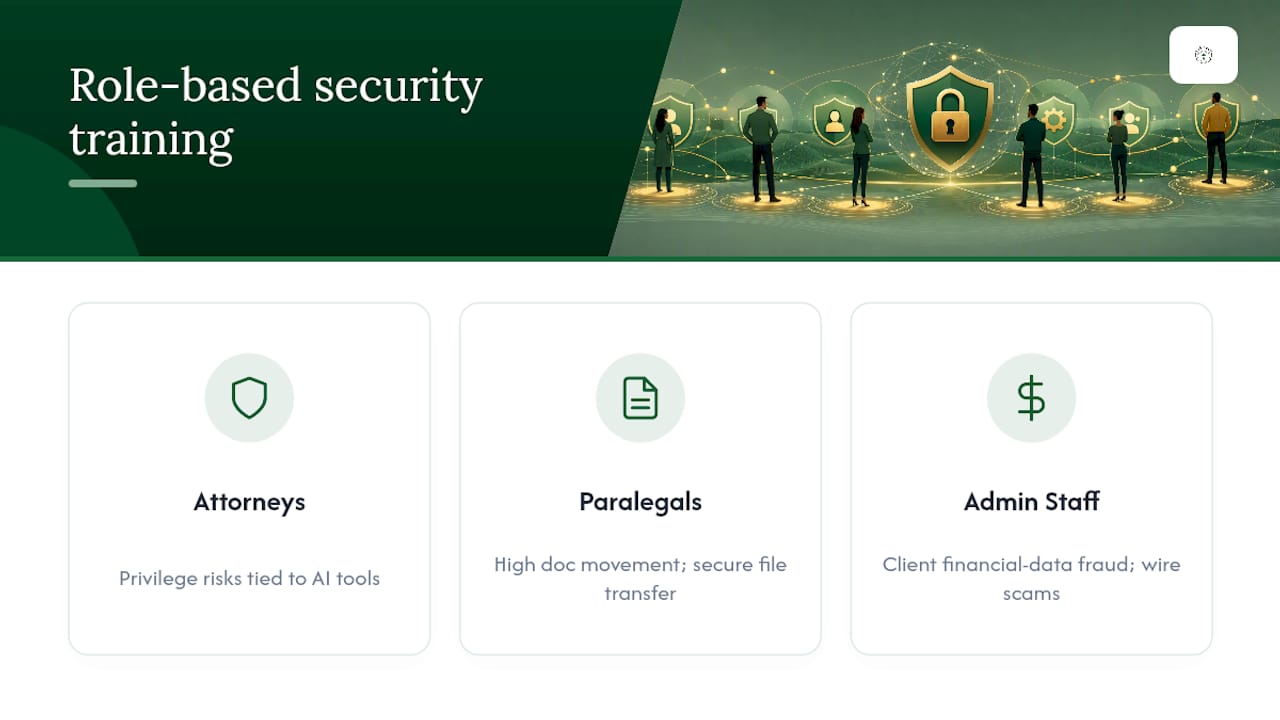
Effective training programs segment by role. Attorneys need focused guidance on privilege risks tied to AI tools and secure communication with clients and opposing counsel. Paralegals and legal assistants, who often handle the highest volume of document movement, need practical training on secure file transfer and recognizing phishing attempts targeting document requests. Administrative and billing staff need training centered on financial fraud patterns, like wire transfer scams impersonating clients or partners.
Frequency matters as much as content. Annual training alone leaves months of exposure to new phishing tactics or emerging AI risks. Short, frequent reinforcement, quarterly phishing simulations, brief updates when a new tool is approved, keeps awareness current without demanding hours of staff time.
Lessons From Real Law Firm Data Breaches
Breach patterns across the legal industry tend to repeat the same root causes: compromised credentials from missing MFA, ransomware exploiting unpatched systems, and third-party vendors with access nobody had fully vetted. The lesson isn't that any single control would have prevented every incident. It's that layered, consistently applied basics close off the paths attackers use most often.
Firms that recover fastest from an incident typically share one trait: they had an incident response plan they'd actually tested before they needed it. Firms that struggle longest are usually the ones improvising notification language and containment steps in real time, while regulatory clocks are already running. The gap between those two outcomes often comes down to preparation done months earlier, not decisions made during the crisis itself.
What Firms Consistently Get Wrong About Data Protection
Most firms don't fail at cybersecurity because they lack good intentions. They fail because they treat it as a technology purchase instead of a governance discipline. A firm can buy the best endpoint protection on the market and still fail the "reasonable efforts" test if nobody documented why certain data handling decisions were made, or if a partner routinely bypasses MFA because it's inconvenient during trial prep.
The uncomfortable truth is that the biggest gaps tend to show up in exactly the places firms feel most confident: established vendor relationships nobody has re-vetted in years, "trusted" senior partners who get quiet exceptions to security policy, and AI tools adopted informally by individual attorneys because they made a task faster. None of these show up on a typical security audit checklist, because they're process failures, not technical ones.
Firms that get this right treat security the same way they treat conflict checks: as a standing discipline built into how matters get opened and managed, not a project that gets revisited only after something breaks. That shift in framing, from a technical add-on to an ethical and operational baseline, is what actually satisfies the reasonableness standard regulators and bar associations expect.
How Managed IT Support Helps Firms Meet These Obligations
Everything covered here, inventory, MFA, encrypted backups, vendor vetting, incident response, takes ongoing attention most firms can't staff internally without adding a full IT department. Greatplainsnetworking works specifically with small firms in Norman, Moore, and Oklahoma City, where a managing partner is often also the de facto IT decision-maker with no time to become a security expert on top of practicing law.

That's the practical gap Greatplainsnetworking closes: 24/7 monitoring that catches issues before they become incidents, same-day response instead of a multi-day ticket queue, and no long-term contract locking your firm into a relationship that isn't working. Services map directly to what this article covers, managed IT support with continuous monitoring, dedicated cybersecurity protection including MFA enforcement and phishing defense, and backup and recovery solutions built for ransomware resilience and tested disaster recovery.
If your firm's current setup leaves you guessing whether your vendor contracts, backups, or access controls would hold up under a bar complaint or a breach investigation, request an assessment from Greatplainsnetworking to find out exactly where the gaps are before an incident forces the question.
Frequently Asked Questions
Why is client data considered so sensitive in a legal practice compared to other industries? Legal client data combines privileged communications, litigation strategy, and personal or financial records for multiple parties in one place, making it both more consequential to expose and more attractive to attackers than typical business records.
What is the main ethical obligation lawyers have for protecting client information? ABA Model Rule 1.6(c) requires lawyers to make reasonable efforts to prevent unauthorized access to or disclosure of client information, a standard clarified further by Formal Opinions 477R and 483.
Do small law firms need to comply with the same data protection rules as large firms? Yes. Ethical obligations under Model Rule 1.6(c) apply regardless of firm size, though what counts as "reasonable" may scale with a firm's resources and the sensitivity of the matters it handles.
When does HIPAA apply to a law firm? HIPAA typically applies when a firm handles protected health information as a business associate, common in personal injury, healthcare regulatory, and estate planning practices.
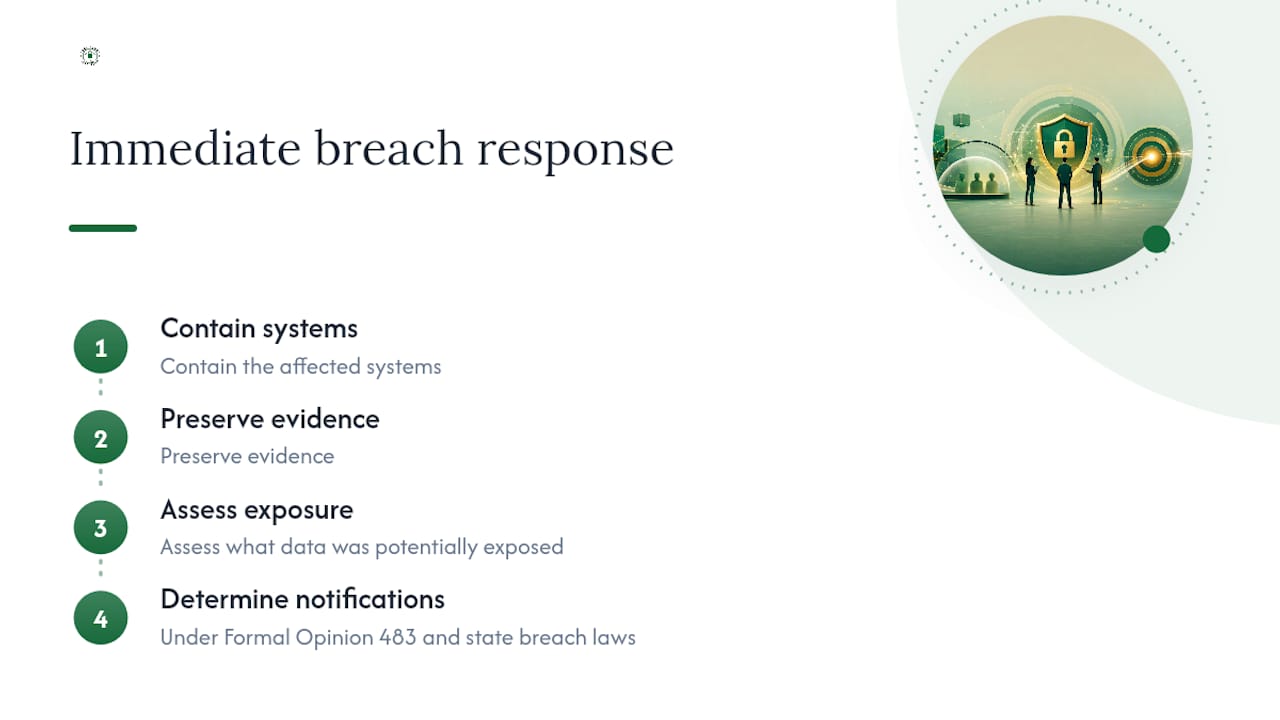
What should a firm do immediately after discovering a possible data breach? Contain the affected systems, preserve evidence, assess what data was potentially exposed, and determine notification obligations under Formal Opinion 483 and applicable state breach laws.
Are public AI tools safe to use with client information? Generally not without explicit safeguards. Public AI tools often retain input data in ways that can waive privilege or violate confidentiality duties, so firms should restrict their use for matter content unless specifically authorized under vetted terms.
This article provides general information for legal professionals and does not constitute legal advice. Confirm current ethical rules and state-specific requirements with your state bar and qualified counsel.
This article is general information, not a substitute for advice from a qualified lawyer. Consult a qualified legal professional about your own circumstances before acting on anything here.
Sources
- Model Rule 1.6: Confidentiality of Information
- Client Confidentiality as Data Security (Georgetown Law scholarship excerpt)
- 2026 Law Firm Data Security Guide: Secure Your Practice | Clio
Recommended
Want help putting this into practice?
We'll audit your security, speed, and hardware in under an hour — no commitment, no sales pitch. Just a clear roadmap of what to fix and why.