
Survive Ransomware: Small Businesses Upgrade 3-2-1 to 3-2-1-1-0
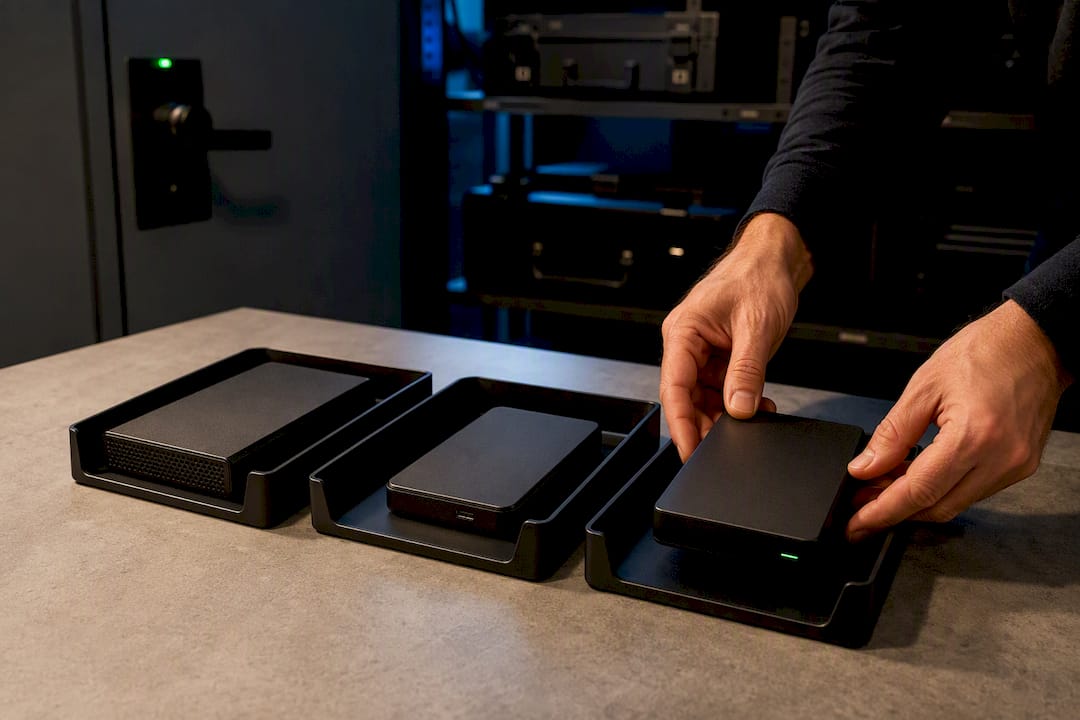
The 3-2-1 backup rule means keeping three total copies of your data, stored on two different types of media, with at least one copy off-site. It's a baseline standard endorsed by CISA, but modern ransomware has pushed many businesses, including clients Greatplainsnetworking supports, toward a stricter version of the standard.
TL;DR:
- Businesses should implement the 3-2-1-1-0 backup rule, adding at least one immutable or offline copy and verification for ransomware resilience.
- Ransomware groups actively target network-connected backups, making off-site and air-gapped copies essential for modern protection.
- Regular testing of restoration processes and maintaining detailed documentation ensure backup reliability and quick recovery.
- Small businesses can achieve effective backup setups using cost-efficient NAS devices, cloud services, and careful scheduling without needing large IT teams.
- Operational habits like isolating backup devices, using separate credentials, and rotating offline media are critical to prevent unnoticed failures.
Table of Contents
- What Is the 3-2-1 Backup Rule, Exactly?
- How a 3-2-1 Backup Strategy Works in Practice
- Why 3-2-1 Isn't Always Enough Anymore
- Setting Up 3-2-1 Backup on a Small Business Budget
- How to Test Backups So They Actually Restore
- Backup Mistakes That Quietly Undermine the 3-2-1 Rule
- A Quick Playbook for Small Business Owners
- Why Habits Beat Hardware
- Get Your 3-2-1-1-0 Backup Strategy Built and Managed
- Where to Verify This Guidance
- Sources
What Is the 3-2-1 Backup Rule, Exactly?
The rule breaks into three simple requirements, and each one closes a specific failure point that wipes out data in the real world.
Three copies means your live, working data plus two backups. Your production file on a laptop or server counts as copy one. A second copy sits on a local backup device. A third lives somewhere else entirely. If a single backup fails, you still have a second one to fall back on.
Two different media types protects you from a flaw or failure specific to one storage format. Valid combinations include:
- An internal or external hard drive paired with cloud object storage
- A network-attached storage (NAS) device paired with tape
- A removable SSD paired with a cloud backup service
- A NAS paired with a second cloud provider in a different region
Mixing media matters because a firmware bug, a bad drive batch, or a ransomware strain built to target Windows file systems won't necessarily touch a tape cartridge or a cloud object store using different infrastructure.
One off-site copy is the part small businesses skip most often, usually because it's the least convenient. Off-site can mean a cloud region physically distant from your office, a drive stored at a second location, or a bank safe deposit box for a rotated backup drive. The goal is straightforward: a fire, flood, theft, or hardware failure at your primary location shouldn't be able to touch every copy of your data. CISA frames the off-site requirement specifically around protecting against local disaster scenarios, which is exactly the risk most owners underestimate until it happens to them.
How a 3-2-1 Backup Strategy Works in Practice
Theory is easy. The workflow is where most backup plans actually break down. Here's what a working setup looks like at two different scales.
- A personal or solo setup: Your working files live on your PC. An external drive plugged in weekly captures a local backup. A cloud backup service (Backblaze, iDrive, or similar) syncs continuously and satisfies the off-site requirement automatically.
- A small-business setup: Workstations and servers write to a NAS device on the local network for fast recovery. That NAS then replicates nightly to cloud object storage or a second physical site, covering both the second media type and the off-site copy.
- Scheduling: Critical files (client records, billing, active case files) back up continuously or hourly. Less volatile data (archived files, old projects) can run on a daily or weekly schedule.
- Encryption: Backups should be encrypted both in transit and at rest, especially for regulated industries like dental, legal, or accounting practices handling client records.
- Retention: Keep enough historical versions to recover from an error that isn't caught immediately. Thirty to ninety days of version history is a reasonable starting point for most small offices.
The schedule and retention choices should tie back to two numbers: your Recovery Point Objective (RPO), or how much data you can afford to lose, and your Recovery Time Objective (RTO), or how fast you need to be back up. A dental practice running hourly backups with a four-hour RTO target recovers very differently than one relying on a single nightly backup with no tested restore process.
Why 3-2-1 Isn't Always Enough Anymore
The original 3-2-1 rule was built for hardware failure, theft, and natural disaster. It wasn't built for an attacker who deliberately hunts down and destroys your backups before encrypting your production data. That's exactly what modern ransomware does.
CISA's analysis of ransomware behavior, including groups like DarkSide, documents that attackers actively seek out network-connected backups to encrypt or delete before triggering the main attack. If your backup NAS is reachable from the same network as an infected workstation, it's a target, not a safety net.
That gap is why many organizations now follow 3-2-1-1-0, which adds:
- A fourth copy requirement is really the same three copies, but with one made immutable or offline (air-gapped tape, a disconnected drive, or cloud object storage with object lock enabled)
- A zero errors verification standard, meaning backups are automatically checked and restore-tested rather than assumed to be working
TechTarget's breakdown of the 3-2-1-1-0 rule frames the extra copy and verification step as the difference between a backup that exists and one that actually survives an attack. The classic 3-2-1 approach originated in general digital asset management, long before ransomware treated backups as a primary target.
Who needs 3-2-1-1-0 versus who can stick with 3-2-1? Any business holding regulated data (health records, financial data, legal files) or anyone who'd lose real revenue from a few days of downtime should adopt the immutable copy now. A solo operator with low-value, easily replaceable data has more room to stay with the simpler standard, though the cost of an immutable cloud copy has dropped enough that there's little reason not to upgrade.
Setting Up 3-2-1 Backup on a Small Business Budget
You don't need an enterprise IT department to implement this correctly. You need a plan, a little discipline, and about an afternoon to set it up.
- Identify what actually matters. List your critical data (client files, billing records, email, line-of-business databases) and set a rough RPO and RTO for each category. Not everything needs hourly backups.
- Choose your media mix. A NAS device for fast local restores, plus a cloud backup service for off-site coverage, covers the "2 media, 1 off-site" requirement for most small offices.
- Add an immutable or offline copy. Enable object lock on your cloud storage, or rotate a removable drive that stays disconnected except during backup windows.
- Set schedules and retention. Match backup frequency to your RPO. Keep 30 to 90 days of version history as a starting point.
- Encrypt everything and separate credentials. Backup admin accounts should never share a password with day-to-day logins, and multifactor authentication belongs on every account that can touch a backup.
- Document the plan. Write down where backups live, who can access them, and the exact steps to restore. Ready treats this documentation as part of the backup itself, not an afterthought.
For low-cost DIY setups, a NAS device paired with a cloud sync service and object-lock storage gets most small offices to a rough 3-2-1-1-0 equivalent for a modest monthly cost. If that's more than you want to manage yourself, a managed provider can run the same architecture with monitoring built in.
Rotate any removable media on a fixed schedule and store the inactive copy somewhere physically separate. A fireproof safe works for a single drive; a bank box works for archival backups you touch less often.
Pro Tip: Label every removable backup drive with the date it was last verified, not just the date it was created. A drive that hasn't been tested in six months is a liability disguised as a safety net.
How to Test Backups So They Actually Restore
A backup that has never been restored is a hypothesis, not a safety measure. Testing is what turns "we have backups" into "we know we can recover."
Run restore drills on a fixed schedule, not just when something breaks. Quarterly drills for critical systems and at least an annual full-system restore test are reasonable targets for most small businesses. CISA's guidance is direct on this point: automated success logs alone don't guarantee recoverability, because a backup job can report "success" while the underlying files are corrupted or configurations are missing.
A thorough drill includes booting the recovered system in a sandbox, not just checking that files opened correctly. That step catches boot failures and compatibility issues a simple file check misses. Gold images, complete system snapshots with the operating system and applications pre-configured, along with stored copies of installers, cut hours off a full rebuild when a server needs to come back from nothing.
| What to measure | Why it matters |
|---|---|
| RPO (Recovery Point Objective) | Defines how much data loss is acceptable between backups |
| RTO (Recovery Time Objective) | Defines how fast systems must be back online |
| Restore success rate | Confirms backups are usable, not just present |
| Time to full rebuild | Shows whether gold images and installers are actually saving time |
Backup Mistakes That Quietly Undermine the 3-2-1 Rule
Even businesses that follow the letter of the 3-2-1 rule often get undone by small operational habits.
- Permanently connected backup devices. A NAS that's always reachable from the main network is exactly what ransomware looks for. Isolate it or schedule connection windows.
- Shared or reused credentials. Backup admin logins need their own passwords and multifactor authentication, never recycled from another system.
- Assuming your SaaS provider backs up your data. Most cloud platforms protect against their own infrastructure failing, not against a user accidentally deleting files. A third-party backup layer closes that gap.
- Single-person knowledge. If only one employee knows how to run a restore, you don't have a recovery plan. You have a dependency.
A Quick Playbook for Small Business Owners
Prioritize your critical data, pick a two-media mix with an off-site copy, set schedules that match your RPO and RTO, and test restores on a calendar, not a whim. Greatplainsnetworking builds exactly this into its managed backup and recovery services, pairing 24/7 monitoring with air-gapped copies and gold images so dental, legal, and accounting clients across Norman, Moore, and Oklahoma City recover fast instead of hoping for the best.
Why Habits Beat Hardware
Good backup architecture fails constantly, not because the technology is wrong, but because nobody keeps up the routine. A weekly restore check, rotated offline media, and a backup admin account that's separate from everyone's daily login catch problems long before a crisis does. Staff training and a one-page recovery checklist matter as much as any piece of storage hardware you buy.
— Nicholas
Get Your 3-2-1-1-0 Backup Strategy Built and Managed
Setting up backups correctly is one thing. Watching them, testing them, and fixing them before they fail is another job entirely, and it's the one most small businesses don't have time for. Greatplainsnetworking builds and manages the full 3-2-1-1-0 setup for offices across Norman, Moore, and Oklahoma City, so you get a done-for-you system instead of a project you have to babysit.

That includes:
- 24/7 monitoring that catches a failed backup job before it becomes a missed recovery
- Immutable and offline copies built to survive a ransomware attack, not just a hardware crash
- Gold images and stored installers for fast full-system rebuilds
- Scheduled restore drills so you know recovery actually works, with documentation to prove it
- Same-day response and no long-term contracts, so you're never locked into a provider that isn't delivering
If your current backup setup has never been tested, or you're not sure it would survive a targeted attack, start with a conversation. Visit the backup and recovery services page to schedule a consultation and get a plan built around your actual RPO and RTO, not a generic template.
Where to Verify This Guidance
For further reading straight from primary sources, start with CISA's small business backup guidance and its ransomware protection recommendations. Ready.gov's recovery plan resources cover documentation standards, and Backblaze's comparison of 3-2-1 variants explains the shift toward immutable copies in more technical depth. For a broader look at protecting networked assets generally, Mastros Blog's piece on the network backup principle is worth a read.
Sources
Recommended
Want help putting this into practice?
We'll audit your security, speed, and hardware in under an hour — no commitment, no sales pitch. Just a clear roadmap of what to fix and why.